English
31
Make sure your Bluetooth source
device and the V5US are both
turned on and the Bluetooth
mode is selected as the source
on your V5US.
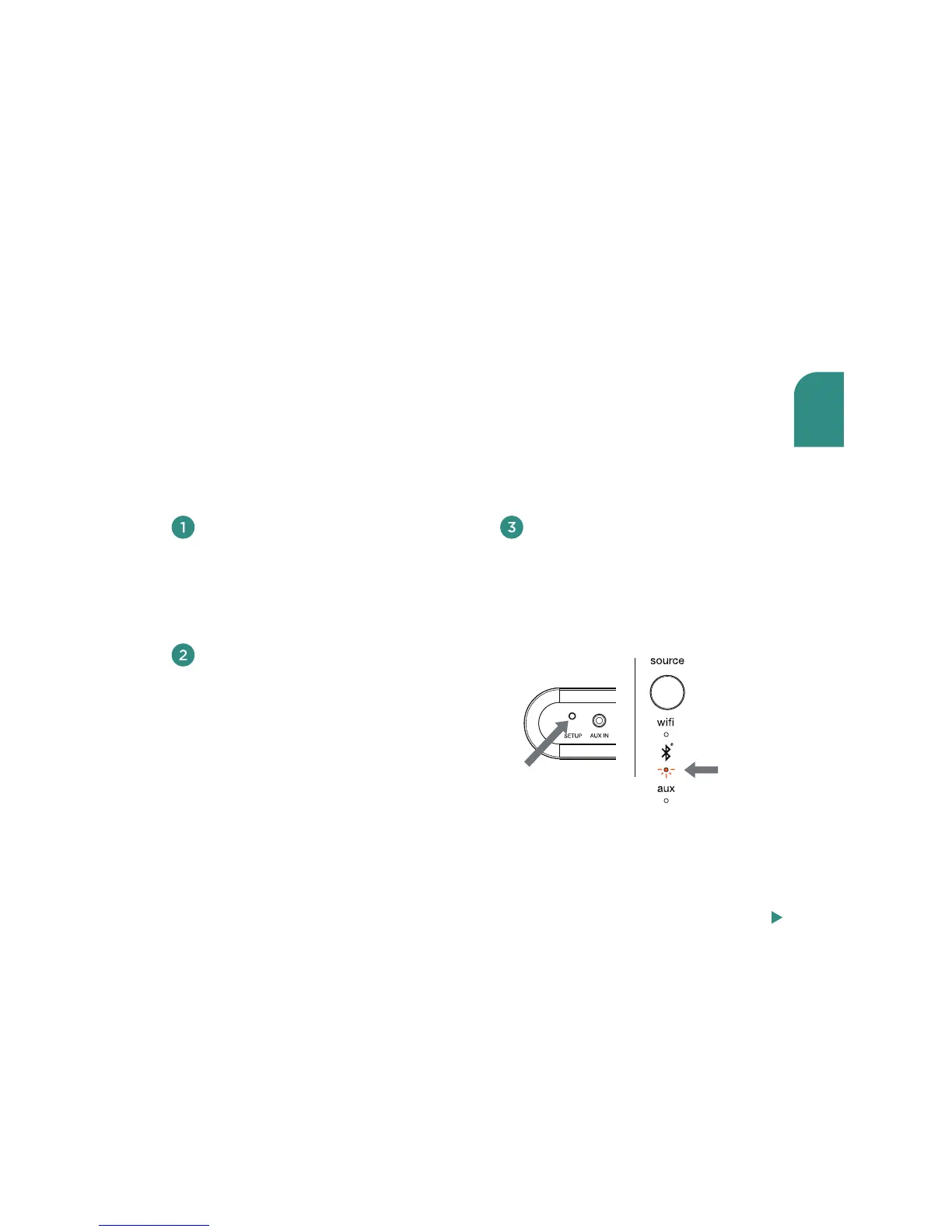
Press the setup button on the
rear of your V5US
(Figure 1) until
the Bluetooth source indicator
blinks amber once every second
(Figure 2). This will place the
V5US into “discoverable”
mode.
In the Bluetooth control section
of your source device, place the
source device into “discovery”
mode. V5US14_xxxxxx should
appear on the list of devices that
can be paired.
Pairing occurs when two Bluetooth devices “communicate” with each other and create a
connection. The Wren V5US can “remember” the last six Bluetooth devices that have
paired with it. For best results, have your Bluetooth source device near your V5US.
Note: Your V5US will automatically enter pairing mode the first time you select Bluetooth as your source.
The following directions are for all subsequent pairings. If you are setting up the speaker for the first time,
start with step 3 below.
blinking
amber
Figure 1 Figure 2
Pairing with your V5US
Steps 4-6, next page



 To Next Page