CI6X SERIES SPECTROPHOTOMETER
27
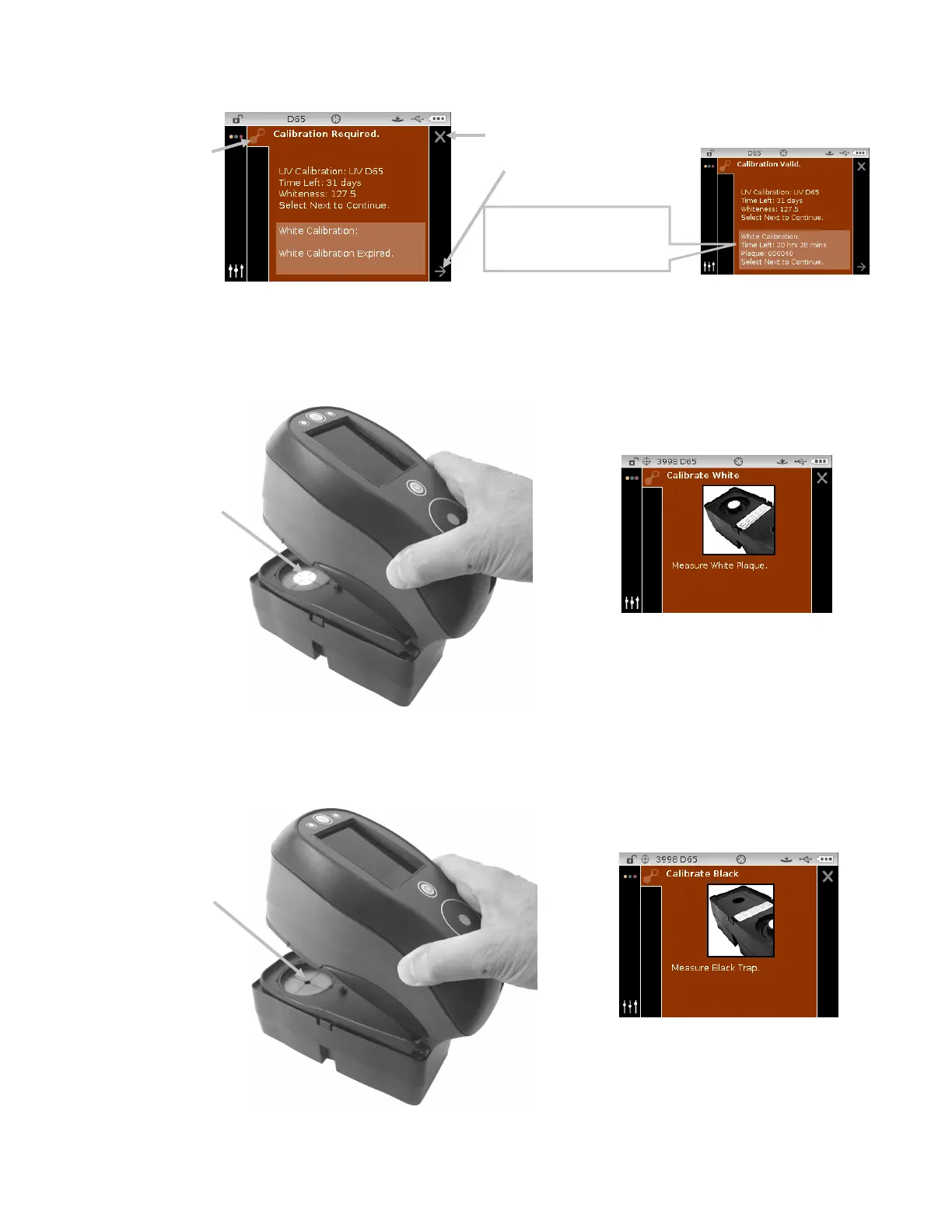
3. Use the Right navigation control to move the highlight focus to the Progress column. Use the
Down navigation control to highlight the Next arrow icon (
→) if not highlighted and tap the
Select button.
4. Remove the protective cap from the white ceramic plaque in the calibration reference.
5. Position the instrument target window over the white ceramic plaque.
6. Press the instrument firmly to the shoe and hold steady until the display indicates that the
reading is complete. Release the instrument.
7. Reinstall the protective cap on the white ceramic plaque.
8. Position the instrument target window over the black trap opening of the calibration reference.
icon
opening
when calibration is not
currently required












 To Next Page