CI6X SERIES SPECTROPHOTOMETER
33
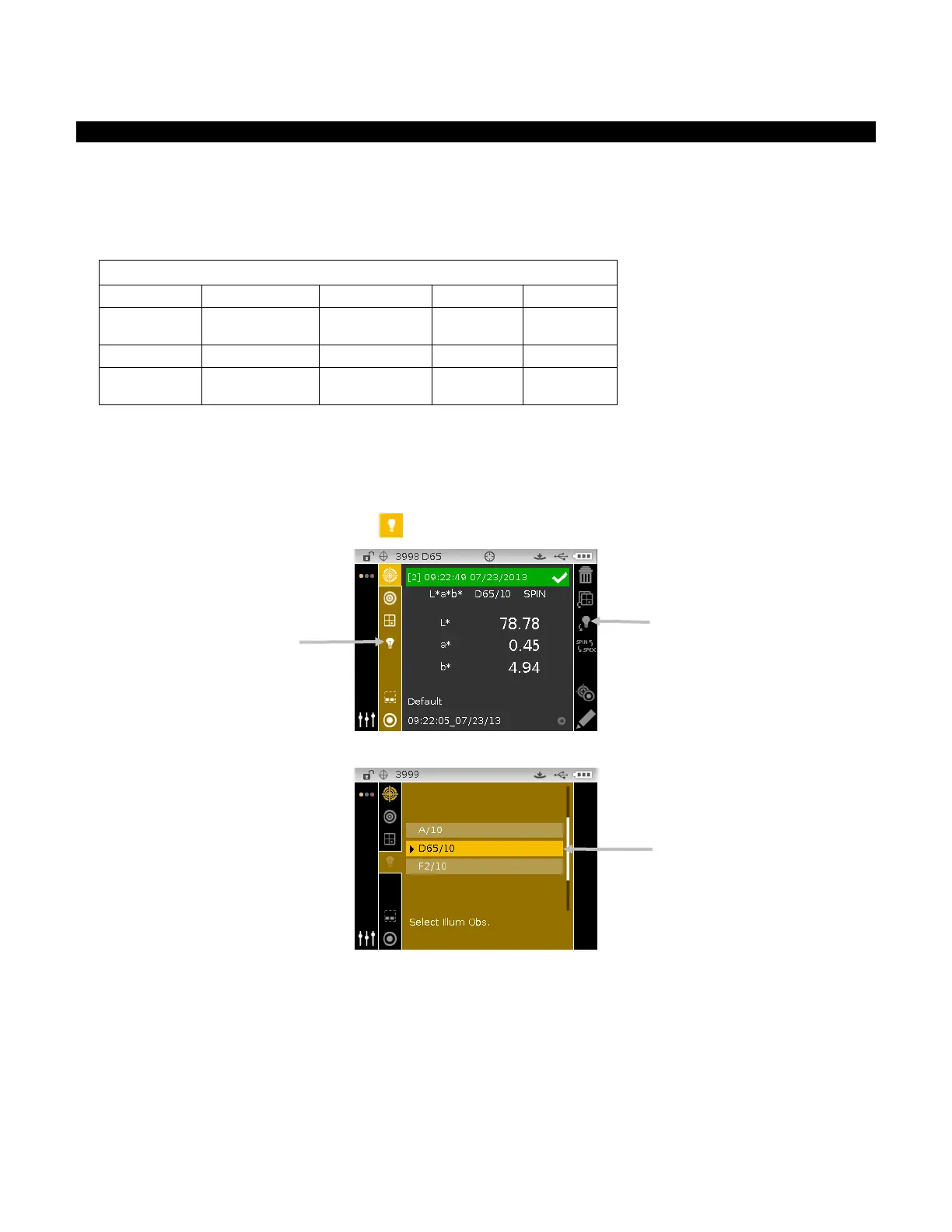
Selecting Illuminant/Observer
The instrument has several illuminant/observer combinations to choose from. Any combination
can be selected after a measurement to view the measurement results under various conditions.
The illuminant/observer page icon is used to quickly page through the list of allowed
illuminant/observers without leaving the current view. Simply tap the Enter key when the icon is
highlighted to change to the next allowed illuminant/observer.
(default)
(default)
(default)
(default)
(default)
NOTE: Certain illuminant/observer combinations may not appear if they are not allowed in the
Configuration mode.
To select illuminant/observer combinations:
1. From the Measure screen, use the Up or Down navigation buttons to move the highlight focus
to the Illuminant/Observer icon
.
2. Tap the Select or Right navigation button to access the illuminant/observer selection area.
3. Use the Up or Down navigation buttons to move the highlight focus to the desired
illuminant/observer combination.
4. Tap the Select button. An arrow () appears next to the selected illuminant/observer and the
screen returns to the measure screen.
List of allowed illuminant/observer
combinations
Illuminant/observer page icon












 To Next Page