CI6X SERIES SPECTROPHOTOMETER
42
8. Tap the Select button to set the color space option/value.
9. Continue until all attributes for the color space are set.
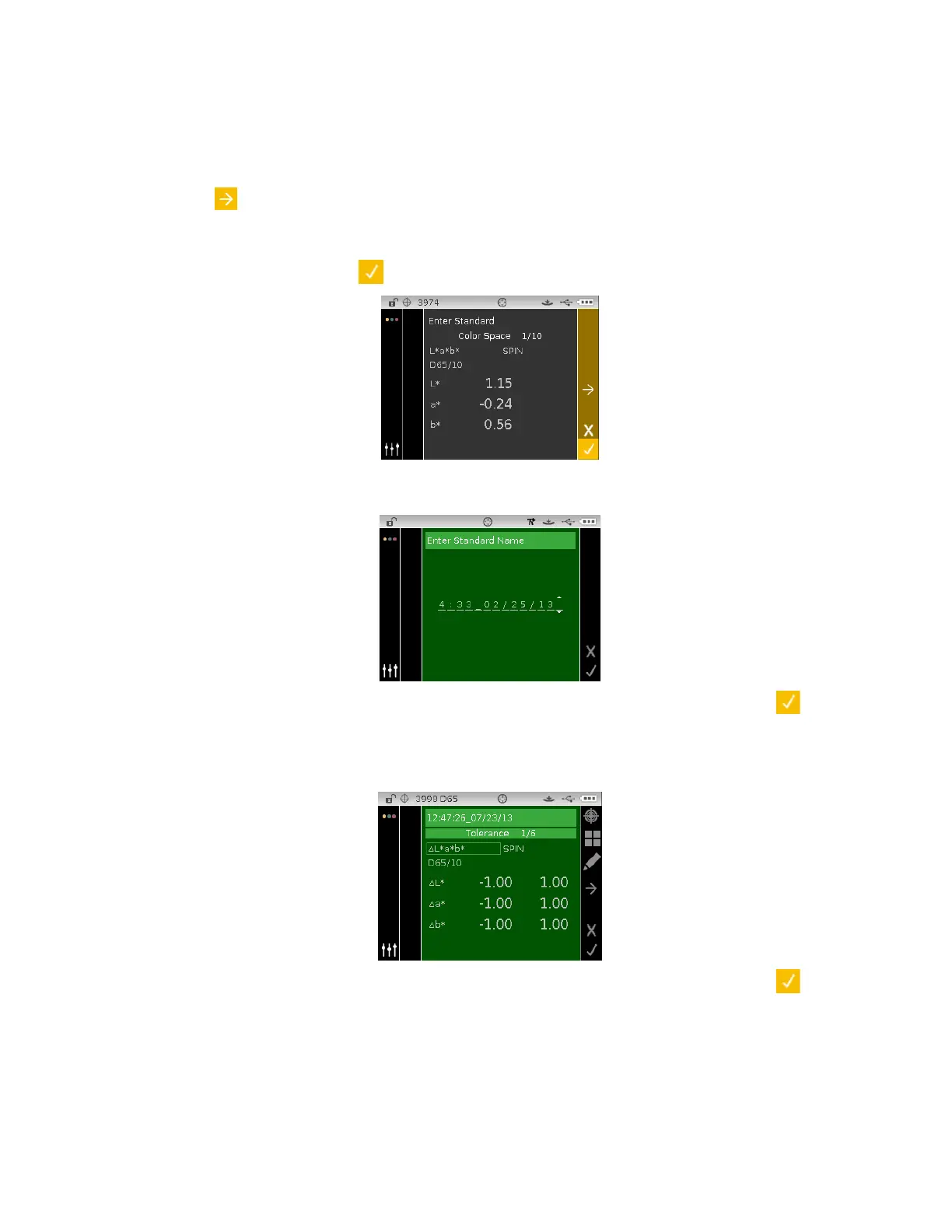
10. If additional color spaces (up to 10) are required for the selected standard, highlight the right
arrow icon
is the Progress Column and tap the Select button. Edit the next color space
attributes as explained above.
11. When finished with color space entries for the standard, tap the Right navigation button and
highlight the checkmark icon
in the Progress Column.
12. Tap the Select button to save the standard. The Enter Standard Name screen appears. Edit
the default name if desired. Refer to Editing the Standard Name section that follows.
13. When finished, tap the Right navigation button and highlight the Checkmark icon
in the
Progress Column.
14. Tap the Select button to save the standard name. The edit tolerance screen appears. Edit the
tolerances as needed. Refer to Editing Standard Tolerances section that follows.
15. When finished, tap the Right navigation button and highlight the Checkmark icon
in the
Progress Column. The new standard now appears in the selected project. Manually created
standards are indicated with an asterisk (*).












 To Next Page