CI6X SERIES SPECTROPHOTOMETER
47
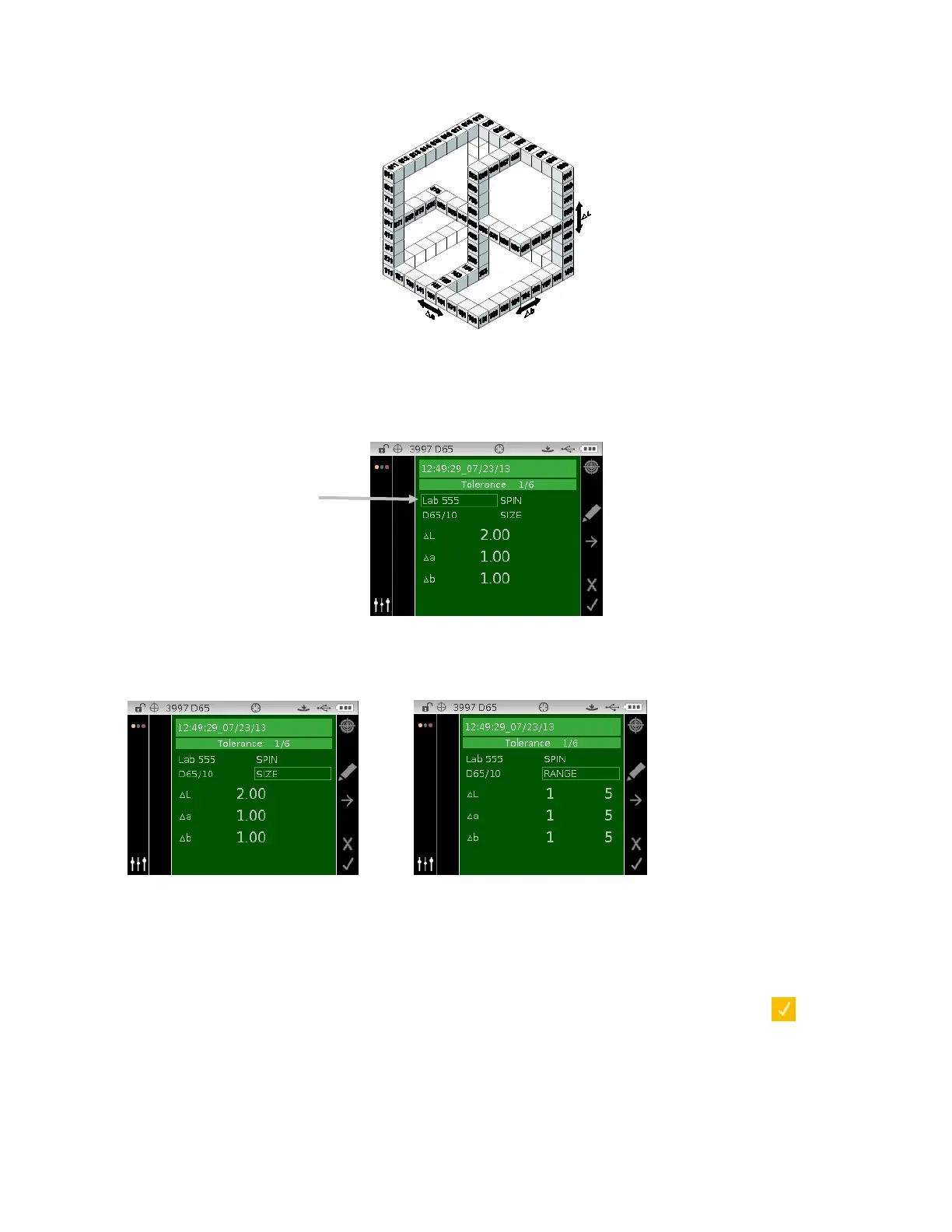
The shade sort range determines the range of the 555 shade tag boxes to be used and displayed.
The range can be set from 1 to 9 in the three dimensional space.
The 555 indication appears on the QA mode when set.
1. Select the standard (if not already selected) and the 555 tolerance type as explained above.
2. Use the navigation control to highlight illum/obs and specular component (SPIN or SPEX) and
set as previously explained.
3. Use the navigation control to highlight SIZE or RANGE and tap the Select button.
4. For SIZE, use the Up or Down navigation buttons to select the attribute value and edit as
required. Values range from .01 to 9.99.
5. For RANGE, use the Up or Down navigation buttons to select attribute value and edit as
required. Lower attribute value can range from 1 to 5 and the upper attribute value can range
from 5 to 9.
6. When finished, tap the Right navigation button and highlight the checkmark icon
in the
Progress Column.
7. Tap the Select button to save the edit for the shade sort tolerance.












 To Next Page