Replacement
I.
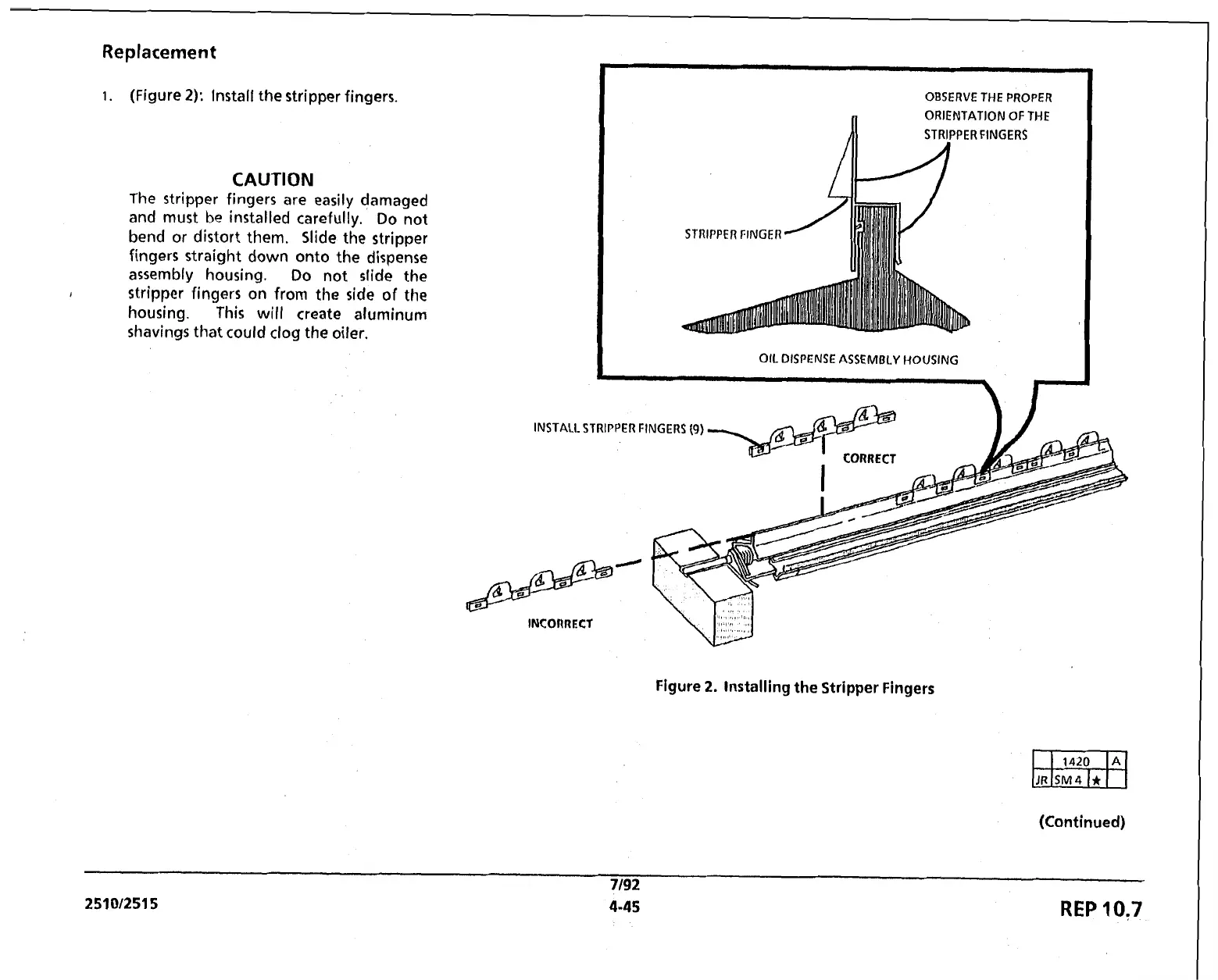
(Figure
2):
Install the stripper fingers.
CAUTION
The
stripper fingers are easily damaged
and must be installed carefully. Do not
bend or distort them. Slide the stripper
fingers straight down onto the dispense
assembly housing. Do not slide the
I
stripper fingers on from
the
side of the
housing. This will create aluminum
shavings that could clog the oiler.
INS
OBSERVE THE PROPER
n
ORIENTATION OF THE
STRIPPER FINGERS
Al-4
OIL DISPENSE ASSEMBLY HOUSING
Figure
2.
Installing
the
Stripper Fingers
(Continued)
7/92
25101251 5
4-45
REP
10:7



 To Next Page
 Loading...