4
Using a PostScript Driver
7
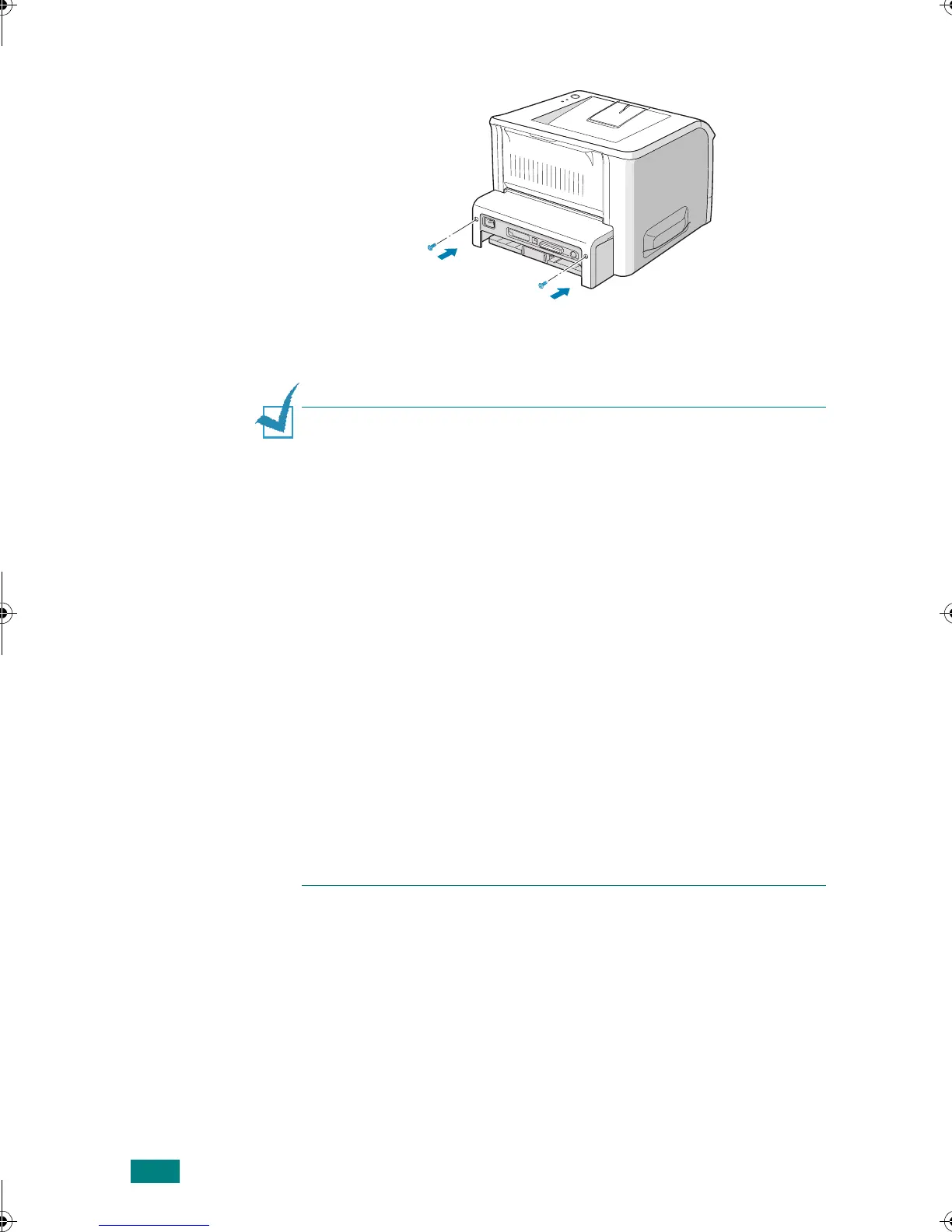
Replace the two screws.
8
Reconnect the power cord and printer cable, and turn the
printer on.
N
OTE
:
If you want to use an optional memory DIMM with your
PostScript printer driver, you need to select it in the printer
properties after installing the memory DIMM.
To d o so:
1. Click the Windows
Start
menu.
2. For Windows 98/Me/NT 4.0/2000, select
Settings
and then
Printers
.
For Windows XP, select
Printers and Faxes
.
3. Select the PostScript printer driver for the 3150.
4. Click the right mouse button on the printer icon and select
Properties
.
5. For Windows 98/Me, select
Device Options
tab.
For Windows NT 4.0/2000/XP, select
Device Setting
tab.
6. Select the total memory size installed in
Installable Option
.
For example, if you installed 32 MB memory DIMM, then select
64 MB (additional memory + 32 MB base memory) and click
OK
.
For Windows 98, select
Installable Option
→
VMOption
→
change setting for:VMOption
→
Select the total memory size installed.
wzUGGwG[GGmSGqGX]SGYWW[GGXa\ZGwt












 To Next Page