EasyManua.ls Logo

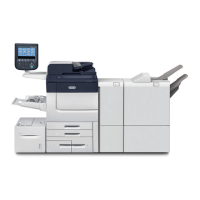
Xerox PrimeLink B9136 - User Manual

Xerox PrimeLink B9136
484 pages
Print Icon
To Next Page IconTo Next Page
Loading...
VERSION 3.0
FEBRUARY 2023
702P08989
Xerox
®
PrimeLink
®
B9100/B9110/B9125/
B9136 Copier/Printer
User Guide

Table of Contents

Questions and Answers

  • K
    Katie PerezSep 8, 2025
    Why is my Xerox Printer copy shifting slightly?
    • R
      Rachel YorkSep 9, 2025
      If your Xerox Printer copies are shifting slightly, the paper may be shifting or the leading edge of the paper is not loaded flush with the tray corners. Load the paper so that it is flush against the paper tray corners.
  • T
    Tammy NavarroAug 25, 2025
    Why does my Xerox PrimeLink B9136 keep jamming and wrinkling paper?
    • E
      Emily JohnsonAug 25, 2025
      Frequent paper jams and wrinkled paper in your Xerox Printer can be due to several factors: * The paper might not be loaded correctly in the paper tray; ensure it's loaded properly. * The paper tray might not be fully inserted; push it in firmly as far as it can go. * The paper could be damp; replace it with paper from a new ream. * The paper could be curled; try turning the paper over so the curl faces down, or use a new ream.
  • C
    crystalkimAug 25, 2025
    What to do if my Xerox PrimeLink B9136 Printer is unable to print or copy?
    • M
      Michelle HarrisAug 26, 2025
      If your Xerox Printer is unable to print or copy, here are a few things to check: First, see if there's a message on the control panel and follow the instructions provided. Second, make sure the printer isn't in offline mode by pressing the Machine Status button and selecting Online. Finally, ensure the power cord is properly connected to both the printer and the power outlet; if disconnected, turn the power off, plug it in securely, and then turn the power back on.
  • I
    Ian SmithSep 22, 2025
    Why am I unable to send email from my Xerox Printer?
    • D
      Dominique HobbsSep 22, 2025
      If you are unable to send email from your Xerox Printer, verify that the email address is correct. Also, the maximum sending email size might be exceeded; change the maximum sending email size, or reduce the resolution.
  • M
    Mr. Christopher SilvaSep 9, 2025
    Why are images skewed on my Xerox PrimeLink B9136 copies?
    • M
      Mr. Russell PerezSep 9, 2025
      If images on your Xerox Printer copies are skewed, it could be due to several reasons. Ensure the document is loaded correctly. Check that the paper is loaded properly in the tray. For Tray 5 (Bypass), make sure the paper guide is set so that the tray touches the paper. Also, ensure the document guides are correctly positioned and aligned with the document's edge. Finally, verify that the paper tray is properly set by pushing it in as far as possible.
  • P
    Peggy LewisSep 14, 2025
    How to fix a folded corner on a Xerox PrimeLink B9136 Printer document?
    • P
      powerskurtSep 14, 2025
      If a corner of the document is folded when using your Xerox Printer, it's likely because the document is curled. Flatten out the curl and then load the document again.
  • M
    Mary RussellSep 3, 2025
    Why is the printing faint on the entire page from my Xerox PrimeLink B9136?
    • C
      Christine CarterSep 3, 2025
      If the printing is faint on the entire page from your Xerox Printer, the print was made using Tray 5 (Bypass), and the size and type of the loaded paper differed from the setting on the print driver. Load paper of the correct size and type into Bypass, Tray 5. Fan the paper thoroughly before you load it. Alternatively, two or more sheets may be feeding at the same time; fan the paper thoroughly, then reset the paper.
  • J
    Jake BradySep 4, 2025
    Why does paper become wrinkled when using my Xerox Printer?
    • G
      greggheathSep 4, 2025
      If paper becomes wrinkled when using your Xerox Printer, the paper in use may be unsuitable; replace with paper from a new ream.
  • R
    Rebecca SchroederSep 23, 2025
    Why are text or images printed at an angle from my Xerox PrimeLink B9136 Printer?
    • W
      William CurtisSep 23, 2025
      If text or images are printed at an angle from your Xerox Printer, the paper guide in the paper tray is not set at the correct position. Set the horizontal and vertical paper guides to the correct positions.
  • A
    Andrew WernerAug 29, 2025
    Why does the printed toner smudge when rubbed on my Xerox prints?
    • O
      ortizshelbyAug 29, 2025
      If the printed toner smudges when rubbed on your Xerox prints, it could be due to a couple of reasons. The paper might be damp, so try replacing it with paper from a new ream. Alternatively, the paper you're using might be unsuitable; try loading suitable paper.

Xerox PrimeLink B9136 Specifications

General IconGeneral
Print Speed (Black)136 ppm
Print Resolution1200 x 2400 dpi
Memory (Standard)8 GB
Hard Drive250 GB
Operating System CompatibilityWindows, macOS, Linux
TypeMultifunction Printer
Copy Speed (Black/White)136 cpm
Fax Modem Speed33.6 Kbps
Paper Size (Maximum)13 x 19.2 inches
Processor1.8 GHz
ConnectivityUSB, Ethernet, Wi-Fi
Scanner TypeDuplex Automatic Document Feeder
Duplex PrintingAutomatic

Related product manuals