1
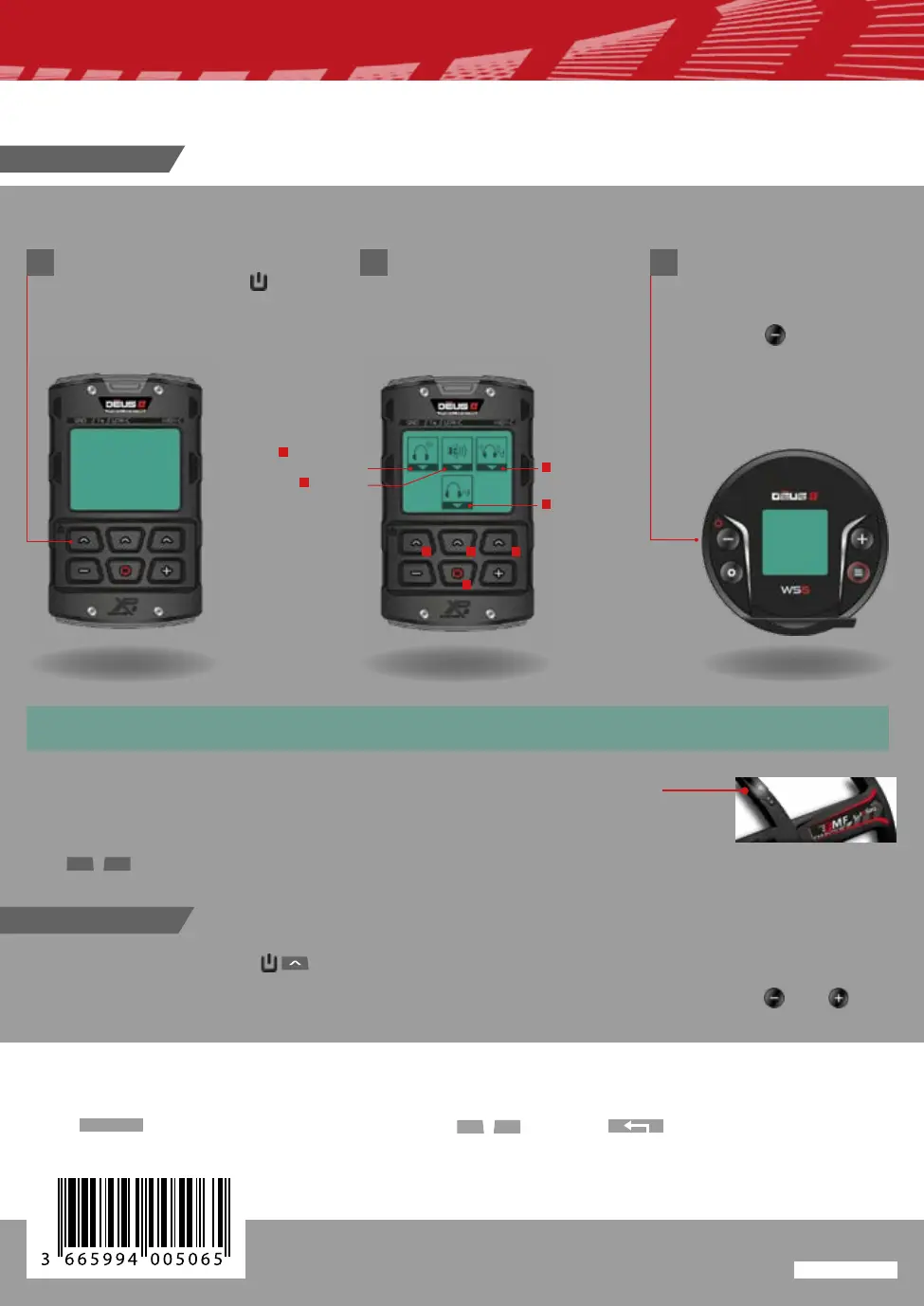
Switch on the remote, press
1 second the button
Press the button on top left for 2 seconds to switch off the remote control.
The wireless XP headphones switch off automatically (otherwise force it off by pressing and ).
If you wish to change the main detection settings:
Press
MENU
, scroll through the functions, set with and press to return to the main menu.
1
1
2 3
4
2 3
2
3
4
Switch OFF
After charging your device !
Choose the audio output
The WS6 turns on auto-
matically if paired to RC.
Otherwise, to switch on
the headphones press 2
seconds
(WS6 / WSA II / WSA II XL)
The ashing led indicates the awakening of the coil it ashes every second.
By default the DEUS II starts in the factory program N ° 1 GENERAL.
Use to select one of the optional 12 factory programs.
Wired
headphone
Speaker
BH-01 : Bone
Headphone
Wireless
headphone
QUICK START
NOTE: a headset paired with the remote control will turn on and off automatically. it is possible to deac-
tivate this function in the remote control via OPTION > PAIRING (headphones) > START.
-
+
-
+
AG0BBB
www.xpmetaldetectors.com
Switch ON
GB



 To Previous Page