Safe Driving
142
Front passenger airbag disablingFront passenger airbag disabling
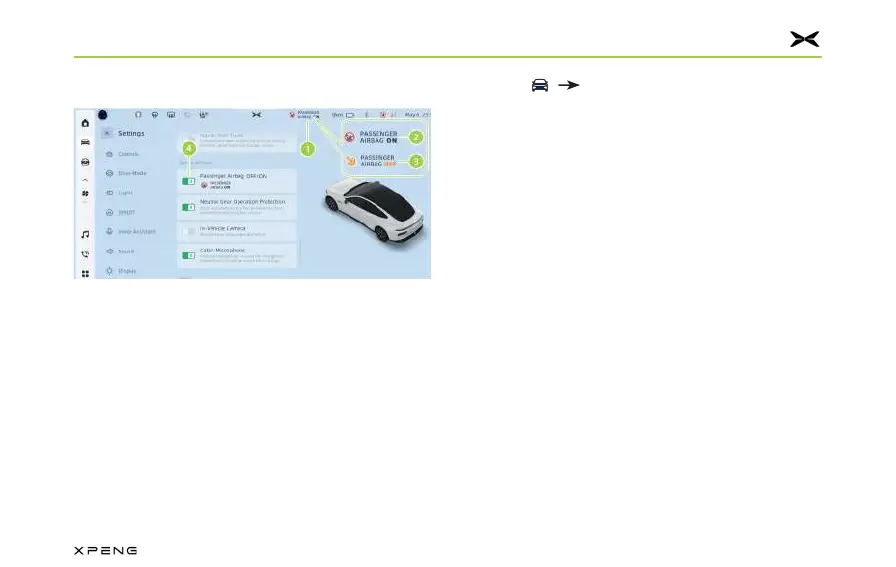
1. 1. Front passenger airbag status indicatorFront passenger airbag status indicator
2. 2. Front passenger airbag onFront passenger airbag on
3. 3. Front passenger airbag offFront passenger airbag off
4. 4. Front passenger airbag switchFront passenger airbag switch
The front passenger airbag is on by default and
can be turned off/on in the following two ways:
1. 1. Tap the front passenger airbag status Tap the front passenger airbag status
indicator on the status bar, then go to the indicator on the status bar, then go to the
switch setting interface.switch setting interface.
2. 2. Ta p "Ta p " Settings Settings "" on the CID to enter on the CID to enter
the interface, then slide down and tap the the interface, then slide down and tap the
front passenger airbag switch.front passenger airbag switch.



 To Next Page