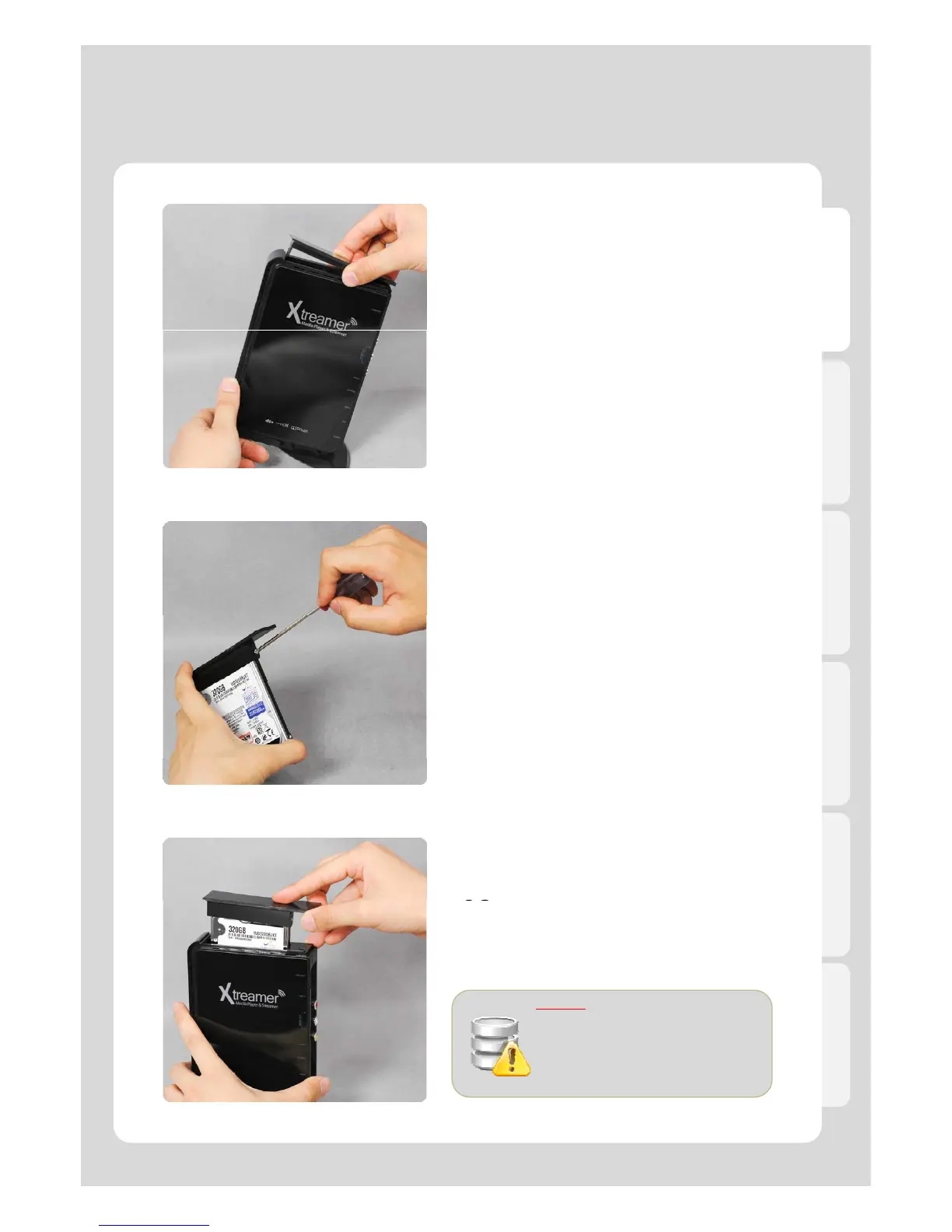
Hard-Disk Installation
English
Remove the HDD cover on the top of
product by pulling and separating the HDD
guard from the main body of Xtreamer
.
Connect the HDD guard and SATA HDD
as shown in the picture. Fasten screws.
02.
As shown above, slowly push the HDD
guard together with the SATA HDD into
the main body of Xtreamer.
.
Caution
Do not force HDD into unit under any
circumstances. If installation doesn’t
11
go easily, it could break the SATA
port in Xtreamer. Must reinstall from
beginning.



 To Next Page