Advanced Users Guide
English
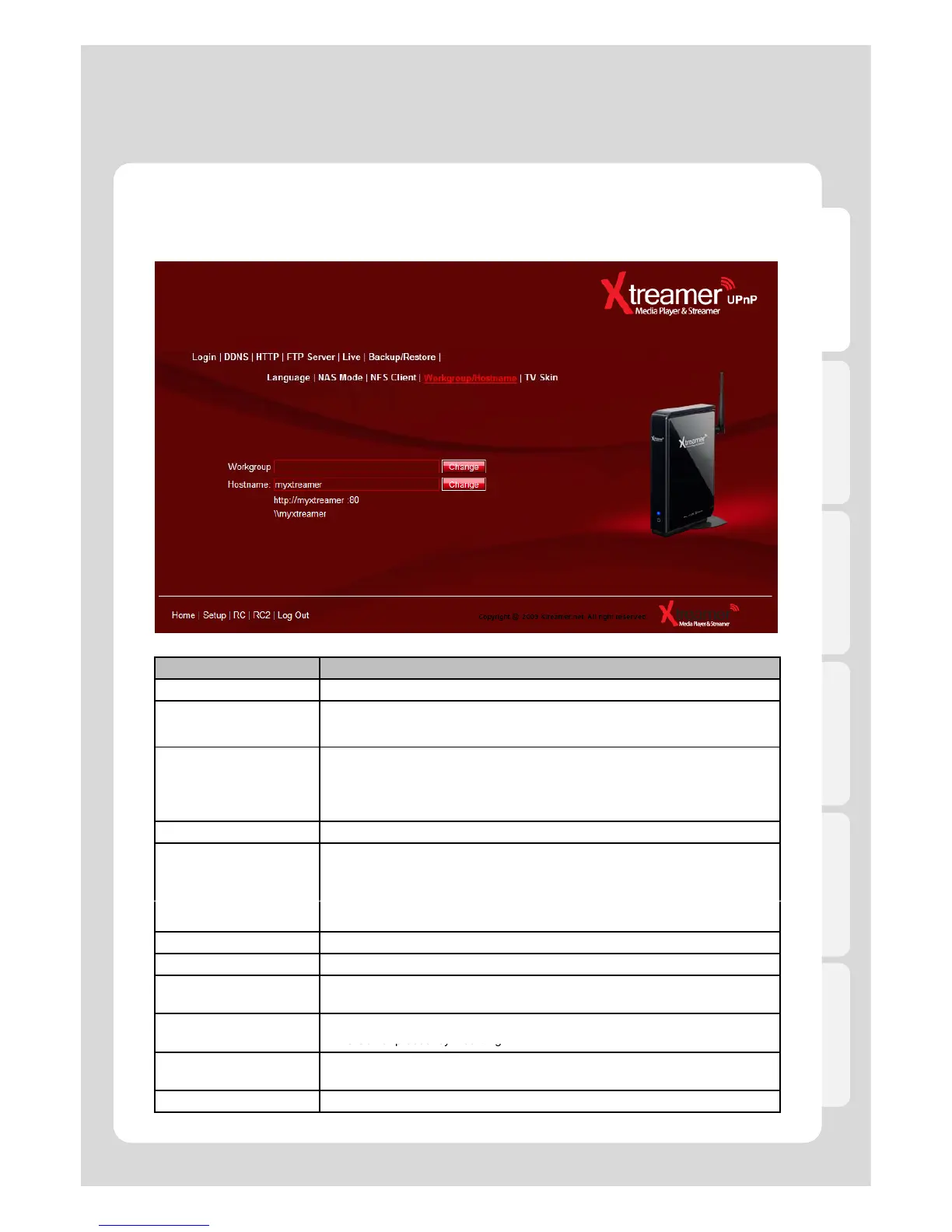
1-2. How to use “Set-up menu” of Web Server
1. Web Server
Menu Description
Login It sets ID and PWD to access to web-server.
DDNS
-It allows you to access your Xtreamer over the Internet from everywhere in the
world. Simply type ***.myxtreamer.net in your browser.
- The Xtreamer DDNS service is free
-
It changes HTTP Port (Default Value: 80)
.
- It changes HTTP Port if 80 Port isn’t supported, e.g. 8080.
- For instance, the case of Korea, if you access from external, you need to change
80 port due to it is blocked by Korea communication service. (Please make sure to
open\forward a relevant port on your router).
FTP It changes FTP connection port number (Default value : 21).
Live
- It provides adding user specified RSS address when you use Xtreamer Live.
- Web port default value must be 80.
- Live keyword: This button enables you to connect “make” button on Xtreamer key
.
- If you use keyword function, you can enter and search in multi-languages.
Backup/Restore It saves or restores UPnP setting value.
Language It changes language for UPnP media server.
NAS Mode
It blocks TV output from Xtreamer so that more stable network environment can be
provided.
NFS Client
It mounts NFS File System. Generally, it enables you to use the file system only for
NAS Server product by mounting.
Workgroup/Hostname
It changes Network Group, and hostname of Xtreamer in Network.
(Default Value : myxtreamer)
TV Skin It changes or restores GUI skin.



 To Next Page