Advanced Users Guide
English
1. Web Server
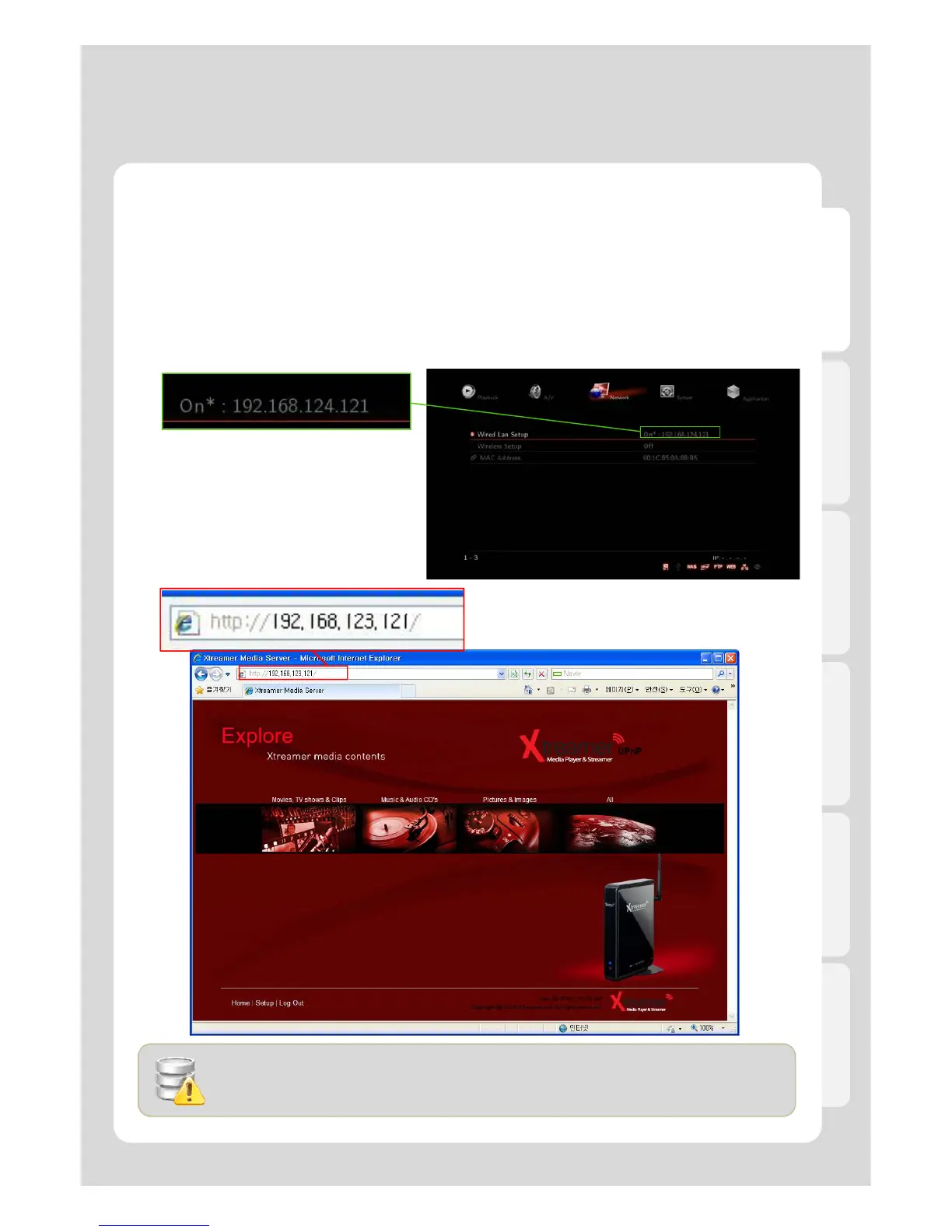
In order to use “Web Server” for Xtreamer, establishing Network and PC is essential.
1. Firstly, check if IP address is correctly accessed or not in Network.
2. Confirm the allocated IP and then setup [System] - [UPnP Media Server] - [On].
3. Enter the allocated IP address of Xtreamer in URL address bar. The PC and Xtreamer need to be the
1-1. Initial Setting for Web Server connection
same local network.
57
- We’d recommend you to connect to wired network to use Web Server.
- The latest version of browser is highly recommended.
- MS IE6 many cause not proper working like PNG file supporting etc.



 To Next Page