Settings
English
In order to connect your Xtreamer to a wireless environment you need to plug “USB WiFi Antenna (Optional
Item)” to a USB2 port on the back panel of your player. The Xtreamer WiFi Antenna supports 802.11N protocol.
Note. We recommend to use LEFT USB2 port as seen from the front.
5. Network
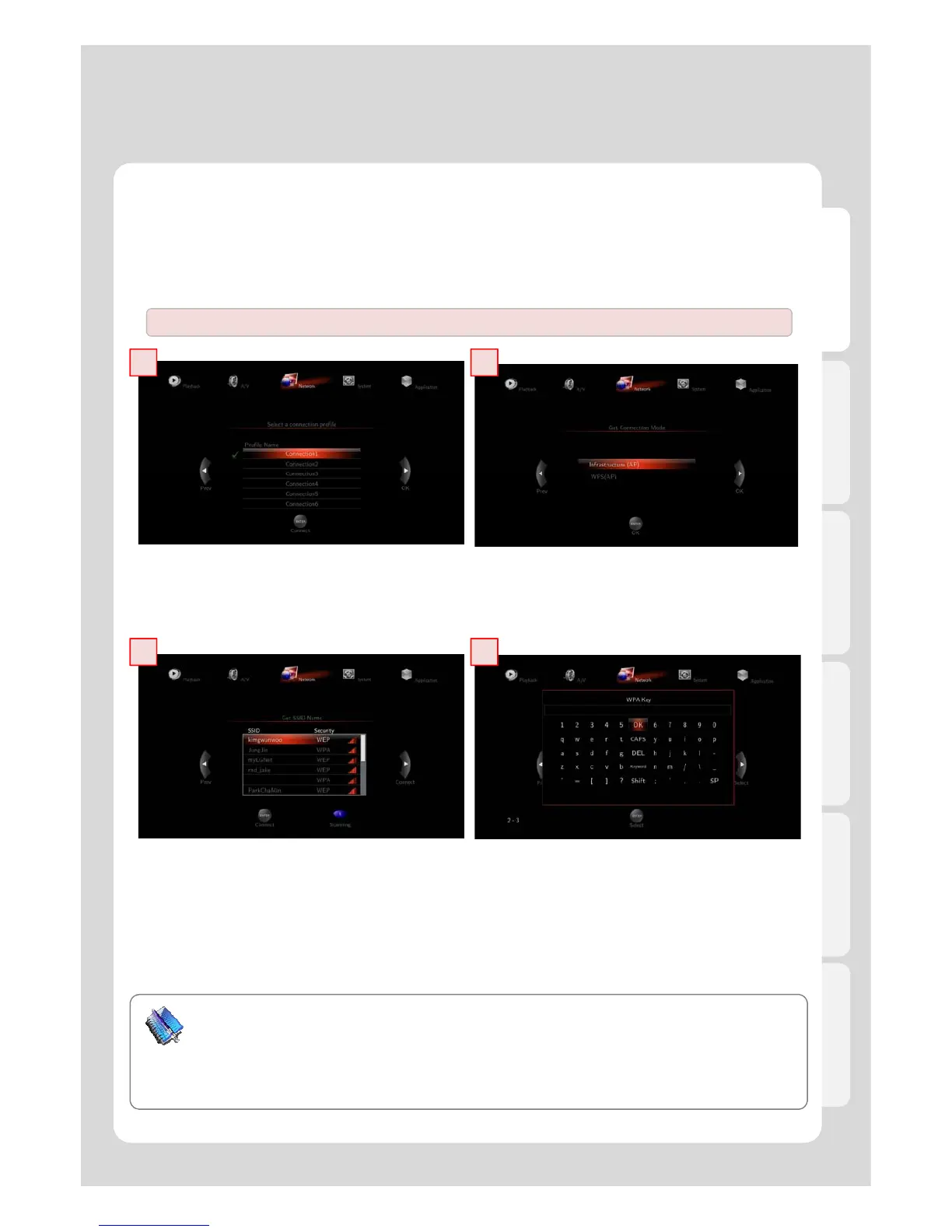
5-2. Wireless LAN Setup
1 2
1. Insert USB WiFi Antenna
※ Too many wireless network services in the area can influence the Xtreamer wireless performance.
.
3 4
3. Select SSID type (available wireless network), you may want to use.
4. Enter correct passkey, and then press [OK].
Note
- The “USB WiFi Antenna” can only be used with the Xtreamer line products. Other devices will not be
.
- Only “Web hex character codes” is supported.
- Web hex encoding supports 64-bit and 128-bit integers capable.
- If you have the problem of unstable wireless network or low speed, check you wireless channels for
optimum signal strength. Changing channel is available through your router.



 To Next Page