Major Function
English
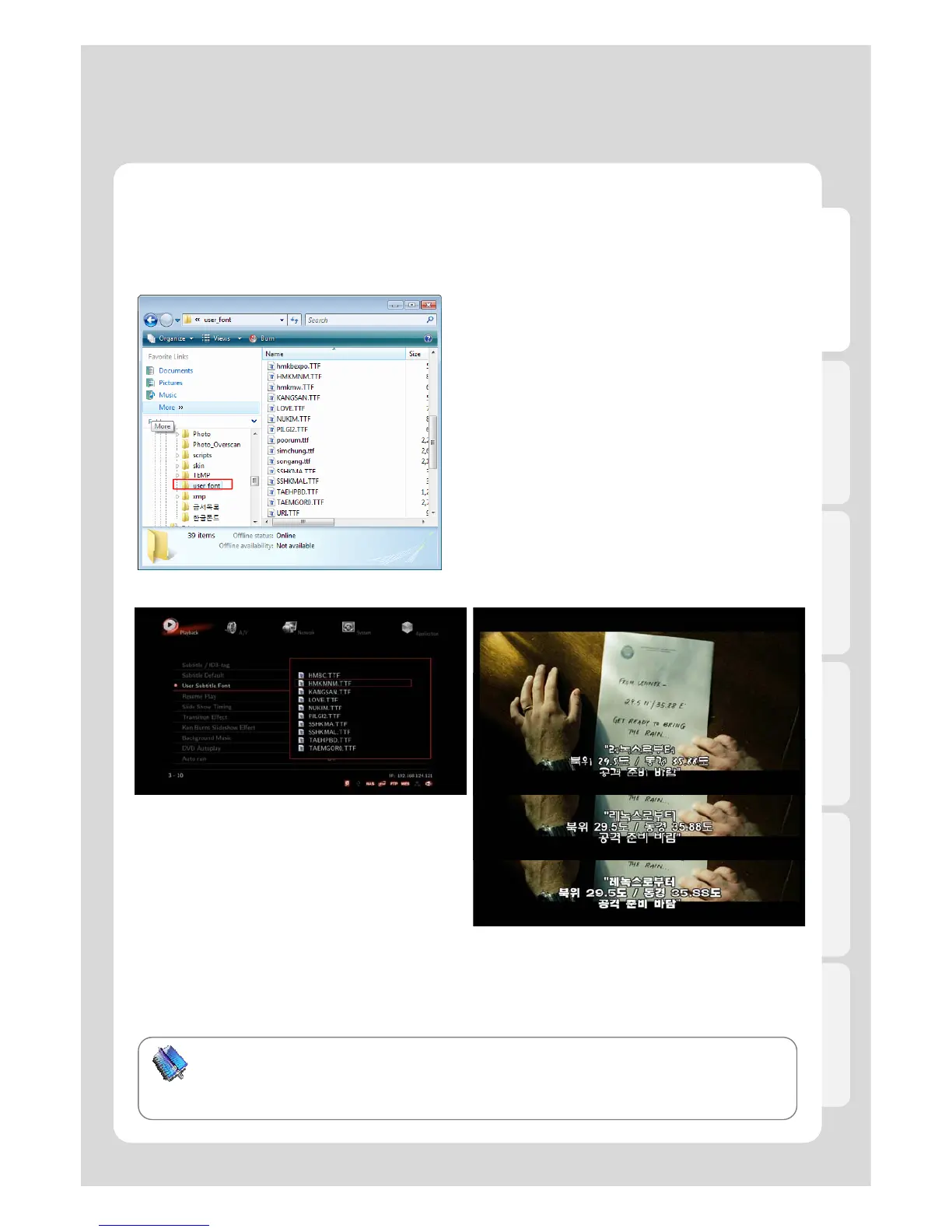
5. How to add Movie Subtitle TTF Fonts
The Xtreamer media player gives you’re an ability customize subtitle fonts for movie
playback. You are required to use an internal HDD or an external USB storage device. You
also need to prepare TTF font files before using your custom fonts.
1. Get ready “TTF file font” for being used.
2. Copy the TTF file font into the folder of [..\\user_font\],
created automatically.
3. Press [Setting] – [Playback] – [User Subtitle Font]
and then select font whatever you want.
You can change font setting from “SET-UP” menu
during playback.
49
Tip
Some font files may not be showed properly.
The following subtitle types aren’t supported for TTF Font Settings: DVD internal subtitle, Blu-Ray
internal subtitle, Image subtitle [idx+sub, PGS].



 To Next Page