Major Function
English
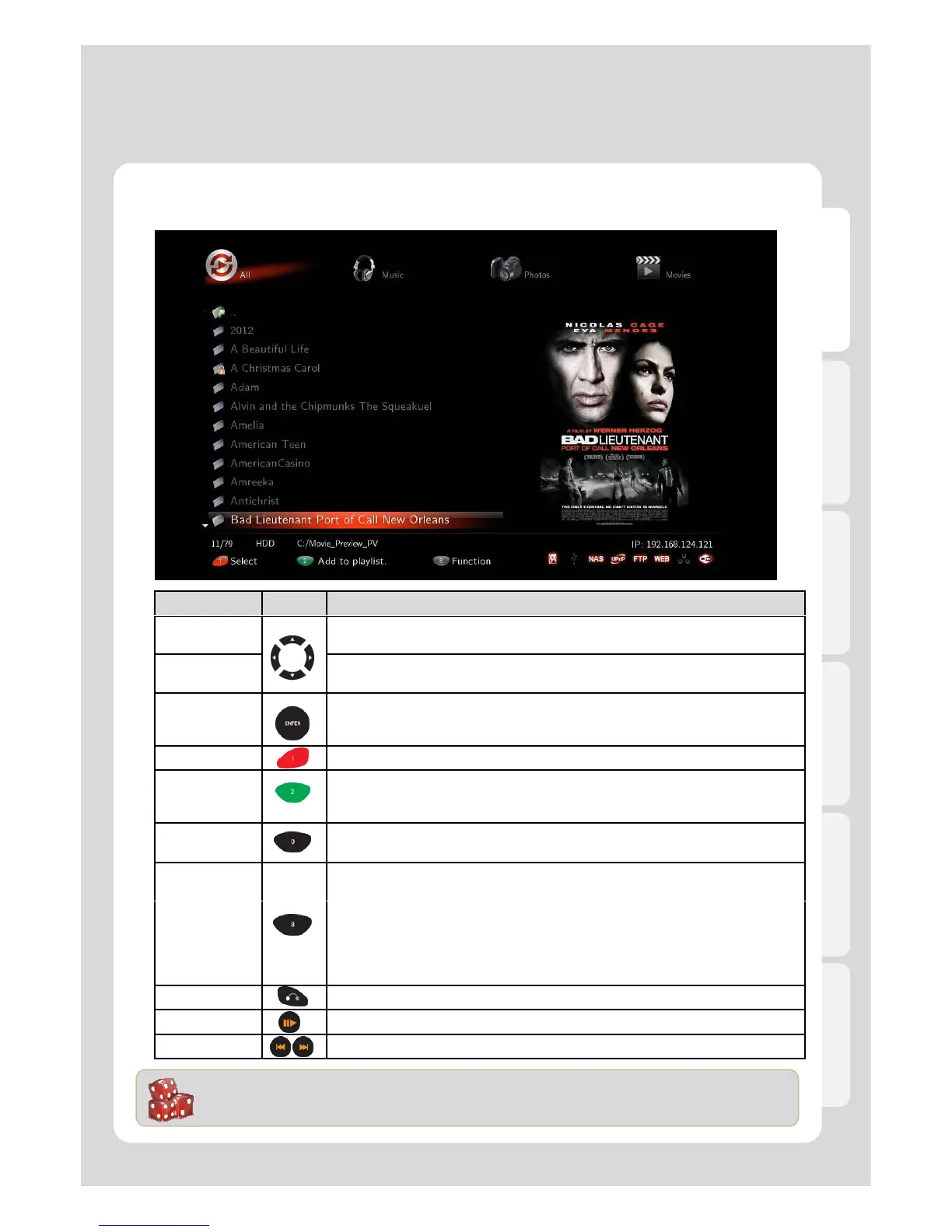
Using the Media Library
RC Button Description
Up/Down
Navigation Key
Moving cursor Up (or Down).
Left/Right
Navigation Key
Menu navigation, file lists filtering.
Enter
- Single file playback
- You can use “ENTER” button as multi selected folder after pressing
[ADD] button for your convenience.
EJECT
-You can add files, which are selected by [ADD] button, to Playlist by pressing [EJECT]
button.(※ Add to playlist function works only for internal HDDs.)
- You can open (or close) external tray load ODD/DVD ROM.
PREVIEW
- You can change file view options for [All / Music / Photos / Movies / Internet Radio].
- It supports [File List / Preview / Thumbnail].
It provides variety of functions as you put cursor on files and folders
- It changes folder and file names.
(default language : English Multi language : Keyword)
- It deletes folders and files.
- It sets folder lock and lock off.
- * Adding files to [Favorites].
* Multi selected file by pressing [ADD] button is enabled when adding to Favorite,
however, multi selected folder isn’t provided.
RETURN Go back to a previous screen or cancel.
PLAY/PAUSE Continuous Playback (or Pause).
.
How to use “Folder Cover Art” Support
Folder Cover Art is automatically supported when there are movie poster files of “Cover.jpg” or “Folder.jpg” in
the folder. But if there isn’t “Cover.jpg” or “Folder.jpg”, the first file on the list will be showed.



 To Next Page