Advanced Users Guide
English
2. Using Xtreamer as a NAS (Network Attached Storage)
If you want to use Network Drive, your network should be connected with the same PC.
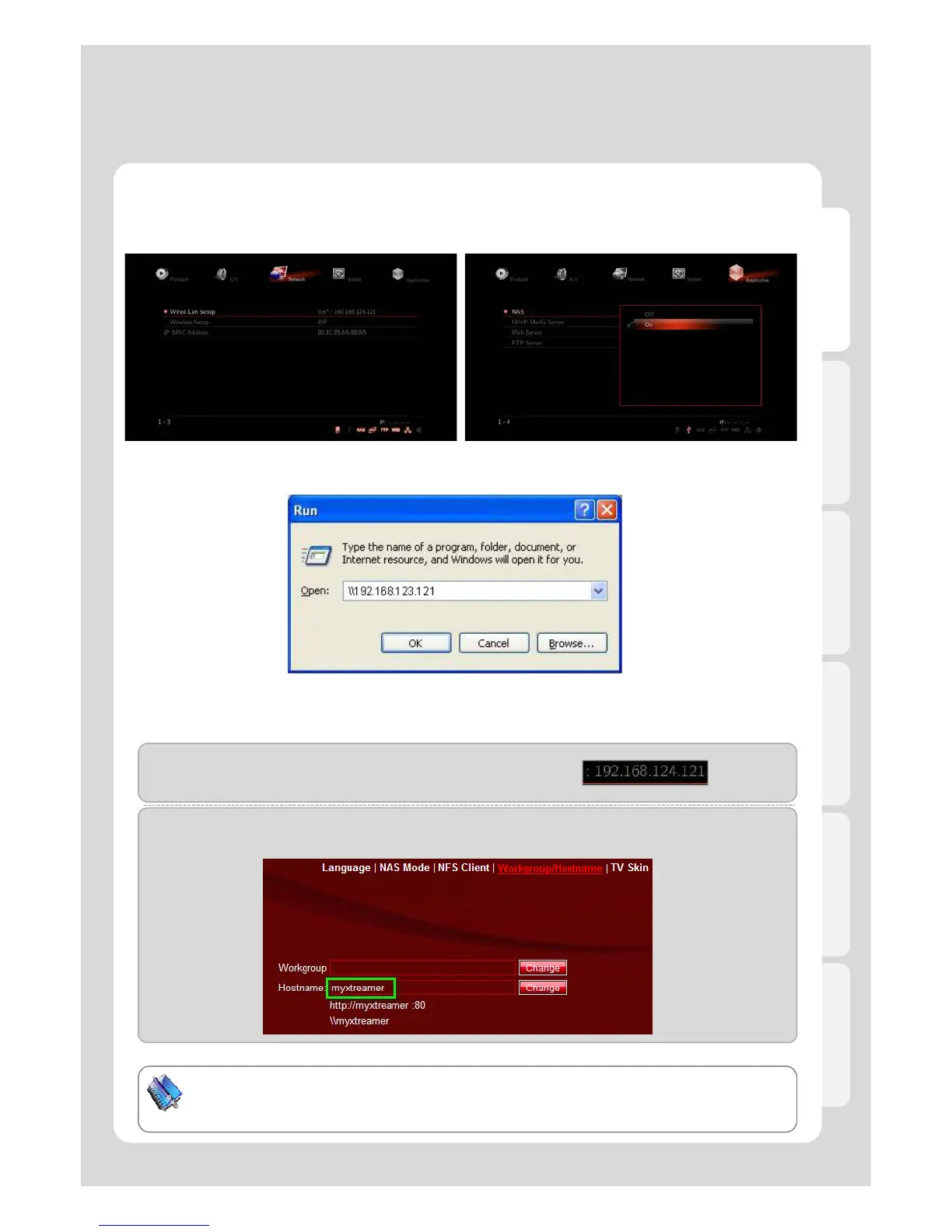
1. Check if IP address is correctly allocated or not
2. Press [Application] – [NAS] - [ON].
.
3. for Windows users, click [Start] - [Run] – [Example] (refer to the above image).
Type [\\192.168.124.121] if you know the allocated IP address of product.
(Example-2)
Type [\\myxteamer] (refer to the below image) if you already set DHCP IP in Router which is changed each
time.
61
TIP
You will be able to connect network drive easily if changing [mystreamer], which is a default
value in Web Server Hostname, into simple name.



 To Next Page