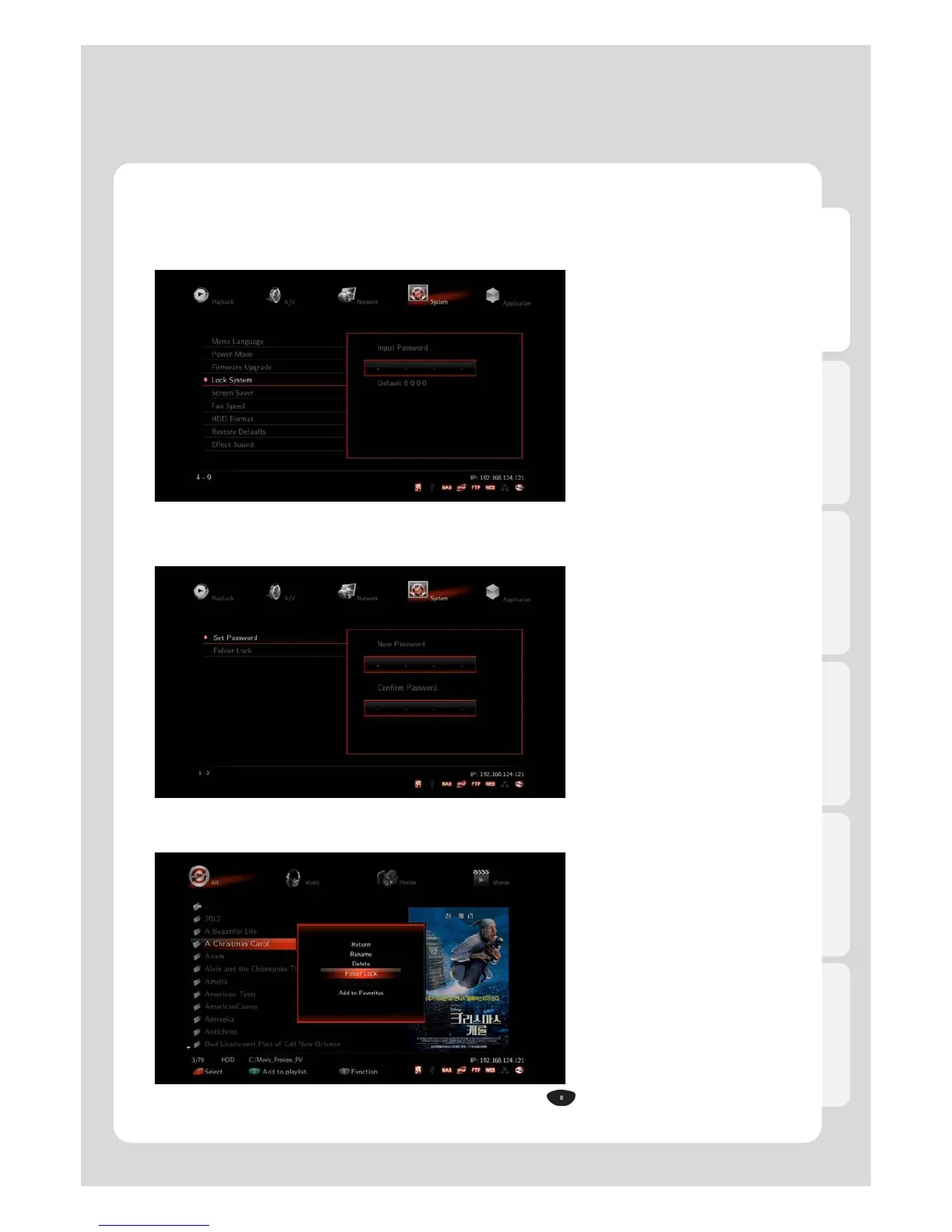
This function enables you to keep folders on your system secured by simply designating it a password.
Locked folder will therefore be accessible by password only [Default PWD: 0000].
1. First of all, change the default password.
[Setting → System → Lock System → 0000(Default) → Set Password]
2. Enter password whatever you want to change.
50
3. Move cursor to choose a folder you want to lock and then, press [FUNC] – [Folder Lock] so that it will
be locked.



 To Next Page