Major Function
English
4. Internet Radio
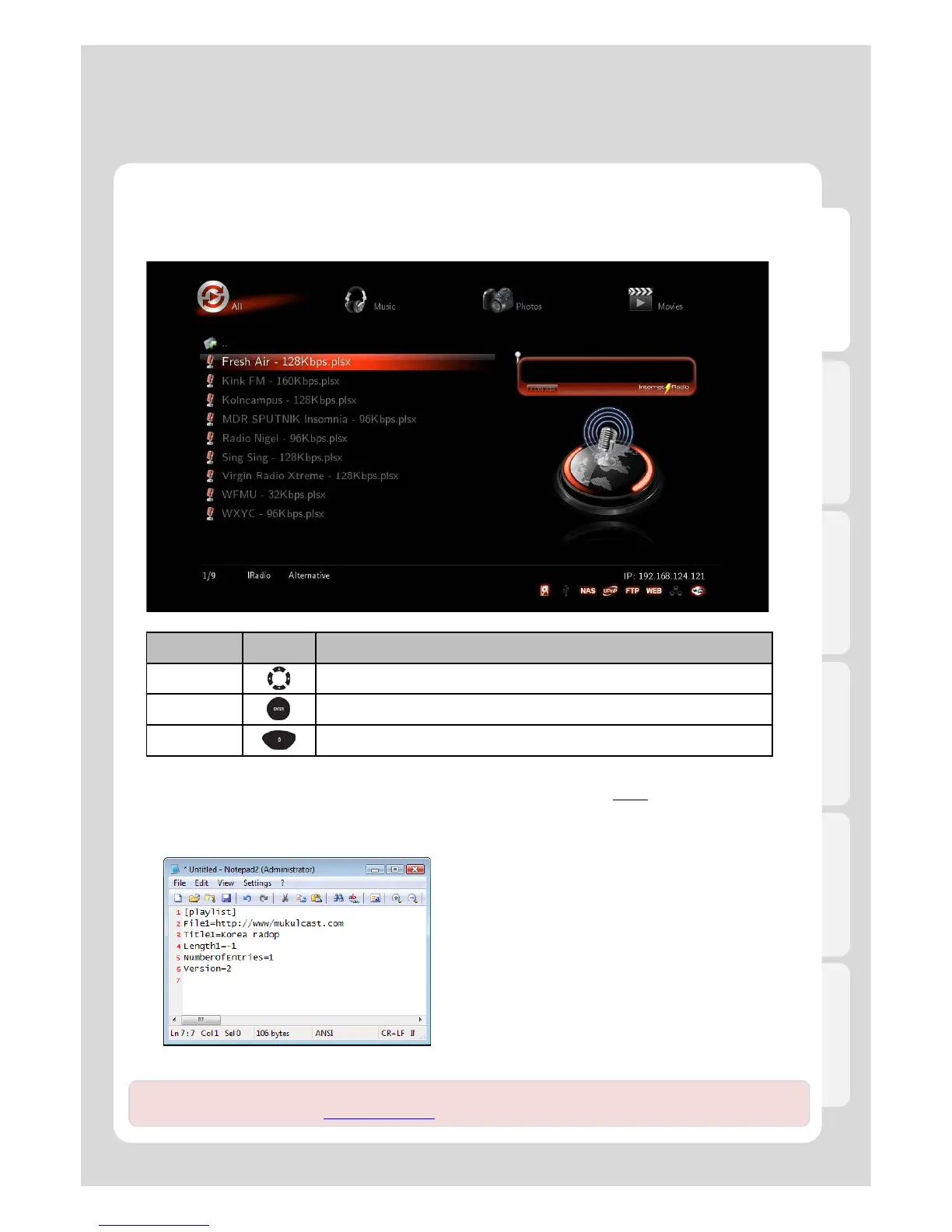
● Using Internet Radio
RC Button Description
Navigation Navigate you files and station lists
ENTER Connect you a desired station
Preview It switches to “Preview” mode or “List” mode.
● How to use “Internet Radio”
If you want to listen to the radio by registering in Xtreamer, you will need to use “Http://
” address type and [.plsx]
extension.
● How to create [.plsx] extension file when you already know the radio address
1. Open [Note Pad].
2. Type it (refer to the next example).
File = http://“Internet Radio Address”
Title1 = “Title”
3. Type Internet Radio Address into File1=“”, and type
title into Title1=“”.
※ “http://” type is solely supported; however, [MMS] type
isn’t currently supported.
47
[example 1]
Note. Members of our community constantly publish new Internet stations lists. For more information please
visit our official forum – forum.xtreamer.net



 To Next Page