Major Function
English
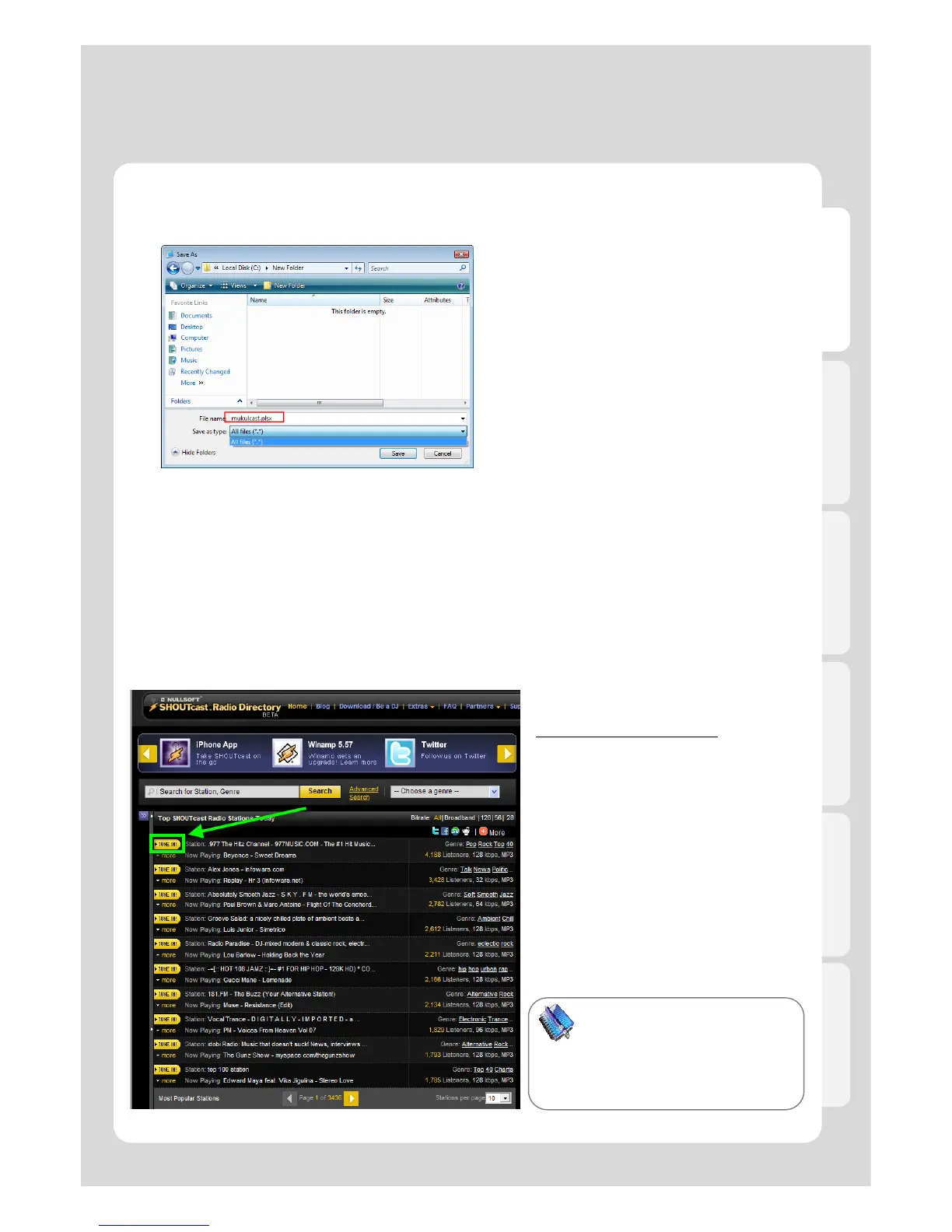
5. Change a file type into “All Files [*.*]”.
6. Change the file extension into [*.PLSX].
.
8. Copy the stored file to “My Radio” folder
of Xtreamer, or to where you want to put.
● How to use “SHOUT cast Radio”
Refer to the method whenever you want to listen to the radio at http://www shoutcast com
1. Access to the web at
http://www.shoutcast.com
2. Click [TURN IN!] whatever you want to
listen to.
3. If window message is popped up to
save the file, you will change the file
extension [pls] into [plsx].
4. The file, has plsx file extension, will be
If you are not able to seek
extension file which means it isn’t
properly changed into plsx
extension file.



 To Next Page