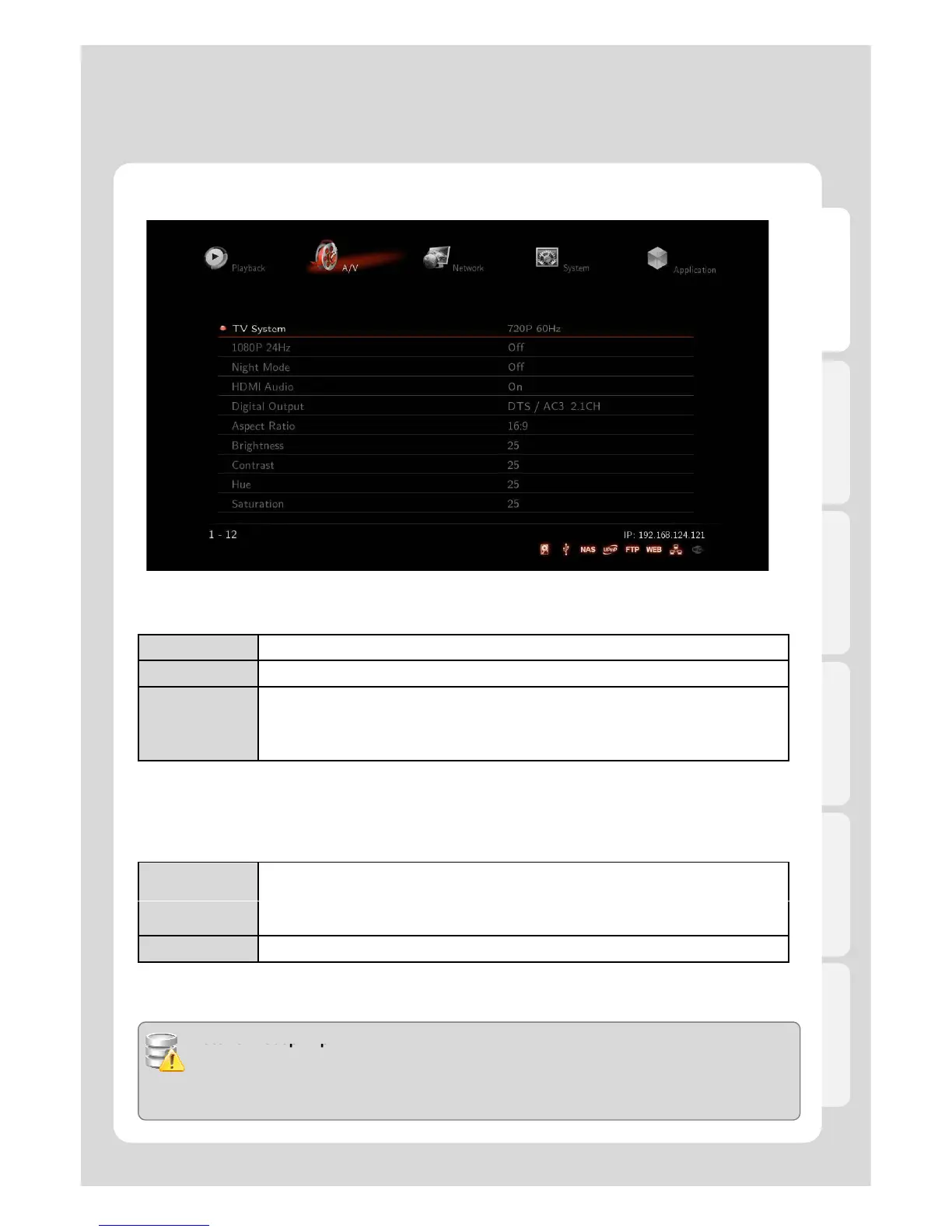
.
PAL (B) (50Hz) Europe, Greenland, South Africa, the Middle East, China, Austria, India, Indonesia.
NTSC (60Hz) Korea, the USA, Japan, Canada, Taiwan, the Philippines, Colombia.
Display
Resolution
HDMI Auto / NTSC / PAL / 480P / 576P / 720P 50Hz / 720P 60Hz / 1080i 50Hz / 1080i
60Hz / 1080P 50Hz / 1080P Supported.
※ In some cases, display resolution on your TV can not be supported due to inactivity;
therefore, you should check your TV specification.
1080P 24Hz
This feature will allow you playback of 1080P 24Hz when playing Blu-ray file (BD); however, this function is
subject to the factors that Xtreamer is connected to TV with “HDMI cable”, and depending on the screen scanning
with 24Hz frame rate.
This function will be enabled when FPS of media playback file and 1080P resolution
output are the rates of 23.976 frame /s.
BD file is recorded by an original film frame rate of 24 frame /s, and then outputted
to 1080p/24Hz.
OFF 1080P 24Hz output is off
- TV, AV amp and media file you use must be acceptable to 1080P 24Hz as well as your media file is
recorded by 1080P 23.976fps.
- If video isn’t properly played by selecting [ON], you will be required to select [Off].
- The initial TV screen can be flickering when you switch on “1080P 24Hz” mode



 To Next Page