Major Function
English
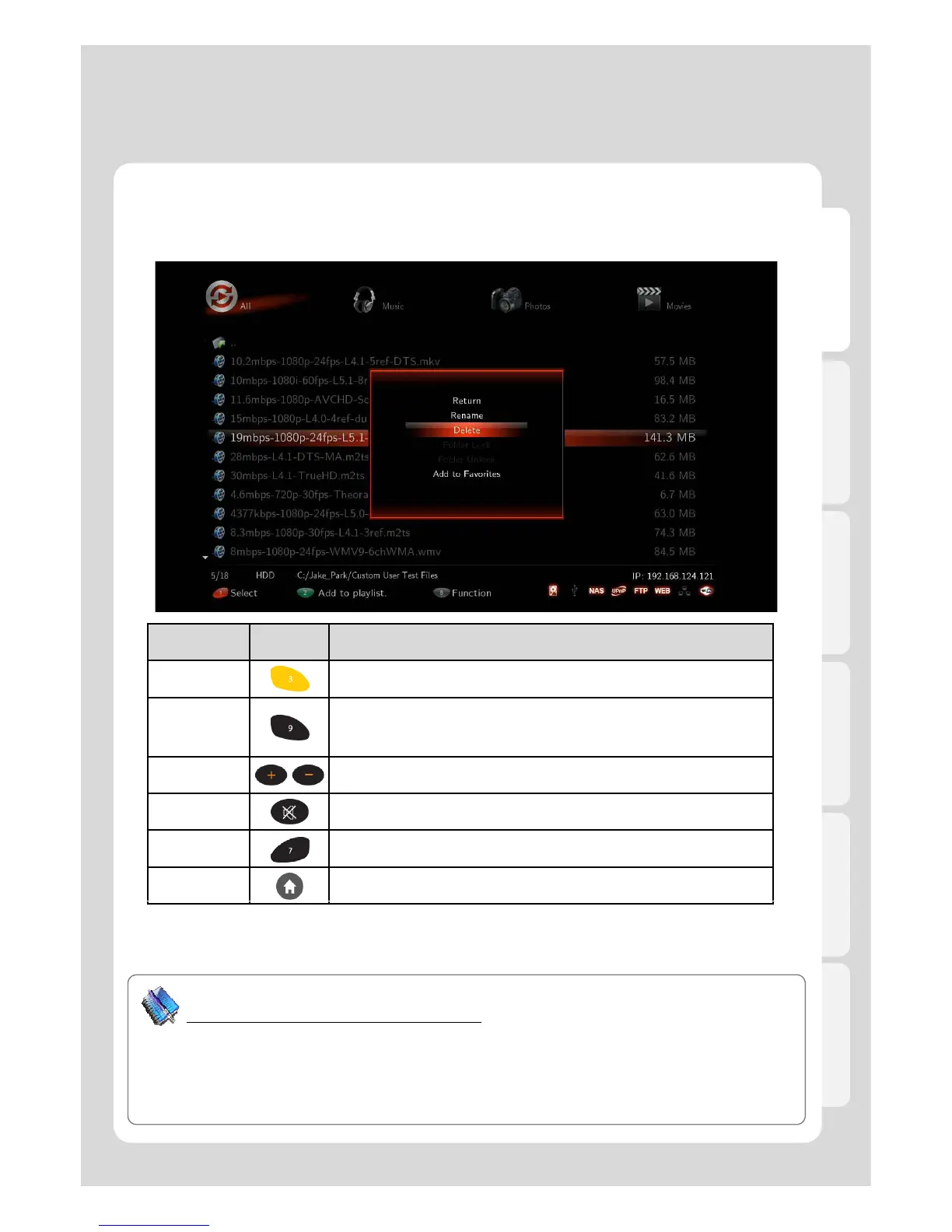
Using the Media Library
1. Media Library Menu
RC Button Description
DELETE It deletes files and folders selected.
TVOUT
Press once: You can see the current status of TVOUT.
Press more than twice: changes TVOUT type.
VOL + / - Adjusts sound volume
MUTE Mutes the sound
SETUP Takes you to the Settings menu
HOME Returns you to the main menu after rebooting.
Tip
How to use its specialized function of playback
Thumbnail View function; Thumbnails are reduced-size versions of pictures, used solely for “Photos”
n
“ALL/Movies/Music” menu. “MUSIC” mode; all the music are automatically played in order. “All” modes,
on the other hand, doesn’t support automatic playback so ID3Tag and Cover Ari Photos are not
changed. You will enjoy its specialized function of playback such as MUSIC, PHOTOS and MOVIES
mode.



 To Next Page