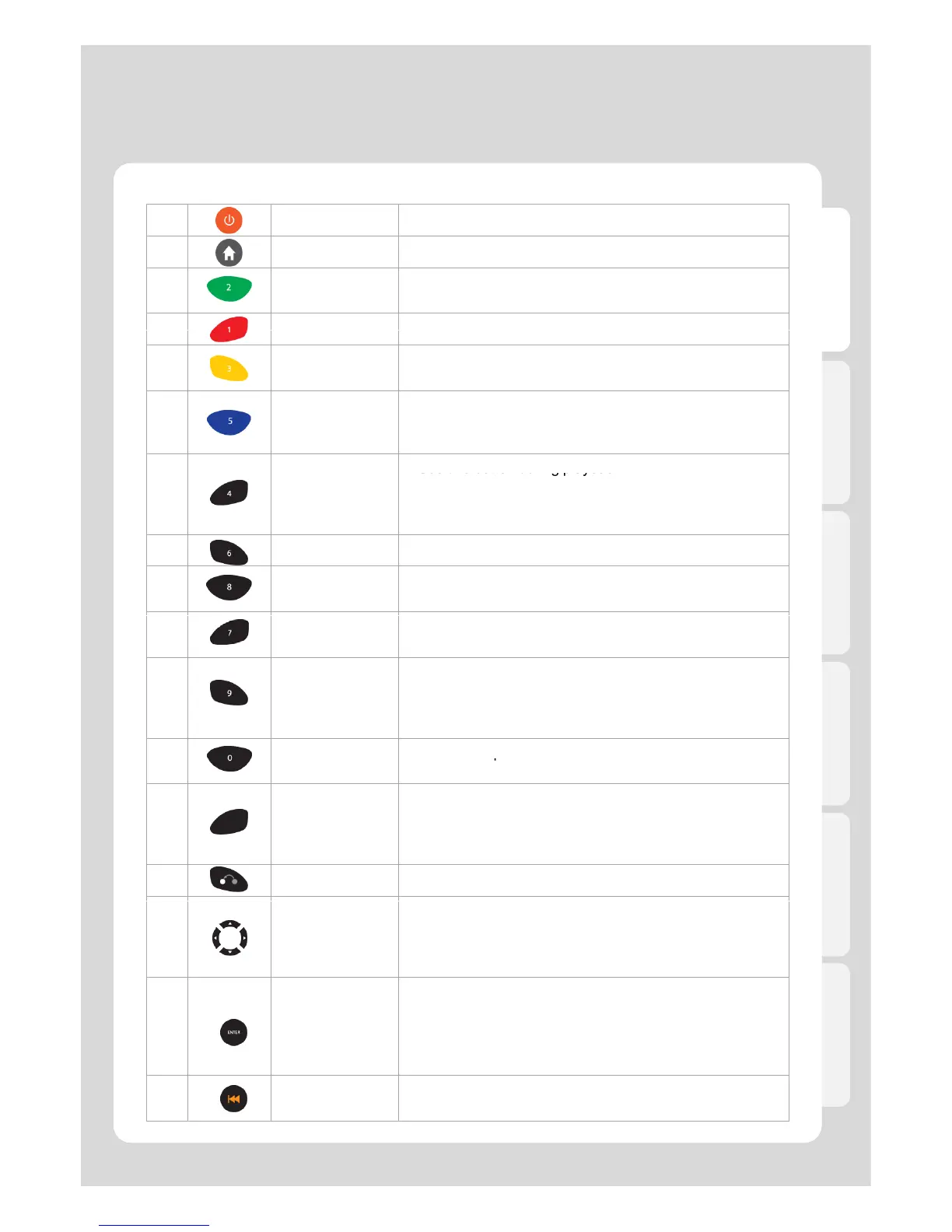
Remote Control Functions
English
1POWER
Turns the power On(or Off) / NAS Mode On(or Off)
2HOME
Returns you to the Main Menu
3EJECT
- Adds the selected media file to Playlist
- Opens external tray load DVD ROM
Selects files while creating a Playlist or in File Manager
5 DELETE
- Deletes the selected files in Media Library
- Moves to the next step in File Manager
6 GOTO
- Tile : Selects files on Playlists
- Chapter : Moves to the next chapter or file
- Time : Sets the time you want to play from
-
Use this button during playback
- Enlarges (or Reduces) screen
- Adjusts zoom percentage and Moves to position of
enlarged output by pressing arrow keys.
8MENU
Access menu view during DVD playback
9 FUNC
Access list of available functions
[Lock Folder / Changing names / Add to Favorite]
10 SETUP
- Takes you to the Settings menu
- Alters and applies functions available during playback
11 TVOUT
- Toggles Video Output Modes by pressing more than
twice
- Use to cycle through the different video output modes
and resolutions (HDMI, AV etc)
[ Preview / File Lists / Thumbnail]
13 INFO
Displays the current status for playing media file
[Video Codec / Audio Codec / Resolution / FPS /
Running time / Playlists / File name / Repeat / Shuffle /
WiFi wireless signal strength / Running time progress bar]
14 RETURN
Return to a previous screen (or Cancels)
15
DIRECTION
KEYS
- Navigate the menus and file lists
- Use to “skip” during playback
[LEFT - Forward 30 sec / RIGHT - Back 10 sec
UP - Forward 3 min / DOWN - Back 1 min]
16 ENTER
- Use to select options, files, directories etc.
- Runs single file playback
- Moves forward frame by frame after pressing
[PLAY/PAUSE] button to pause
.
- Selects files after pressing [ADD] button
17 PGUP
Moves to previous Chapter (or List)
/ Playing previous File



 To Next Page