Major Function
English
1-1. Movie Playback Function of Media Library
Usage of Remote Control key functions during playback
RC Button Description
AUDIO Use it if your video file contains multiple audio tracks to switch between them.
A-B
It supports selecting the points; Between A and B; the section is repeatedly played
between the points.
SHUFFLE
It provides selecting between “Playback in order” and “Random playback” to
change playback mode.
REPEAT
It provides selecting between “playing a file repeatedly” or “playing all files
repeatedly”.
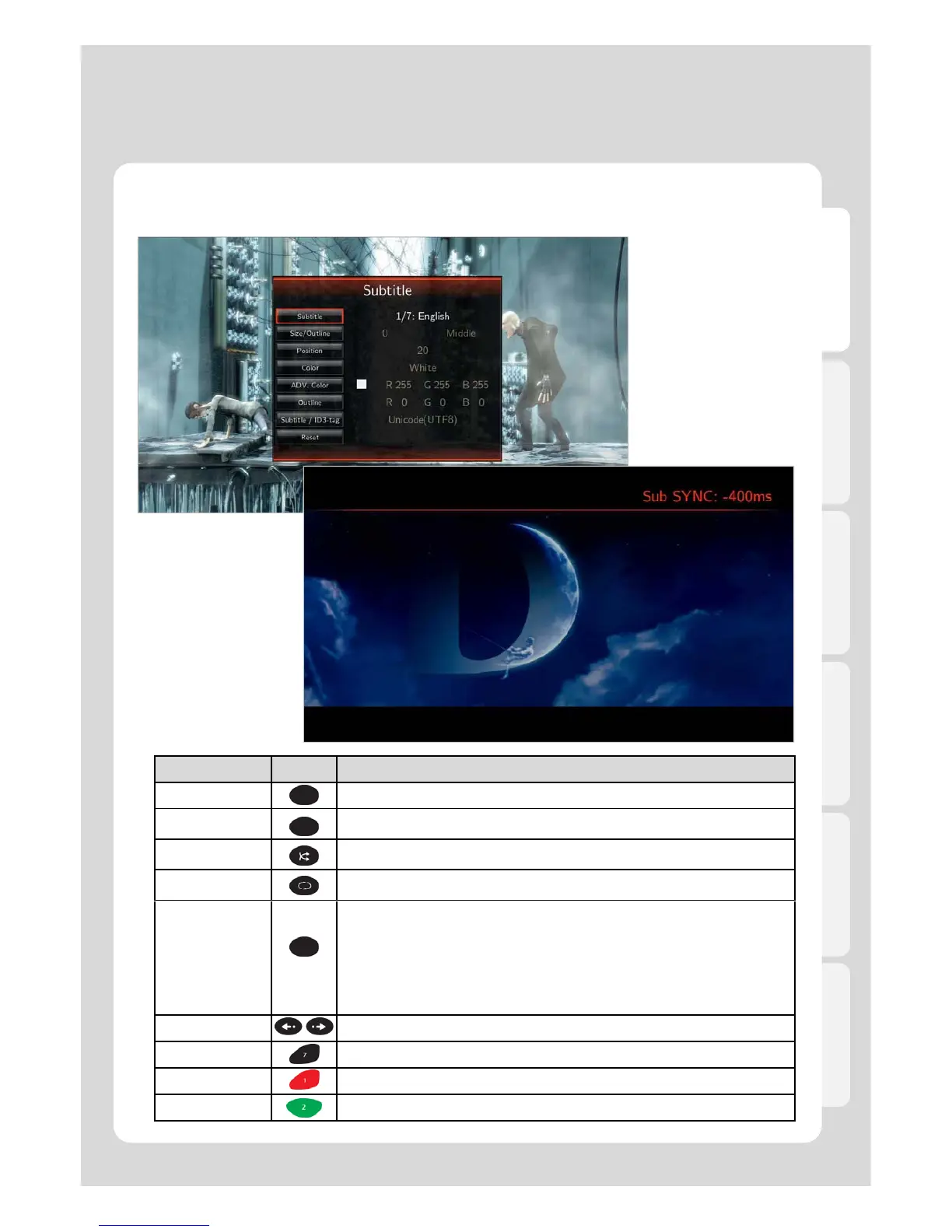
SUBTITLE
1. Subtitle: Selecting subtitle file; both internal & external subtitle files are supported.
2. Searching: Selecting external subtitle files from the folder.
3. Size/Outline: Adjusting subtitle size and frame outline.
4. Position: Controlling subtitle position.
5. Color: Changing subtitle color.
6. Advanced Color: Changing subtitle outline color.
7. Subtitle /ID3-Tag: Selecting proper language.
8. Reset: Reset to Default.
SYNC SUBTITLE It provides controlling sync length (100ms).
40
SETUP Takes you to the settings menu
ADD It provides selecting files you want to add to “Playlist”. (Internal HDD only)
EJECT It adds selected files to Playlist. (After selecting the files by pressing [ADD] button).



 To Next Page