Xtreme Power Conversion Corporaon
TX91 3.8- 10kVA User’s Manual
Page 28
Uninterrupble Power Supply
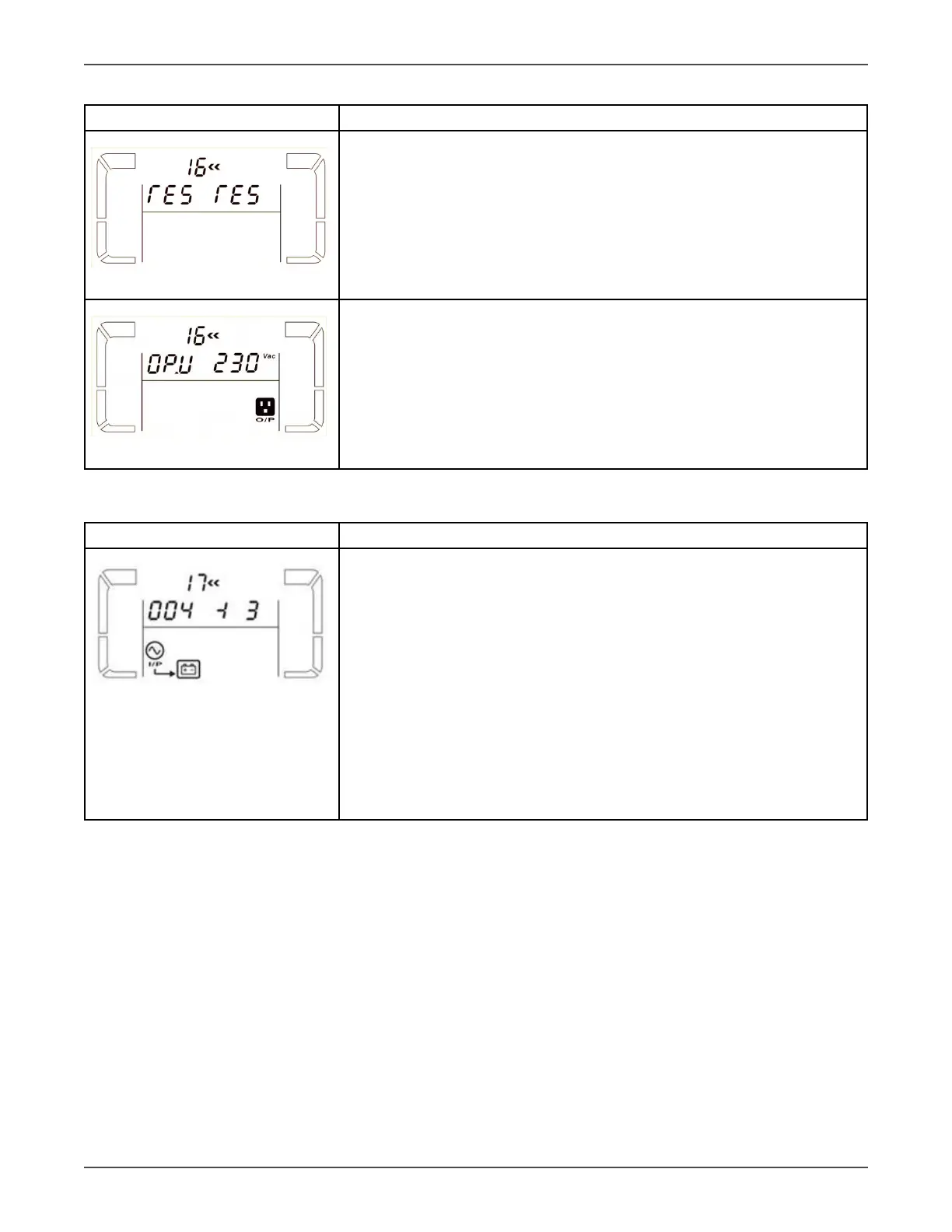
16: Output voltage calibraon
Interface Seng
When the output voltage can not be detected(less than 50VAC), “ ” will be
displayed in parameter 2 and parameter 3.
Parameter 2: it always shows OP.V as output voltage.
Parameter 3: it shows the internal measurement value of the output volt-
age, and you can calibrate it by pressing Up or Down according to the mea-
surement from an external voltage meter. The calibraon result will be ef-
fecve by pressing Enter. The calibraon range is limited within +/-9V.
17: Charging current seng
Interface Seng
Parameter 2: Set the charging current of the charger from 1A to 4A (001 ~
004).
Parameter 3: Calibrate the charging current. If there is deviaon between
seng current and real measured current, please use this parameter to
calibrate the charging current.
± 0~± 5: You may choose ‘+’ as add or ‘-‘ as Sub to adjust charging current.
This seng number is the rst number aer the decimal point.
The calibrated formula is listed as below:
Seng charging current = “real measured current” + or – “value seng in
parameter 3”
For example, if seng charging current is 4A, but real current is detected as
3.6A, please set up calibrated current as + 3.
Seng charging current 4A = real measured current 3.6A + 0.3A



 To Next Page