Xtreme Power Conversion Corporaon
TX91 3.8- 10kVA User’s Manual
Page 27
Uninterrupble Power Supply
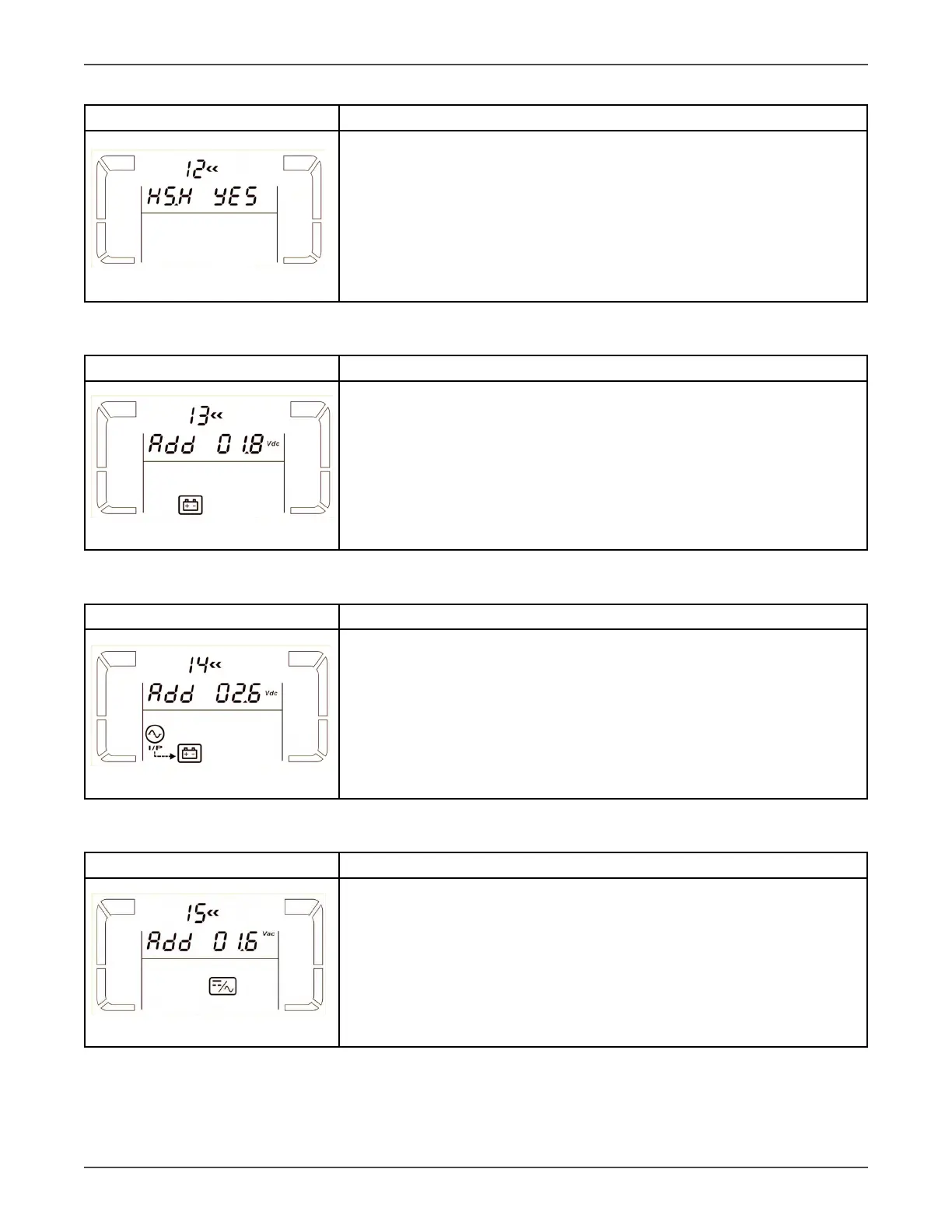
12: Hot standby funcon enable/disable
Interface Seng
Parameter 2: HS.H
Enable or disable Hot standby funcon. You may choose following two op-
ons in Parameter 3:
YES: Hot standby funcon is enabled. It means that the current UPS is set to
host of the hot standby funcon, and it will restart aer AC recovery even
without baery connected.
NO: Hot standby funcon is disabled. The UPS is running at normal mode
and can’t restart without baery
13: Baery voltage adjustment
Interface Seng
Parameter 2: Select “Add” or “Sub” funcon to adjust baery voltage to
real gure.
Parameter 3: the voltage range is from 0V to 5.7V, the default value is 0V.
14: Charger voltage adjustment
Interface Seng
Parameter 2: you may choose Add or Sub to adjust charger voltage
Parameter 3: the voltage range is from 0V to 9.9V, the default value is 0V.
NOTE:
*Before making voltage adjustment, be sure to disconnect all baeries rst
to get the accurate charger voltage.
*We strongly suggest using the default value (0). Any modicaon should
be suitable to baery specicaons.
15: Inverter voltage adjustment
Interface Seng
Parameter 2: you may choose Add or Sub to adjust inverter voltage
Parameter 3: the voltage range is from 0V to 6.4V, the default value is 0V.



 To Next Page