3-4.2 Other Users
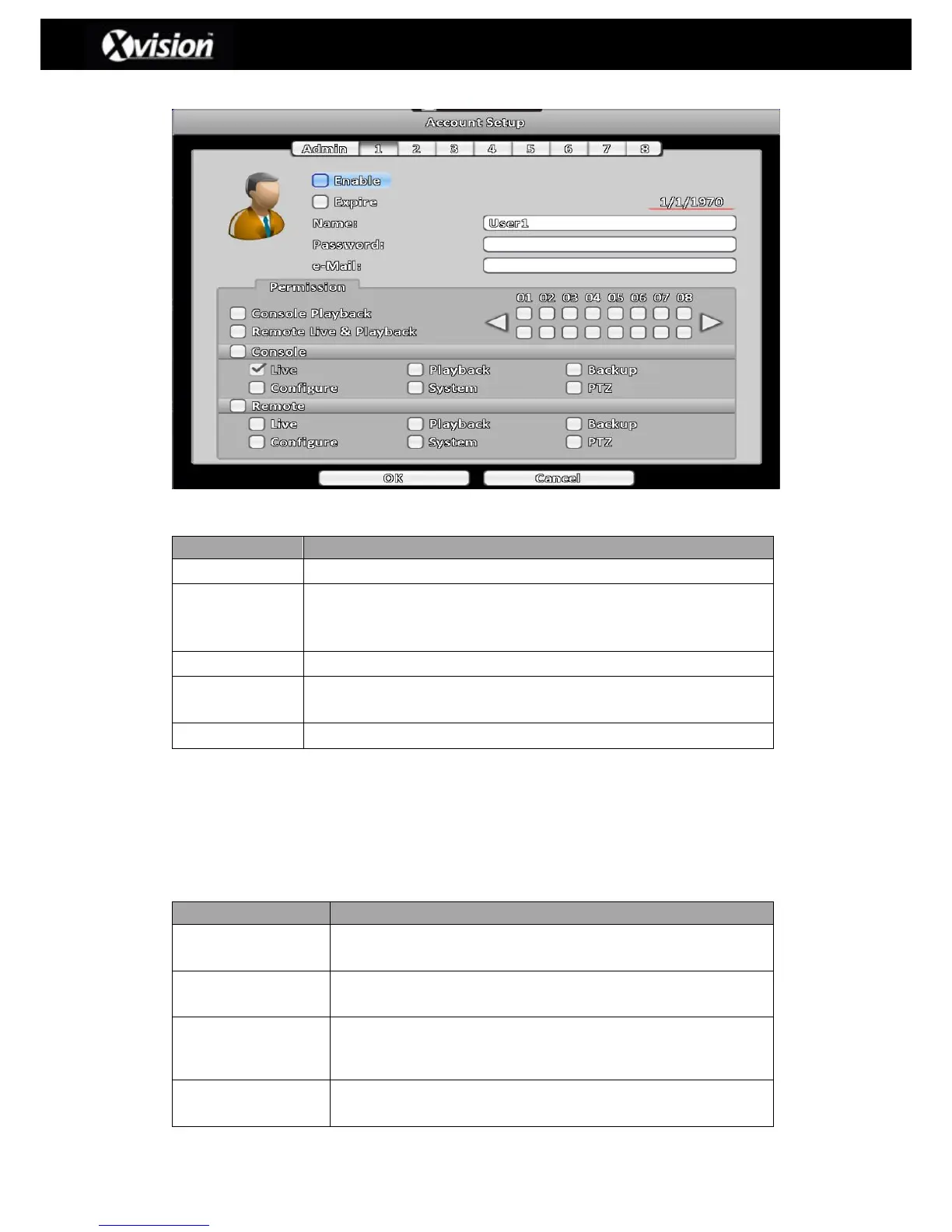
User Account Description
Check to activate the user’s account.
Check to deactivate user account. Users can also set an expiry date
for specified user account by the clicking corresponding date to the
right of the checkbox.
Set up account password for each user. Passwords can be a mix of
letters and numbers which are also case-sensitive.
3-4.2.1 Permission
The Account Setup menu is designed to provide individual user role-based permissions. The
administrator can therefore choose what functions/features each user has access to (see image
above);
Permission Description
Select which channels the user can playback (on the local
machine)
Select which channels the user can playback and view live via
remote access.
Select the functions the user can access to locally (i.e. Live,
Playback, Backup, Configure, System, PTZ)
Select the functions the user can access via remote access (i.e.
Live, Playback, Backup, Configure, System, PTZ)



 To Next Page
 Loading...

