3-2.2 Motion Detection
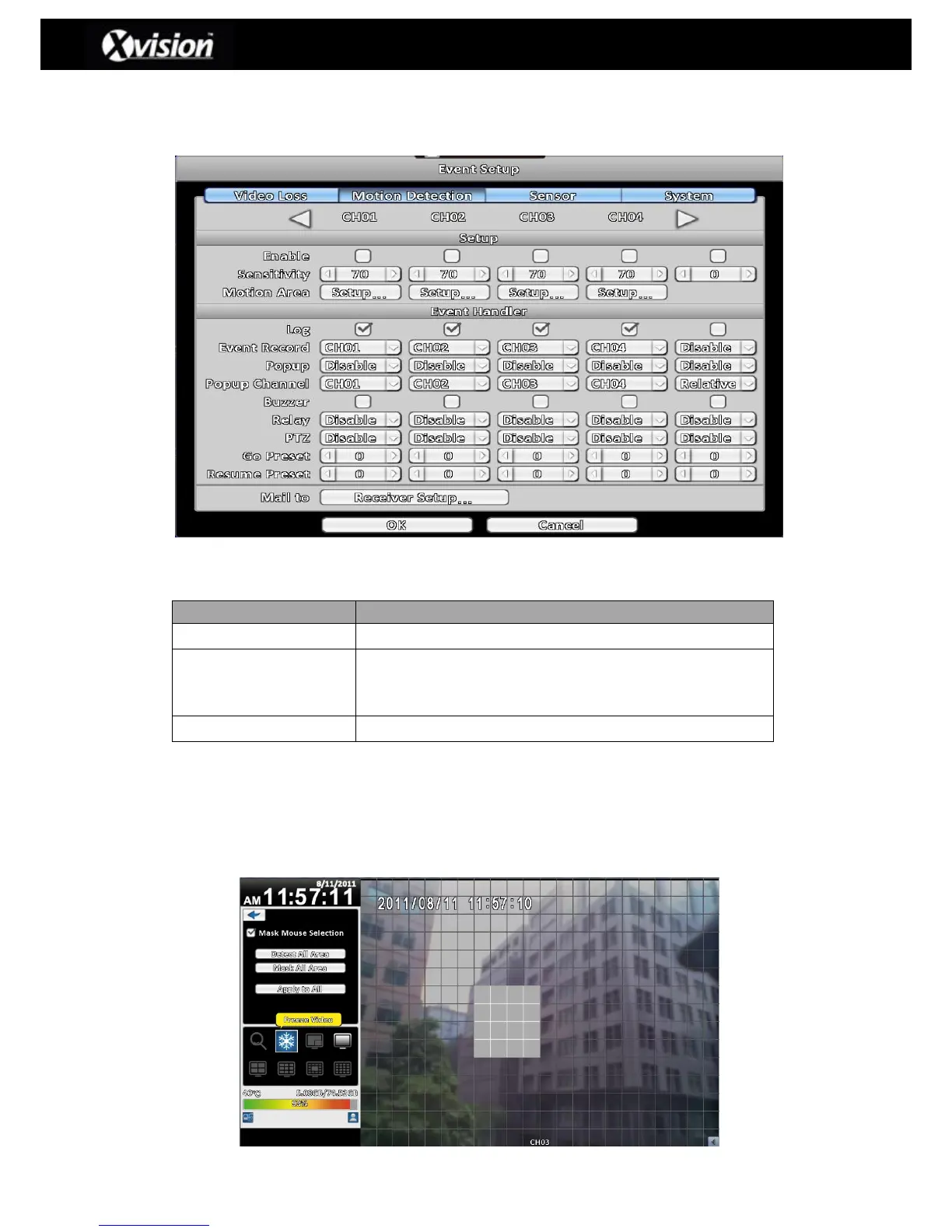
The Motion Detection feature allows the user to setup a defined area which can set up
alerts based upon the DVR detecting motion:
Motion Detection Description
Enable/Disable the motion detection function of this channel
Set the motion detection sensitivity (value from 0 to 100) for
each channel. The higher the value the greater is the
sensitivity.
Select to setup a motion detection area
3-2.2.1.1 Motion Area Setup
The motion detection area has been divided into a grid that is made up of 22x18 boxes.
The default detection area is a full screen (transparent colour for a local DVR access
and purple for remote access users). Any areas deselected from motion detection are
highlighted in grey (for both local and remote access users):
4:3 (Normal Display) – Motion Detection



 To Next Page
 Loading...

