4-2 Remote Access via Internet Explorer
The DVR Remote Desktop software will allow users to remotely access and control the DVR via
an Internet browser. Please note that the software currently supports Microsoft Internet Explorer
7, 8 and 9.
Please follow Steps 1-2 (page 46)
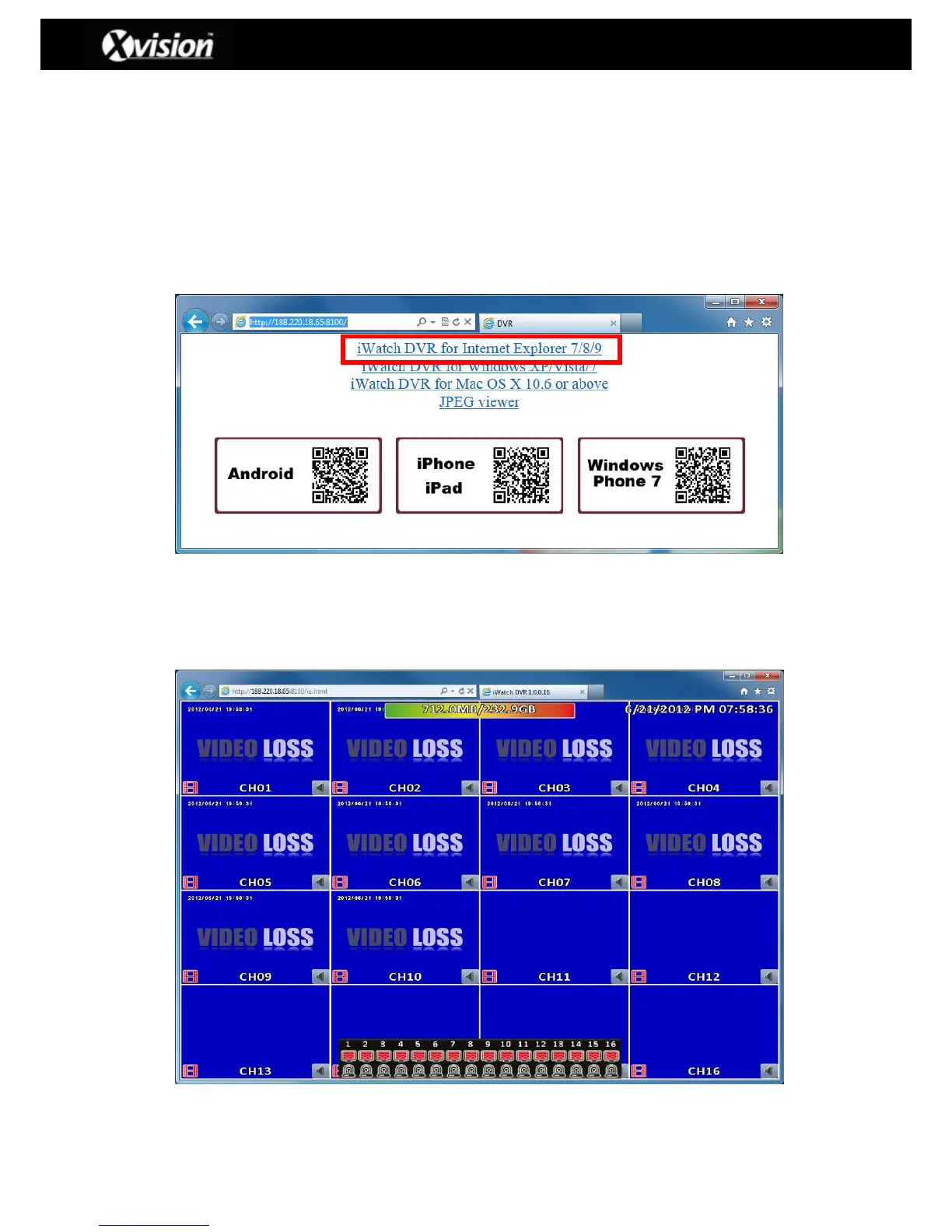
Step 3: Click on ‘iWatchDVR for Internet Explorer 7/8/9”.
Please Note: The user will be prompted to download/install specific ActiveX controls,
which are required to access the DVR, when clicking this link for the first time.
Step 4: The link will take the user directly into the DVR
Please Note: The default display when logging in via an Internet Browser is 16:9
(Widescreen mode)



 To Next Page
 Loading...

