pg | 62
KOR Software
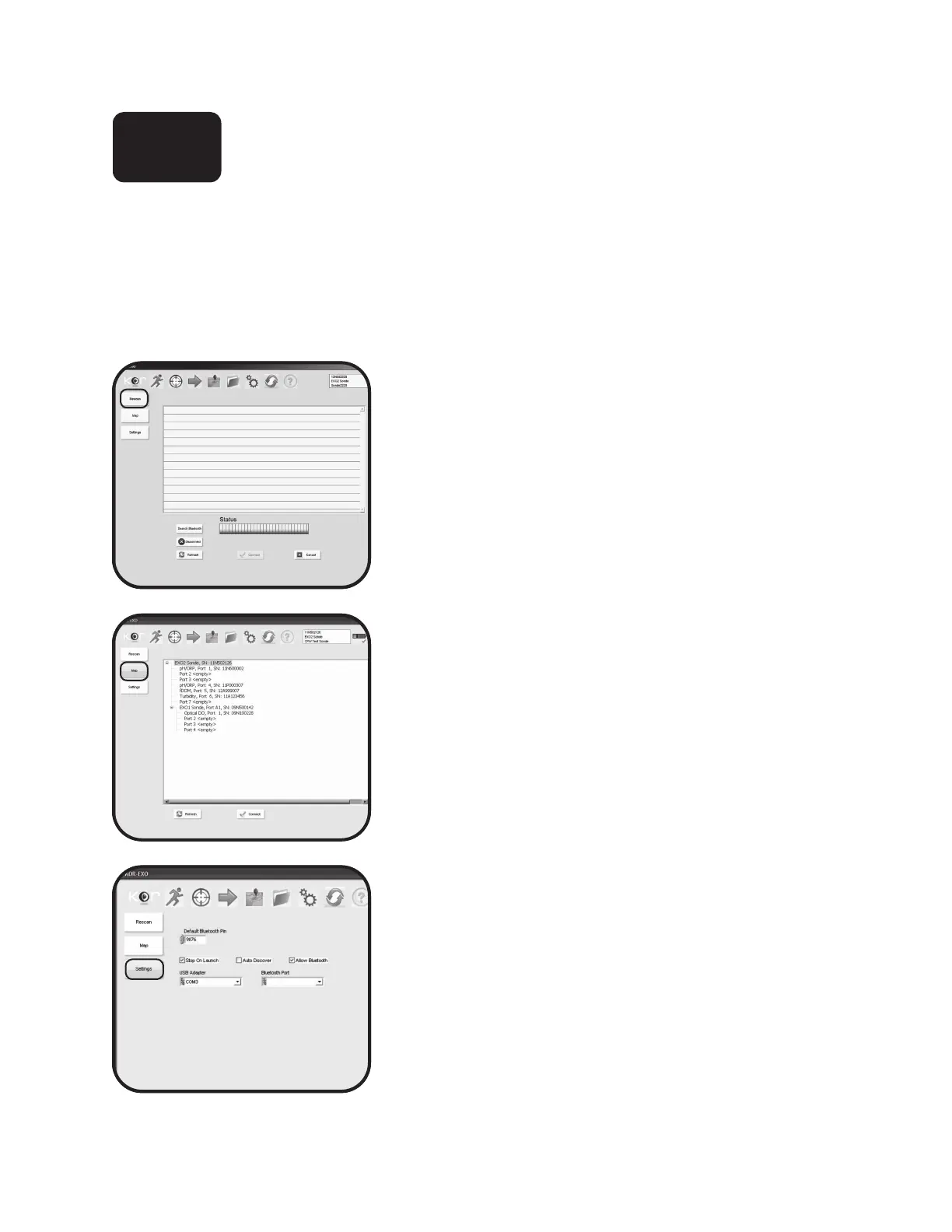
Connections Menu
is menu allows the user to connect to other sondes and devices, identify which probes are installed in
which ports, and update Bluetooth settings.
Rescan
is submenu allows the user to refresh and initiate
connections to hard-wired devices, search for Bluetooth
connections, or disconnect.
To reconnect to a sonde, wait for KOR to scan the devices,
then select a device from the list. Click Connect.
Map
is menu allows the user to view serial numbers and the
ports assigned to the sensors. As part of future functionality,
this menu will also display other sondes and sensors
connected to the EXO network.
Settings
is submenu allows the user to control Bluetooth settings
including PIN number and auto-scanning.
4.8



 To Next Page
 Loading...









