EasyManua.ls Logo

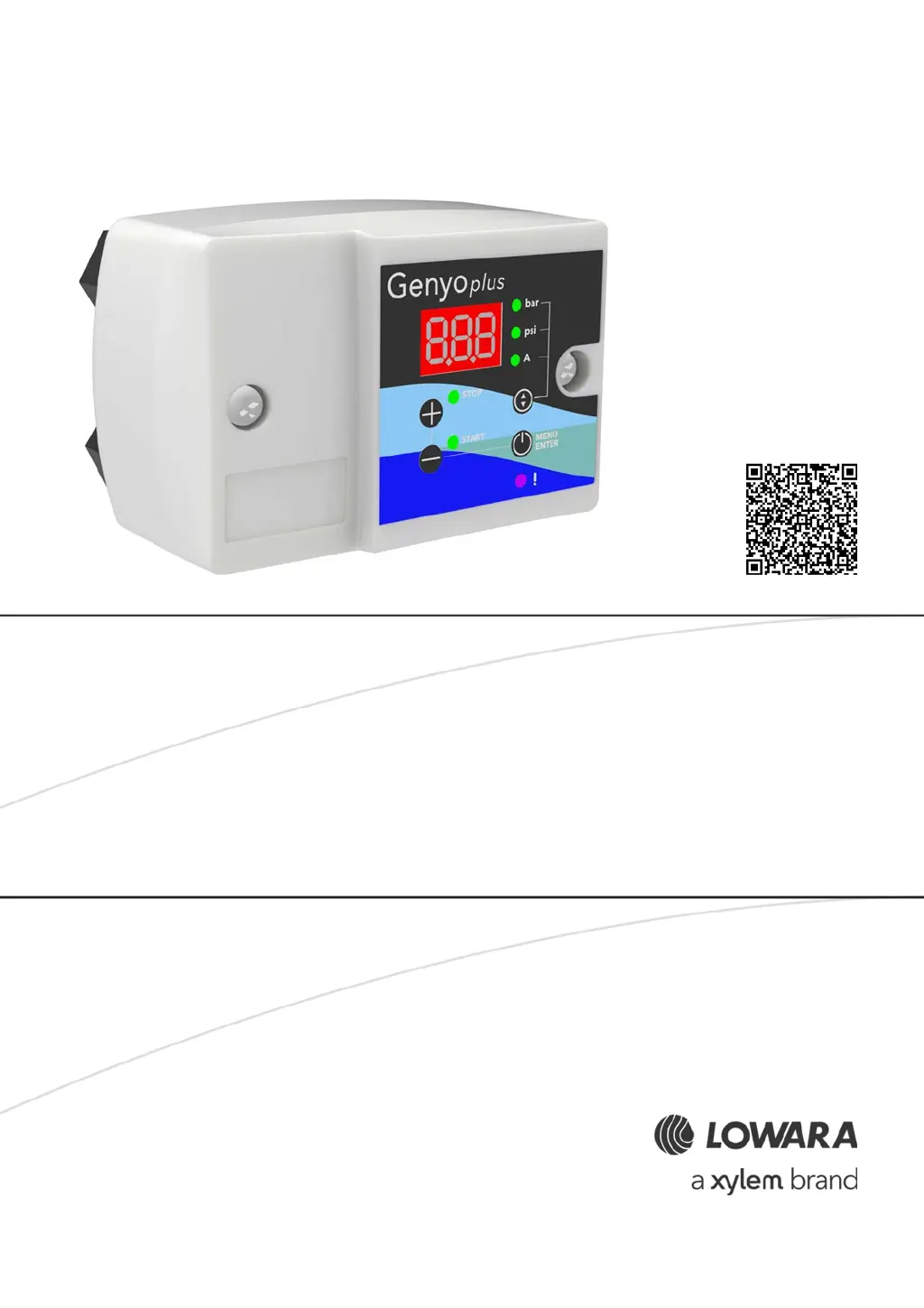
Xylem Lowara Genyo plus - User Manual

Xylem Lowara Genyo plus
36 pages
Print Icon
To Next Page IconTo Next Page
Loading...
Additional Installation, Operation and
Maintenance Instructions
Genyo plus
Electronic pressure switch

Table of Contents

Questions and Answers

  • J
    Joy WrightAug 5, 2025
    What to do if Xylem Switch shows Alarm A02 overcurrent?
    • B
      Brooke GomezAug 5, 2025
      If your Xylem Switch displays an Alarm A02, indicating overcurrent, take the following steps: 1. Verify that the set nominal current matches the value on the motor rating plate. 2. Inspect the motor windings for any damage. 3. Check the power absorption. 4. Ensure the power cord's cross-section is adequate. 5. If the power cord is longer than 30 m (98 ft), increase the set nominal current by 10%.
  • A
    Angela HughesAug 11, 2025
    Why does my Xylem Switch show Alarm A11 minimum pressure?
    • C
      Christina WiseAug 11, 2025
      Alarm A11 on your Xylem Switch indicates that the pressure is below the minimum threshold. This could be due to several reasons: * Check the setting of parameter 10. * Ensure there is a sufficient water level and pressure. * Make sure that you repeat the priming procedure, if there are air bubbles in the suction pipe or in the pump unit. Refer to the manual of the pump unit. * Eliminate any leaks in the discharge pipe. * Decrease the flow rate if it exceeds the maximum permitted. * If the pump unit is faulty, send it to an authorized workshop for testing. * If the motor (coil) is faulty, repair or replace it.
  • A
    Allison MooreAug 20, 2025
    How to fix Xylem Switch alarm A01 lack of water?
    • B
      Brian WilsonAug 20, 2025
      To resolve the A01 alarm on your Xylem Switch, indicating a lack of water, check the water flow and reset the alarm. If the alarm occurs during initial start-up, reset it, close the valves, repeat the start procedure, and ensure the pump unit stops correctly.
  • W
    wilcoxstanleyAug 27, 2025
    What to do if Xylem Switch has alarm A04 start-ups too frequent?
    • B
      Brian GrahamAug 27, 2025
      If your Xylem Switch displays Alarm A04, indicating start-ups are too frequent, consider the following solutions: * Replace the diaphragm tank. * Check the calibration of loading the diaphragm tank. * Adjust the P START and/or P STOP pressure values. * If configured, adjust the pressure difference between P START and P STOP.

Summary

Introduction and Safety

Manual Introduction

Purpose of this manual: provides information on installation, operation, and maintenance.

Safety Guidelines and Symbols

Covers danger levels, safety symbols, user safety, and protection of the environment.

Environmental and Radiation Safety

Product Disposal and Radiation Hazards

Guidelines for product disposal and safety measures for units exposed to ionizing radiations.

Handling and Storage Procedures

Unit Inspection and Storage Conditions

Procedures for checking the unit upon delivery and guidelines for proper storage.

Long-Term Storage

Long-Term Storage Instructions

Guidance on long-term storage, referring to packed unit storage instructions.

Technical Description and Data Plate

Product Designation and Data Plate Details

Defines the product and explains the information on the unit's data plate.

Component Identification

Identification Code and Main Components

Explains the product identification code and identifies primary physical components.

Control Panel and Indicators

Control Panel Layout and LED Indicators

Detailed description of the control panel, including display, buttons, and LED status indicators.

Intended Use and Prohibited Operations

Intended Applications and Liquids

Specifies the intended applications and properties of the pumped liquids.

Prohibited Uses and Associated Hazards

Details prohibited uses and associated dangers, including flammable liquids and explosive atmospheres.

Installation Guidelines

Installation Precautions, Area, and Hydraulic Connection

General safety warnings, area selection, and initial hydraulic connection safety guidelines.

Hydraulic Connection Diagrams and Steps

Provides diagrams and steps for connecting the unit hydraulically, including valve and gauge installation.

Assembly and Electrical Connection

Unit Assembly and Electrical Connection Safety

Instructions for unit mounting and safety warnings for electrical connections.

Grounding and Electrical Panel Guidelines

Detailed safety instructions for grounding and recommendations for the electrical panel.

Power Supply Connection Steps

Step-by-step guide with illustrations for connecting the unit to the mains power supply.

Use and Operation Basics

Operational Precautions and Initial Start-up

Safety warnings before operation and steps for initial setup, including basic settings.

Start-up Modes and Current Setting

AUT Mode and Current Setting Procedure

Explains AUT mode and the procedure for setting the nominal absorbed motor current.

Pressure Setting Procedures

Setting Start and Stop Pressure Values

Guide to setting the start and stop pressure values, with a diagram illustrating their relationship.

Parameter Adjustment Steps

Setting P START and P STOP Values

Detailed steps to edit and confirm the P START and P STOP pressure values.

Parameter Menu Navigation

Instructions for navigating and modifying parameters within the unit's menu.

Programming Parameters Guide

Programming Precautions and Functional Parameters

Safety advice before programming and details on functional parameters.

Operating and Booster Set Parameters

Operating Parameter Configuration

Defines operating parameters such as pump unit operation mode and pressure differences.

Booster Set Pressure Diagram

Illustrates pressure curves for booster set operation based on pump flow rate.

Advanced Programming Features

Lack of Water and Minimum Pressure Settings

Configuration of parameters for lack of water alarms and minimum pressure thresholds.

ART Function and Other Parameters

Explains the ART function and covers other parameters like overcurrent alarm.

Booster Set Configuration

Booster Set Operation Setup

Details how to set up and configure two Genyo plus units as a booster set (master/slave).

Maintenance and Spare Parts

Maintenance Safety and Routine Tasks

Safety warnings for maintenance and routine tasks including checking the power cord and cleaning.

Spare Parts Ordering Information

Instructions on how to identify and order spare parts using product codes.

Troubleshooting and Alarm Handling

Troubleshooting Safety and Alarm Resetting

Safety advice for troubleshooting, alarm indication, and methods for resetting alarms.

Alarm A01: Lack of Water

Details the causes and solutions for the 'lack of water' alarm (A01), including initial start-up scenarios.

Alarm A02: Overcurrent

Explains the causes and solutions for the 'overcurrent' alarm (A02), relating to motor current and power cords.

Specific Alarm Troubleshooting

Alarm A04: Frequent Start-ups

Covers the 'start-ups too frequent' alarm (A04), its causes, and troubleshooting steps.

Alarm A05: Pressure Sensor Faulty

Addresses the 'pressure sensor faulty' alarm (A05) and the recommended action.

Alarm A11: Minimum Pressure

Details the 'minimum pressure' alarm (A11), its causes (low pressure, no water), and solutions.

Booster Set Low Pressure Issues

Troubleshooting for low pressure scenarios when the unit is part of a booster set.

Technical Specifications Overview

Operating Data and Environmental Conditions

Lists key operating data, electrical specifications, pressure ranges, and environmental conditions.

Unit Dimensions and Physical Data

Provides dimensional drawings and measurements of the Genyo plus unit.

Disposal and Environmental Compliance

Disposal Precautions and WEEE Compliance

General warnings for disposal and information on WEEE directive compliance.

Declarations and Conformity

EU Declaration of Conformity (No. 38)

The EU Declaration of Conformity detailing compliance with relevant directives and harmonized standards.

Warranty Information

Warranty Details and Sale Contract Reference

Information regarding warranty terms and conditions, referring to sale contract documentation.

Xylem Lowara Genyo plus Specifications

General IconGeneral
BrandXylem
ModelLowara Genyo plus
CategorySwitch
LanguageEnglish

Related product manuals