SonTek, a Xylem brand
72 RiverSurveyor S5/M9 System Manual (February 2013)
Section 8. Reviewing Data Files/Post-Processing
8.1. Overview
This section is to be used as a guide to open, view and post-process data files using the River-
Surveyor Live for PC software. An initial explanation will describe the layout of the data and the
various tabular views. A detailed description of the post-processing options will follow.
8.2. Opening Data Files
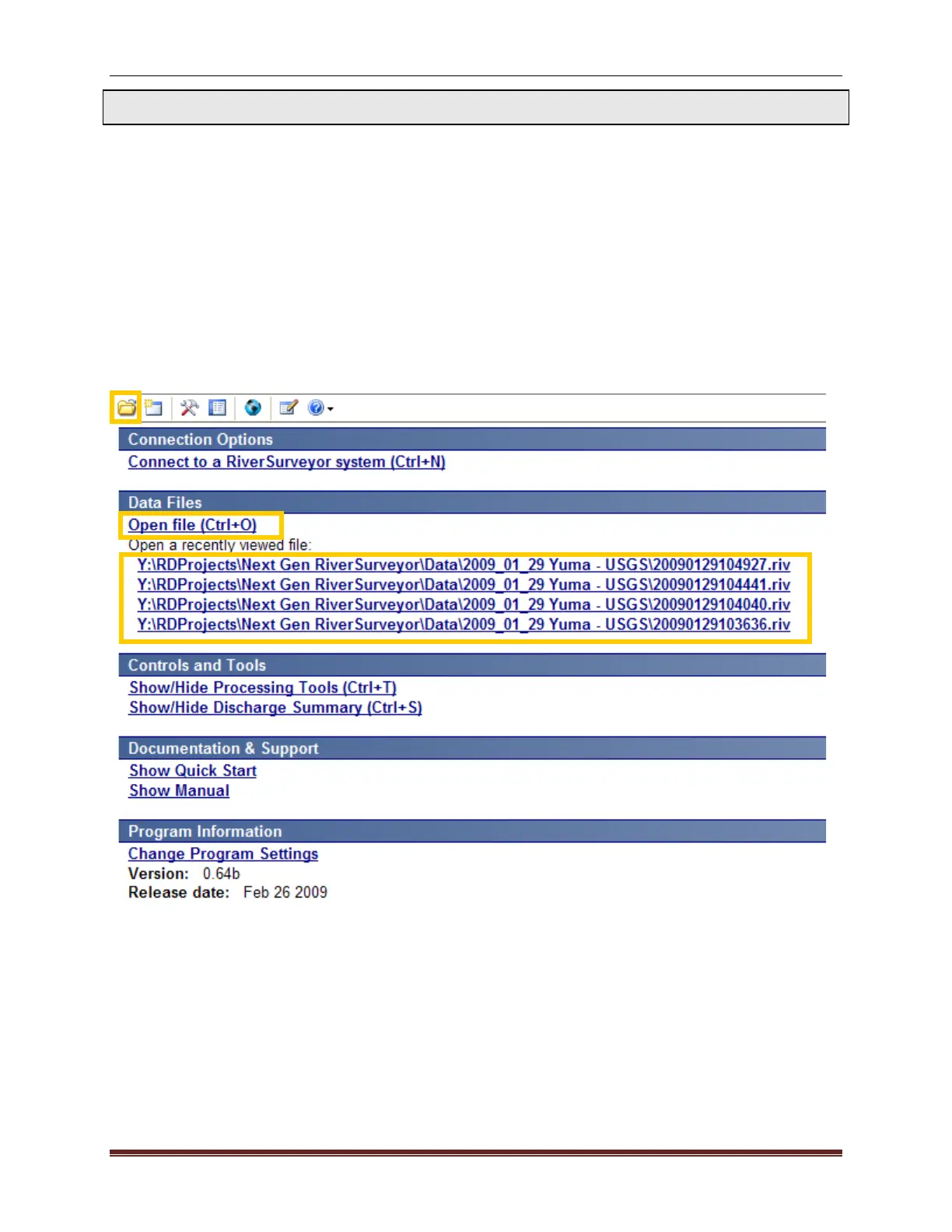
To open and process data in RiverSurveyor Live for PC, all data files must have the .riv exten-
sion. Figure 90 shows three ways to open data files. Click the open file icon (the folder) on the
top toolbar to browse for and select a file. Alternatively, you can click on the Open file (Ctrl+O)
link or one of the most recently viewed files.
Figure 90. Open Data Files in RiverSurveyor Live for PC



 To Next Page
 Loading...









