28
5. Press the [BACK] key or the PTT switch to save the setting and return to the normal
operation.
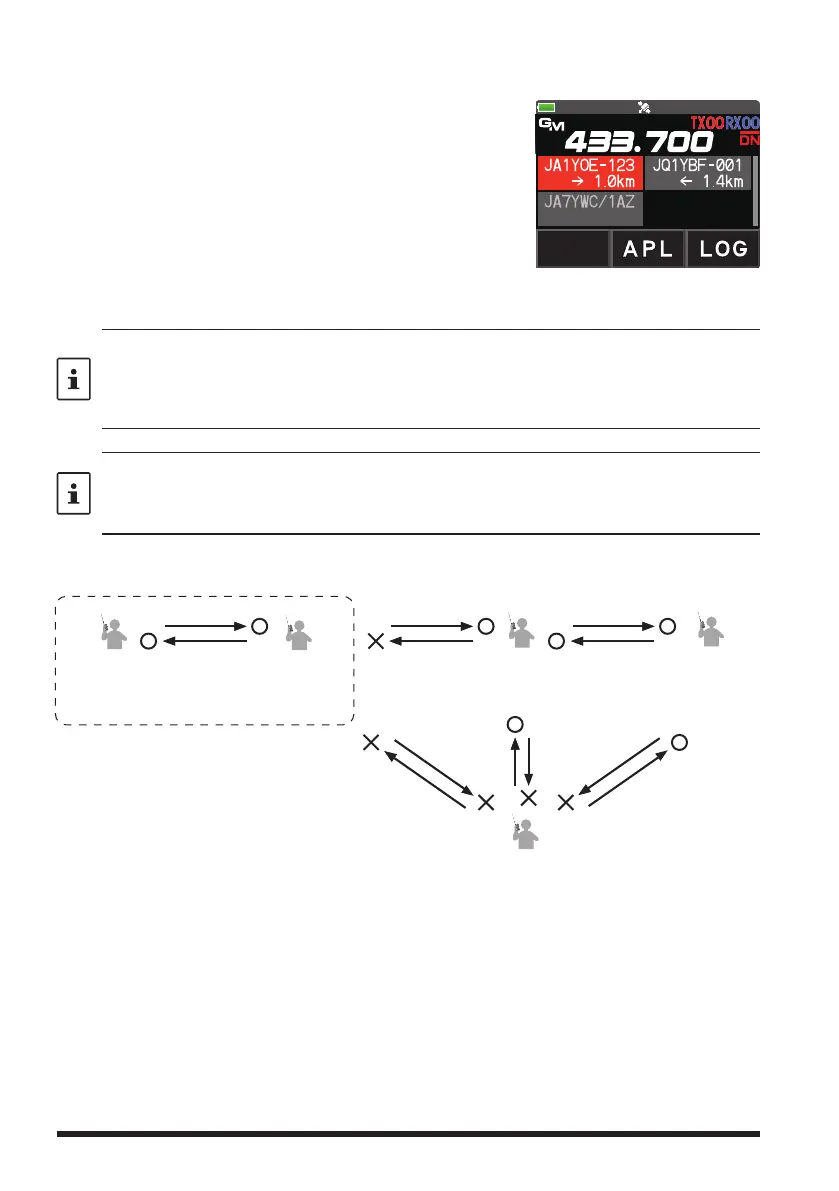
6. Press the [GM/X] key to turn the GM (Group Monitor)
function ON and check whether or not other stations
that are operating on frequency, with the GM (Group
Monitor) function ON, and have the same GD-ID num-
ber setting, are in the communication range.
•
The other stations also need to turn the GM (Group
Monitor) function ON.
7. Press the [GM/X] key to turn the GM (Group Monitor) function OFF and return to the
normal operation.
• While setting the DG-ID number, pressing and holding the [GM/X] key will set the transmit
and the receive DG-ID numbers to “00”.
• If the receive DG-ID is set to a number other than “00”, only signals with that DG-ID will be
received. Normally, set the receive DG-ID number to “00” except when communication is
desired only with group members.
For example, if the transmit and receive DG-ID numbers of group members are all set to “50”,
communications from other DG-ID numbers is not received and only the group members
setting the same DG-ID numbers may communicate. Also, the other stations setting the
receive DG-ID to any number except for “00” may not receive the signals of your stations.
Only group members set to the same DG-ID
number may communicate.
DG-ID
T50
(transmit)
R50
(receive)
DG-ID
T50
(transmit)
R50
(receive)
DG-ID
T00
(transmit)
R00
(receive)
DG-ID
T90
(transmit)
R90
(receive)
DG-ID
T00
(transmit)
R00
(receive)
The group member set the DG-ID number to “50”
The other stations setting the receive DG-ID number
to a number other than “00” may not receive the
signals that do not match the DG-ID number.
Setting the receive DG-ID number to
“00” , all the C4FM digital stations may
be received signals.


 To Next Page