146 Chapter 14—Dynamics Processors
03D—Owner’s Manual
Patching in a Dynamics Processor
1. Use the [SEL] and [MIXING LAYER] buttons to select a channel.
2. Use the [DYNAMICS] button to locate the Library page and recall a
dynamics program that uses the type of dynamics processor required.
See Recalling a Dynamics Program on page 149 for more information.
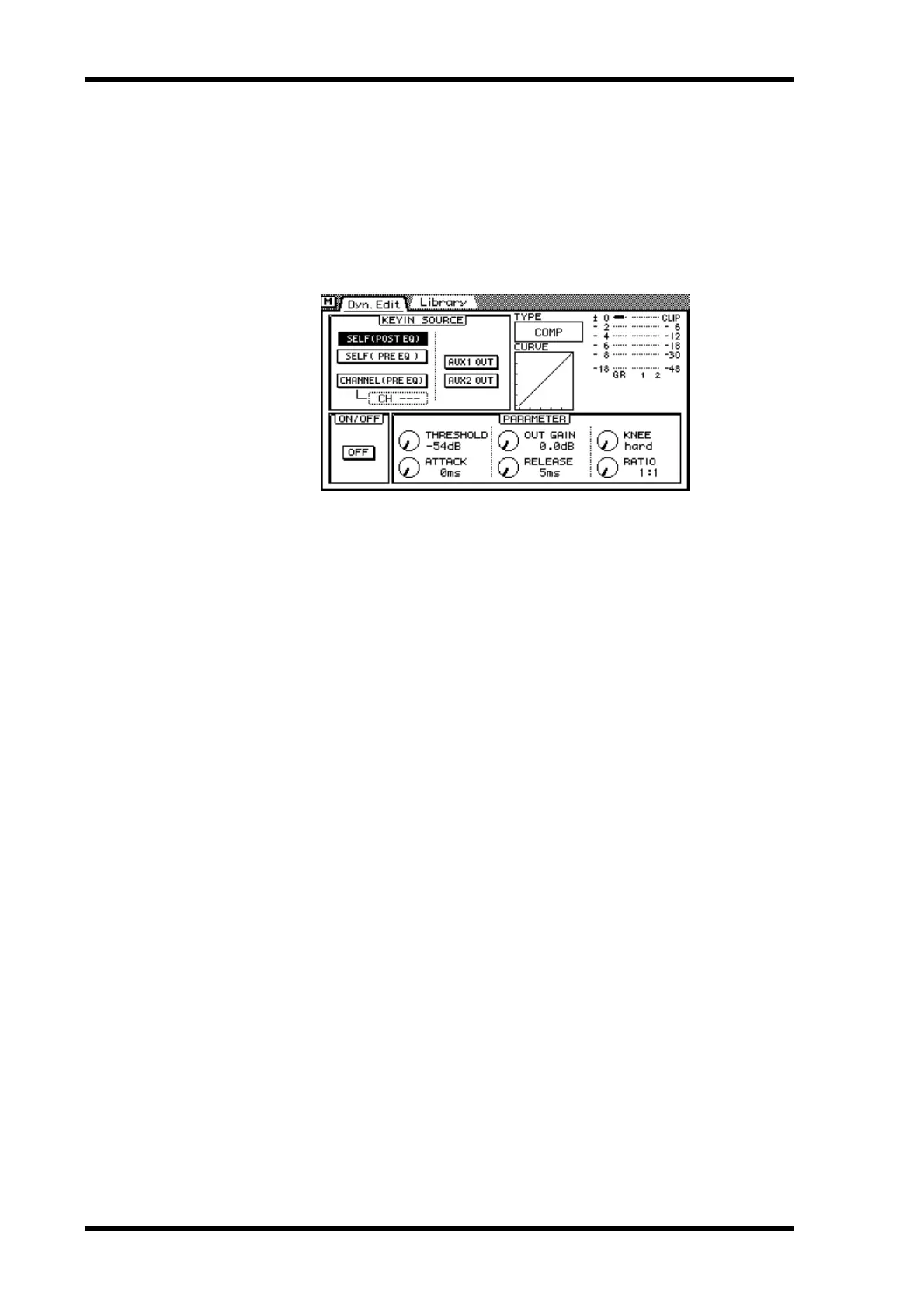
3. Use the [DYNAMICS] button to locate the Dyn. Edit page shown below.
4. Use the cursor buttons to select a KEY IN SOURCE switch, and then press
the [ENTER] button to activate the selection.
5. Use the cursor buttons to select the ON/OFF switch, and then press the
[ENTER] button to turn on the dynamics processor.
6. Use the cursor button to select the dynamics processor parameters and
the PARAMETER wheel or mouse to adjust them.
While the cursor is in the PARAMETER window, the [ENTER] button functions as
dynamics processor on/off switch, allowing for quick A/B comparisons.



 To Next Page