Setting the Stereo Output Level 85
03D—Owner’s Manual
Setting the Stereo Output Level
The stereo output level is controlled using the ST OUT fader. This fader is not
affected by the Mixing Layer, and always works as level control for the stereo
output.
Muting the Stereo Output
The stereo output can be muted using the ST OUT [ON] button. This button
contains an indicator that lights up when stereo output is on. The ST OUT
[ON] button is not affected by the Mixing Layer setting or [SOLO] function.
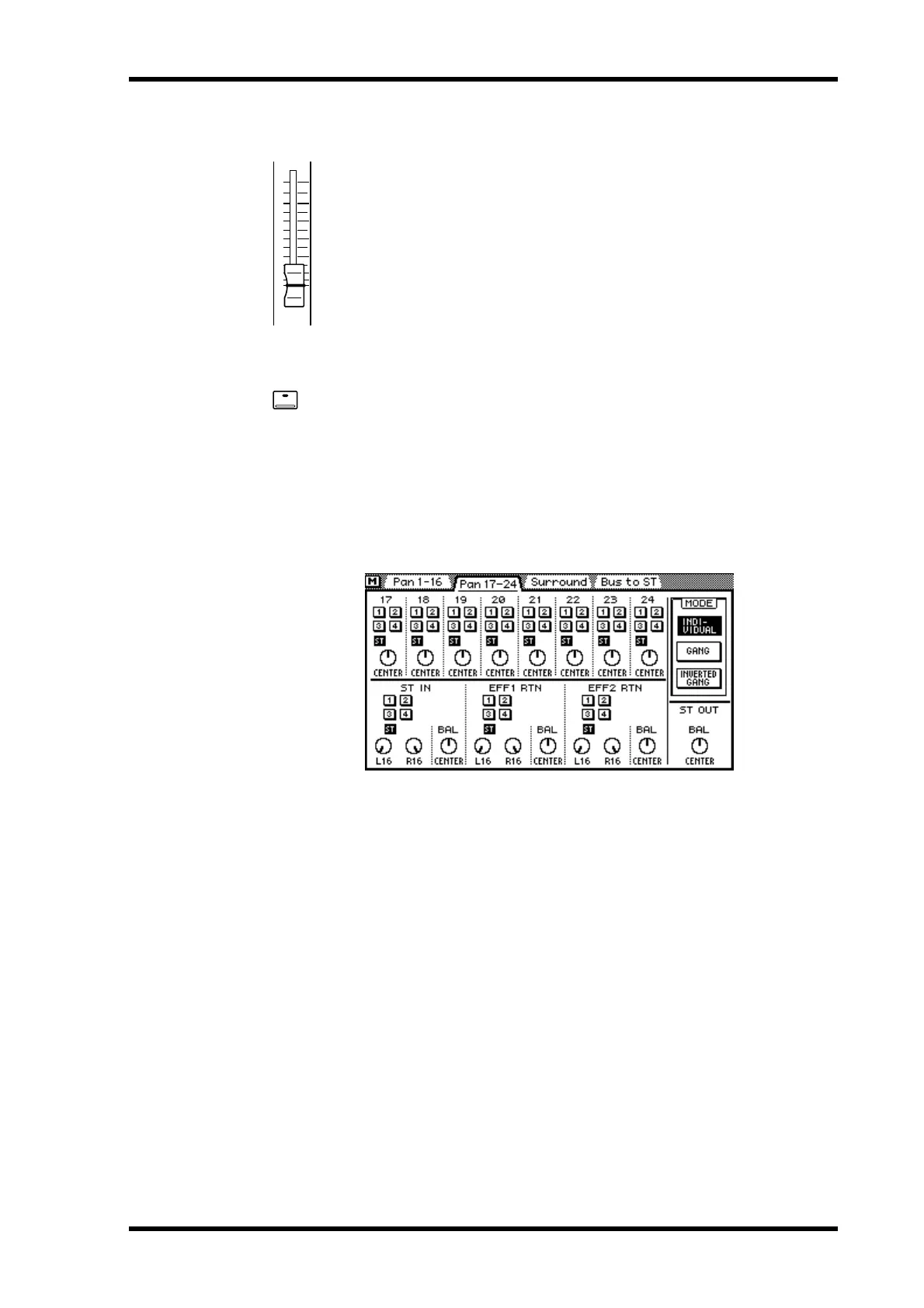
Balancing the Stereo Output
The left and right channels of the stereo output signal can be balanced suing the ST
OUT balance control on the page shown below.
1. Use the [PAN/ROUTING] button to locate the page shown below.
2. Use the cursor buttons to select the ST OUT BAL control and the PARAM-
ETER wheel to adjust it.
If you are using a mouse, position the mouse cursor over the balance control, press and
hold the left mouse button, and then drag the mouse.
Applying EQ to the Stereo Output
The stereo output features stereo four-band parametric EQ. See EQ on page 45 for
more information.
Stereo Output Dynamics Processor
The stereo output features a stereo dynamics processor. See Dynamics Processors on
page 143 for more information.
6
0
5
10
20
40
60
00
ON



 To Next Page