92 Chapter 9—Aux Sends
03D—Owner’s Manual
Pre-fader/Post-fader Aux Sends
Individual input channels, the stereo input channel, and effects return aux sends can be
configured as either pre-fader or post-fader sends. These settings are made on the Aux
Pre/Post pages. Each aux send has its own Pre/Post page.
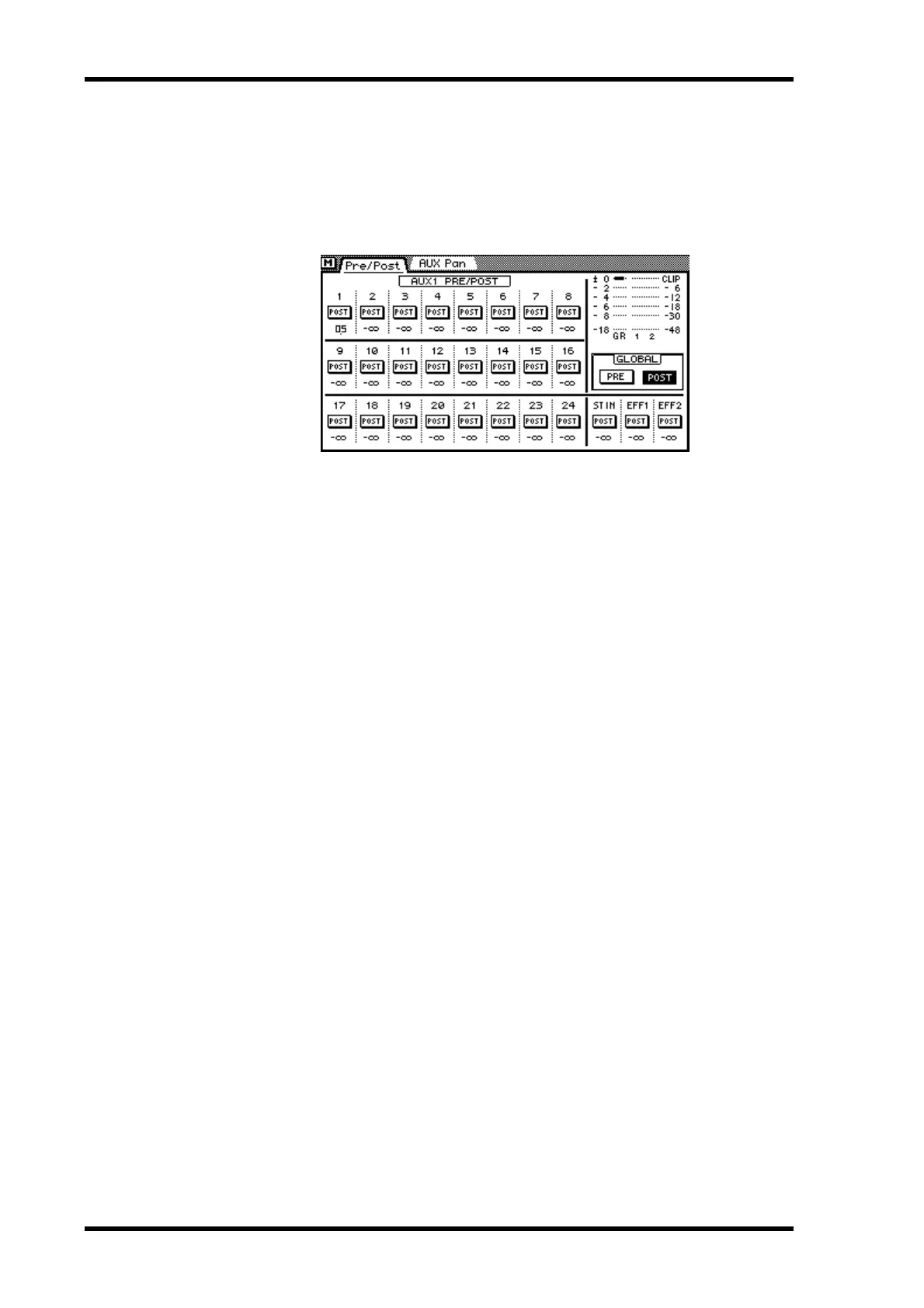
1. Use the [AUX] buttons to locate the Pre/Post pages for aux sends 1 to 4.
The meters show the level of the selected aux send and the amount of gain reduction.
The values below the PRE/POST switches indicate the aux send fader positions.
2. Use the cursor buttons to select the PRE/POST switches and the [ENTER]
button to set them.
If you are using a mouse, simply click the PRE/POST switches.
3. To set all PRE/POST switches to either pre or post, select the GLOBAL PRE
or POST switch and press the [ENTER] button.
If you are using a mouse, simply click the GLOBAL switches.
When channels are configured as a stereo pair using the Pair function (Stereo Pairs on
page 114), pre/post settings are linked, and adjustments can be made with either chan-
nel selected. You cannot set different pre/post settings for the odd and even channels in
a stereo pair.



 To Next Page