182 Chapter 16—Automix
03D—Owner’s Manual
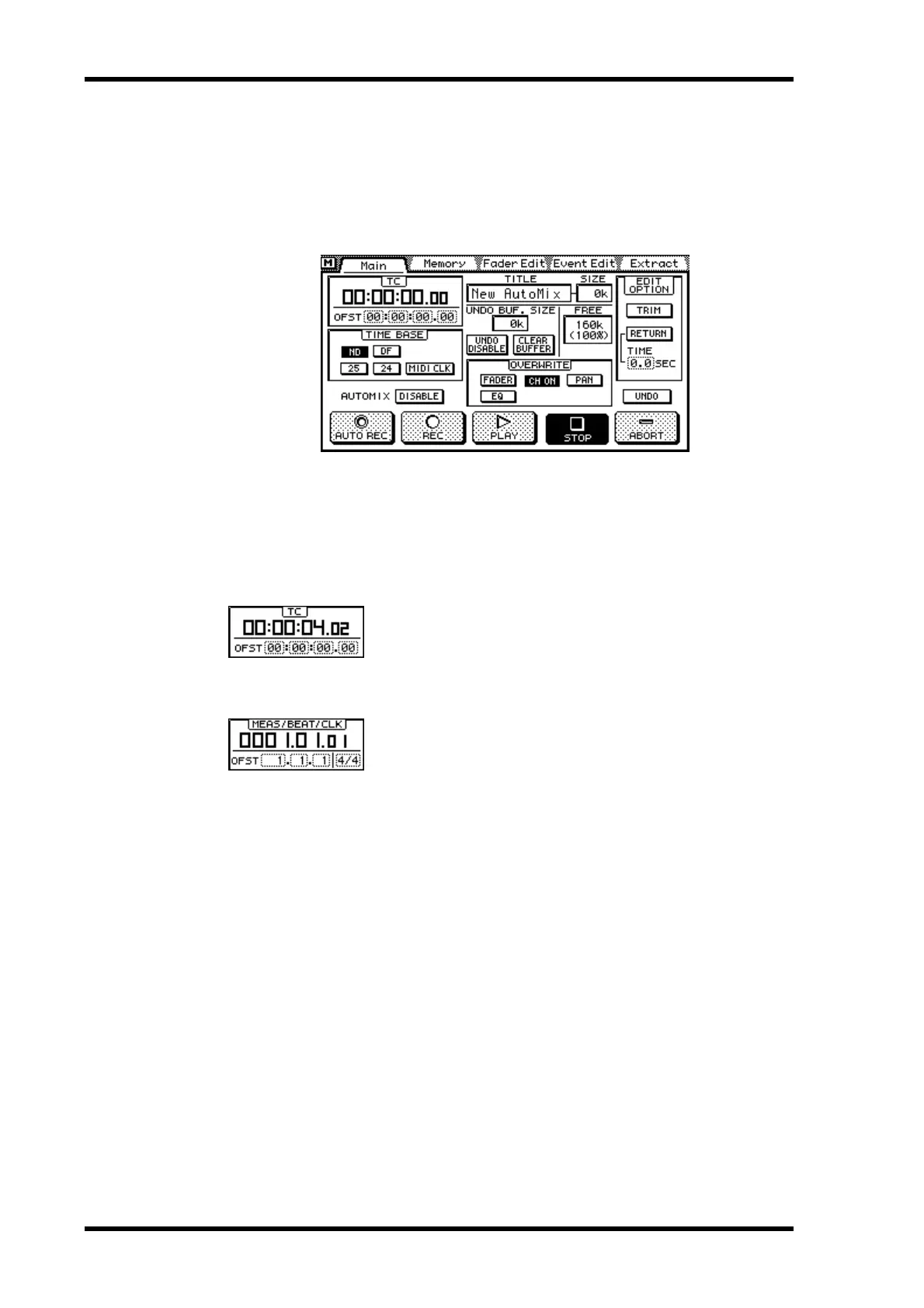
Setting an Automix Offset
By setting an offset, automix events can be moved relative to the incoming timecode or
a MIDI Start message. The offset parameters depend on the selected time base. See Set-
ting the Time Base on page 181 for information about setting the time base.
1. Use the [AUTOMIX] button to locate the Main page.
2. Use the cursor buttons to select the OFST fields.
3. Use the PARAMETER wheel to set the OFST fields.
If you are using a mouse, position the mouse cursor over an OFST field, press and hold
the left mouse button, and then drag the mouse.
TC Counter
When MTC is used as the time base, the offset is specified in
hours, minutes, seconds, and frames. When an offset is set,
events in the current automix are moved by the specified
amount.
MEAS/BEAT/CLK Counter
When MIDI Clock is used as the time base, the offset is speci-
fied in measures. An offset from –99 to 999 measures can be
specified using the OFST parameter. A negative offset can be
used to advance automix playback by a specific number of
measures.
A time signature for automix start can be set. The number of
beats can be set from 1 to 16, and the type of beat can be set to
2, 4, 8, or 16.



 To Next Page