Title Edit Dialog Box 33
03D—Owner’s Manual
Title Edit Dialog Box
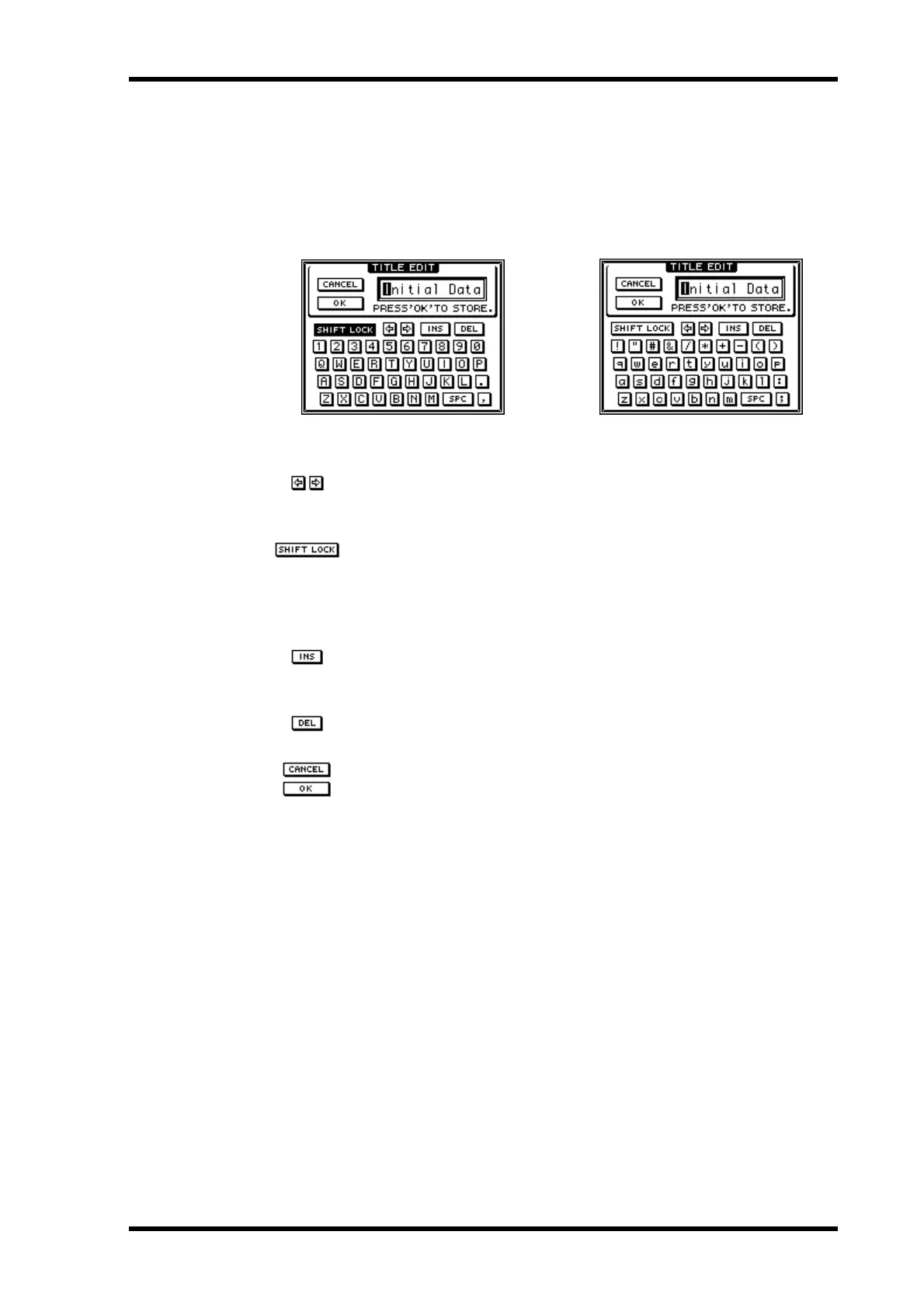
The Title Edit dialog box is used to title mix scenes, EQ programs, dynamics programs,
effects programs, channel programs, and automixes. It appears when storing or reti-
tling a scene memory or program. Titles can be up to 12 characters long. Available char-
acters are shown on the following two screen shots. The SPC key is a space key.
To position the cursor in the title, use the PARAMETER wheel or the
arrow switches on the Title Edit dialog box. If you are using a mouse,
simply click within the title.
To enter a character, use the cursor buttons to select a character, and then
press the [ENTER] button. If you are using a mouse, simply click a char-
acter. To access the lowercase characters and various symbols, select the
SHIFT LOCK switch and press the [ENTER] button. Press SHIFT
LOCK again to access the uppercase characters and numbers.
Use the INS switch to insert a space at the cursor position and move sub-
sequent characters to the right. Characters moved beyond the right side
of the title window are lost.
Use the DEL switch to delete the character at the cursor position and
move subsequent characters to the left.
When you’ve completed the title, select OK and press the [ENTER] but-
ton to continue, or select CANCEL and press the button [ENTER] to
cancel the operation.
SHIFT LOCK = ON



 To Next Page