58 Chapter 6—Pan, Routing & Surround Pan
03D—Owner’s Manual
Selecting a Pan Mode
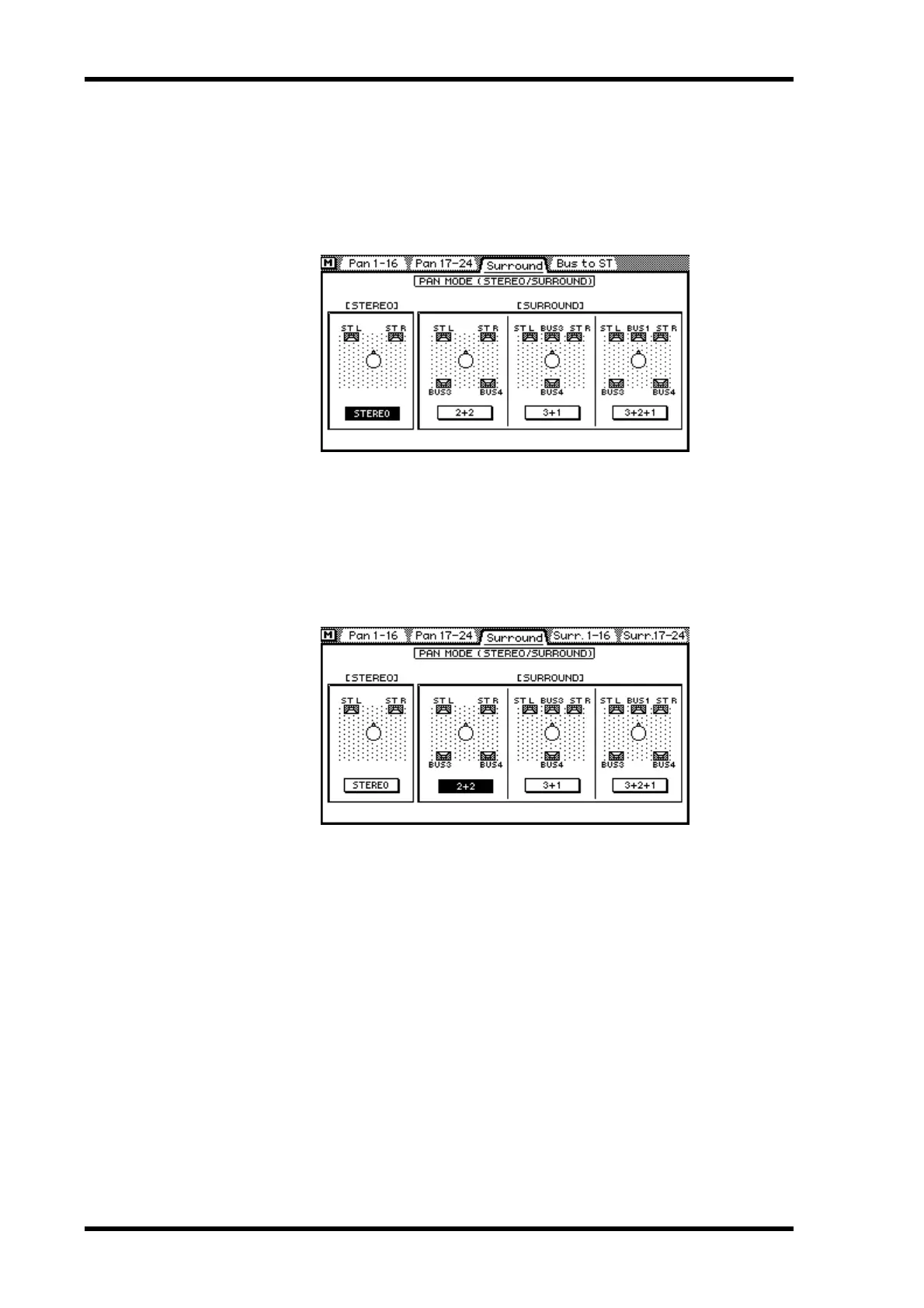
In addition to stereo pan, the 03D features three surround pan modes. Pan modes are
set on the Surround page.
1. Use the [PAN/ROUTING] button to locate the Surround page shown
below.
2. Use the cursor buttons to select a pan mode.
3. Press the [ENTER] button to activate the selected pan mode.
If you are using a mouse, simply click a Pan mode switch.
When a surround pan mode is selected, the Bus to ST page title tab is replaced by the
Surr. 1–16 and Surr. 17–24 surround pan page title tabs, as shown below. The Bus to ST
page is available only when stereo pan mode is selected.
Stereo pan mode is explained in Stereo Pan, Balance & Routing on page 59.
The surround pan modes are explained in Surround Pan on page 62.



 To Next Page