208 Chapter 17—Other Functions
03D—Owner’s Manual
User Define Buttons
The USER DEFINE buttons are user-programmable buttons that can
be configured to send specific MIDI or MMC (MIDI Machine Control)
commands when pressed. They can also be used to recall frequently
used mix scenes or effects programs, adjust mix settings of the selected
channel, or control the Automix function.
The functions of the USER DEFINE buttons are continuously
shown by the four switches at the top-right of the display, as shown
here.
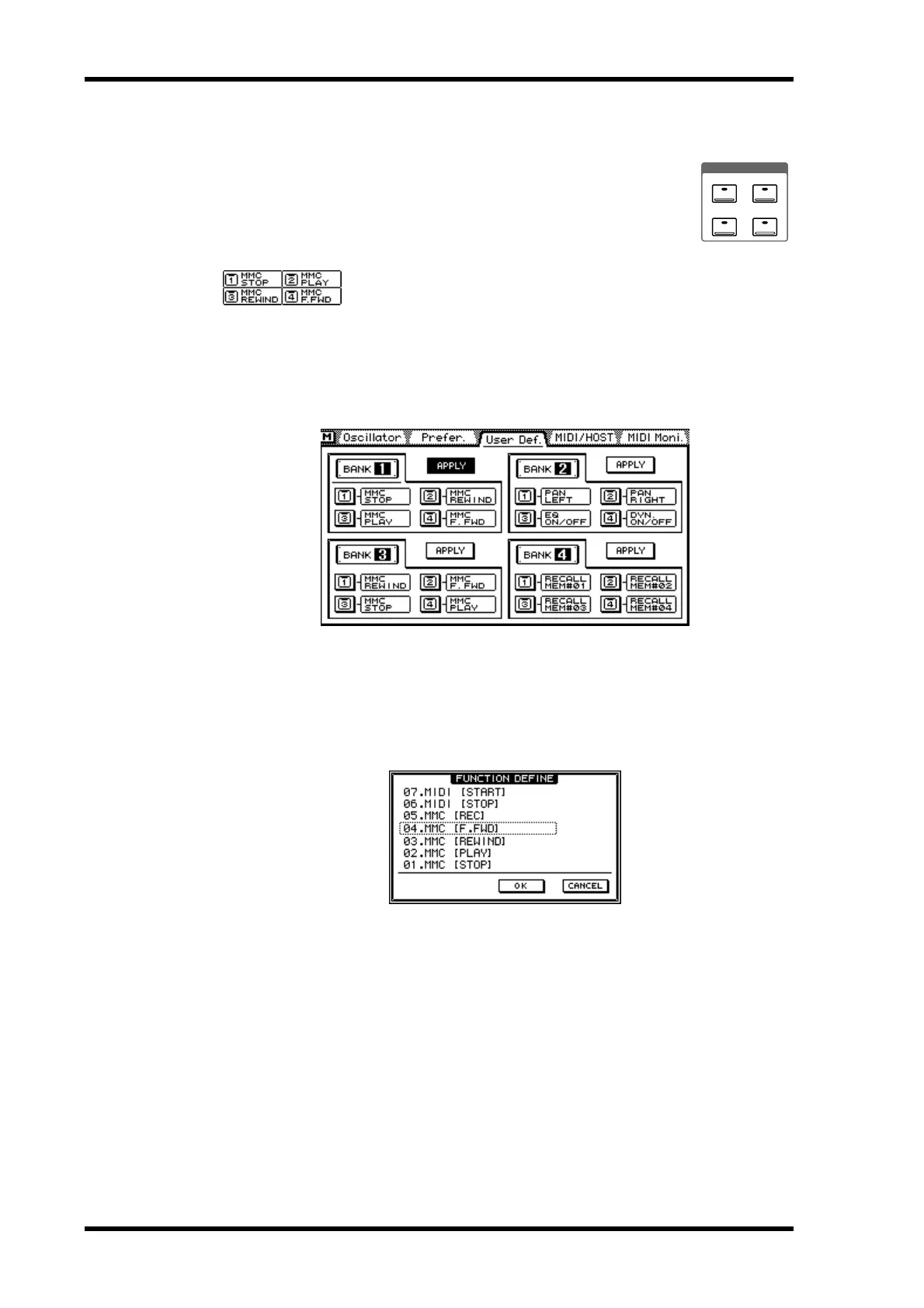
Any one of 31 functions can be assigned to a USER DEFINE button. Four banks allow
you to configure four individual USER DEFINE button configurations. The USER
DEFINE buttons are configured on the User Def. page.
1. Use the [UTILITY] button to locate the User Def. page shown below.
2. Use the cursor buttons to select a button in a bank.
3. Press the [ENTER] button.
If you are using a mouse, simply click a button.
The FUNCTION DEFINE dialog box shown below appears.
4. Use the PARAMETER wheel to scroll through the available functions.
If you are using a mouse, position the mouse cursor over the parameter box, press and
hold the left mouse button, and then drag the mouse.
5. Use the cursor buttons to select the OK switch, and then press the
[ENTER] button.
If you are using a mouse, simply click the OK switch.
6. To make a bank active, select its APPLY switch, and then press the [ENTER]
button.
If you are using a mouse, simply click an APPLY switch.
The following functions can be assigned to the USER DEFINE buttons.
USER DEFINE
1
3
2
4



 To Next Page