En 15
Random-sequence playback
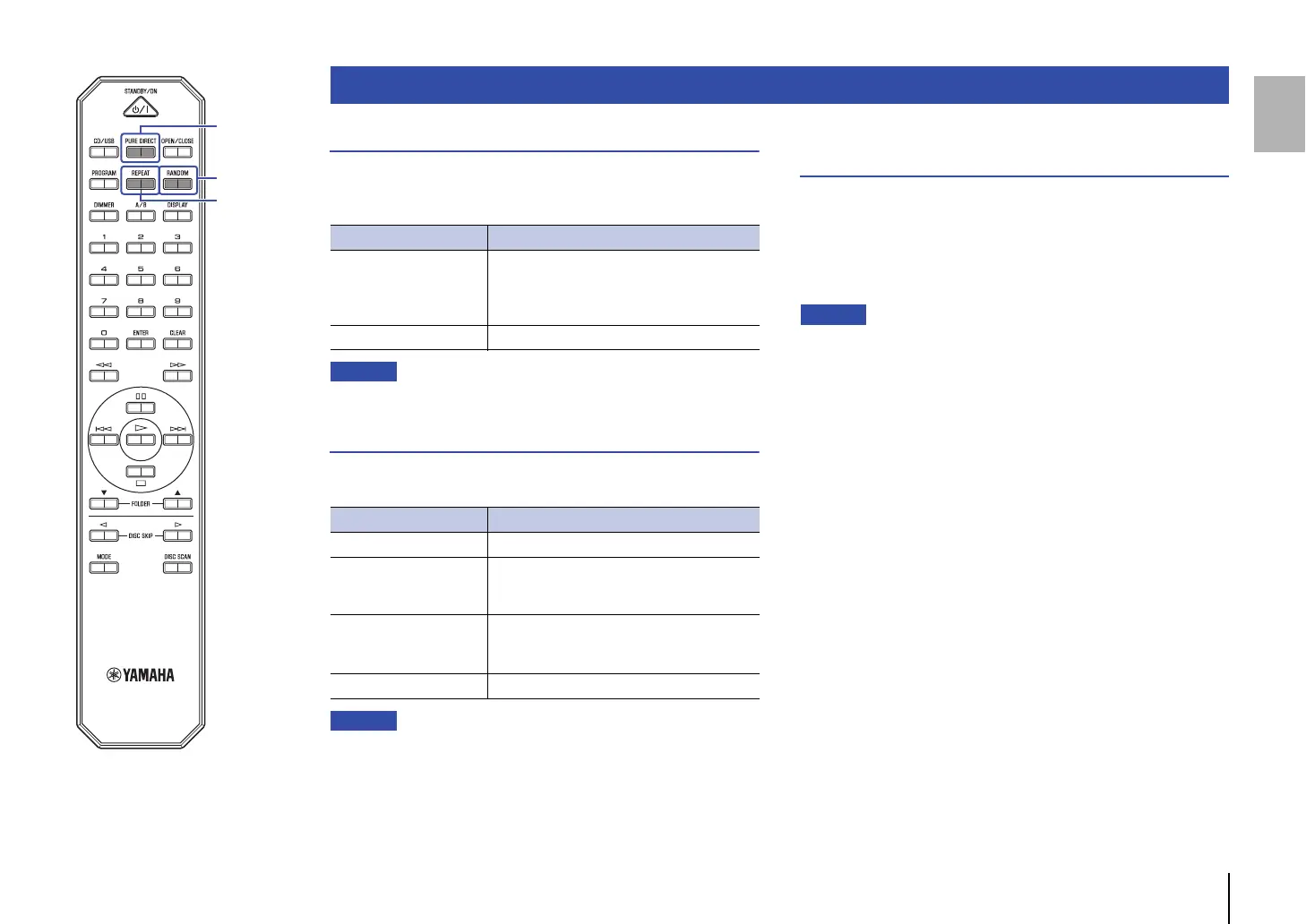
Press RANDOM to play tracks in random order. Pressing RANDOM
repeatedly will change the Random-sequence playback setting as
follows:
• Extending the disc tray will cancel Random-sequence playback.
Repeat playback
Press REPEAT to play tracks repeatedly. Pressing REPEAT
repeatedly will change the Repeat playback setting as follows:
• Do one of the following to cancel Repeat playback:
– Turn off the power to the unit or set the unit to Standby mode.
– Extend the disc tray.
Enjoying high-quality sound playback
(PURE DIRECT)
If the PURE DIRECT function is turned on, digital audio will not be
output. In this way, the PURE DIRECT function reduces noise that
would affect sound quality, enabling you to enjoy playback of high-
quality sound.
Pressing PURE DIRECT repeatedly will toggle PURE DIRECT on
and off.
• To use the PURE DIRECT function, connect the ANALOG OUTPUT jacks
on the rear panel to the amplifier. The OPTICAL DIGITAL OUTPUT jack will
not output any signals.
• When the PURE DIRECT function is turned on:
– The PURE DIRECT indicator lights up.
– The front panel display will be turned off while content is playing.
– Only a minimum number of indicators and messages will appear while
you are operating the unit.
– This setting will be maintained after you turn off the power to the unit.
Advanced functions
Indicator Setting
RNDM
Plays all tracks in random order.
If playback mode is set to All-disc mode, each
CD on the tray will play its tracks in random
order.
Off Turns off Random-sequence playback.
Indicator Setting
REP Plays one track repeatedly.
REP FOLDER
(Data CDs and USB flash
drives only)
Plays tracks in the current folder repeatedly.
REP ALL
Plays all tracks repeatedly.
If playback mode is set to All-disc mode, all CDs
will play in sequence, and then repeat.
Off Turns off Repeat playback.


 To Next Page