18 En
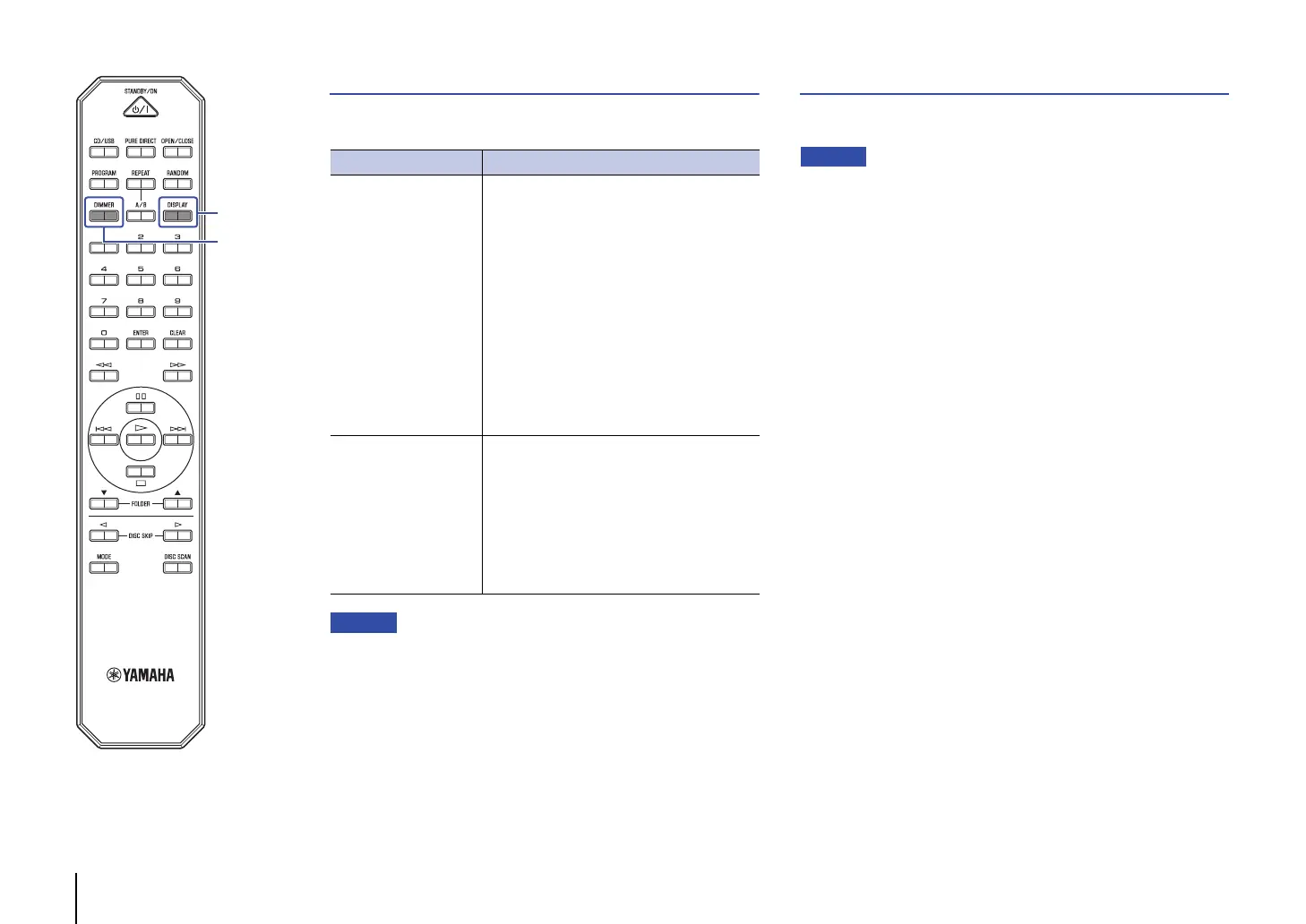
Switching information on the display
Pressing DISPLAY repeatedly during playback will switch the
information on the display as follows:
• The information display indicates up to 28 characters (1-byte alphanumeric
characters and several symbols).
Changing the display brightness
Press DIMMER repeatedly to switch between four stages of display
brightness.
• This setting will be maintained after the unit enters Standby mode or after
you turn off the power to the unit.
Playback media Information on the display
Audio CD
Elapsed time
Remaining time of the current track
(TRACK REMAIN)
Remaining time of the current CD
(TOTAL REMAIN)
Track name*
Artist name*
Album title*
* If CD-text has been embedded
Data CD, USB flash
drive
Elapsed time
Track name*
Artist name*
Album title*
* If track information (tag) has been embedded


 To Next Page