16 En
Playing tracks in the specified order
(Program playback)
You can play tracks of an audio CD on the disc tray in the specified
order.
1
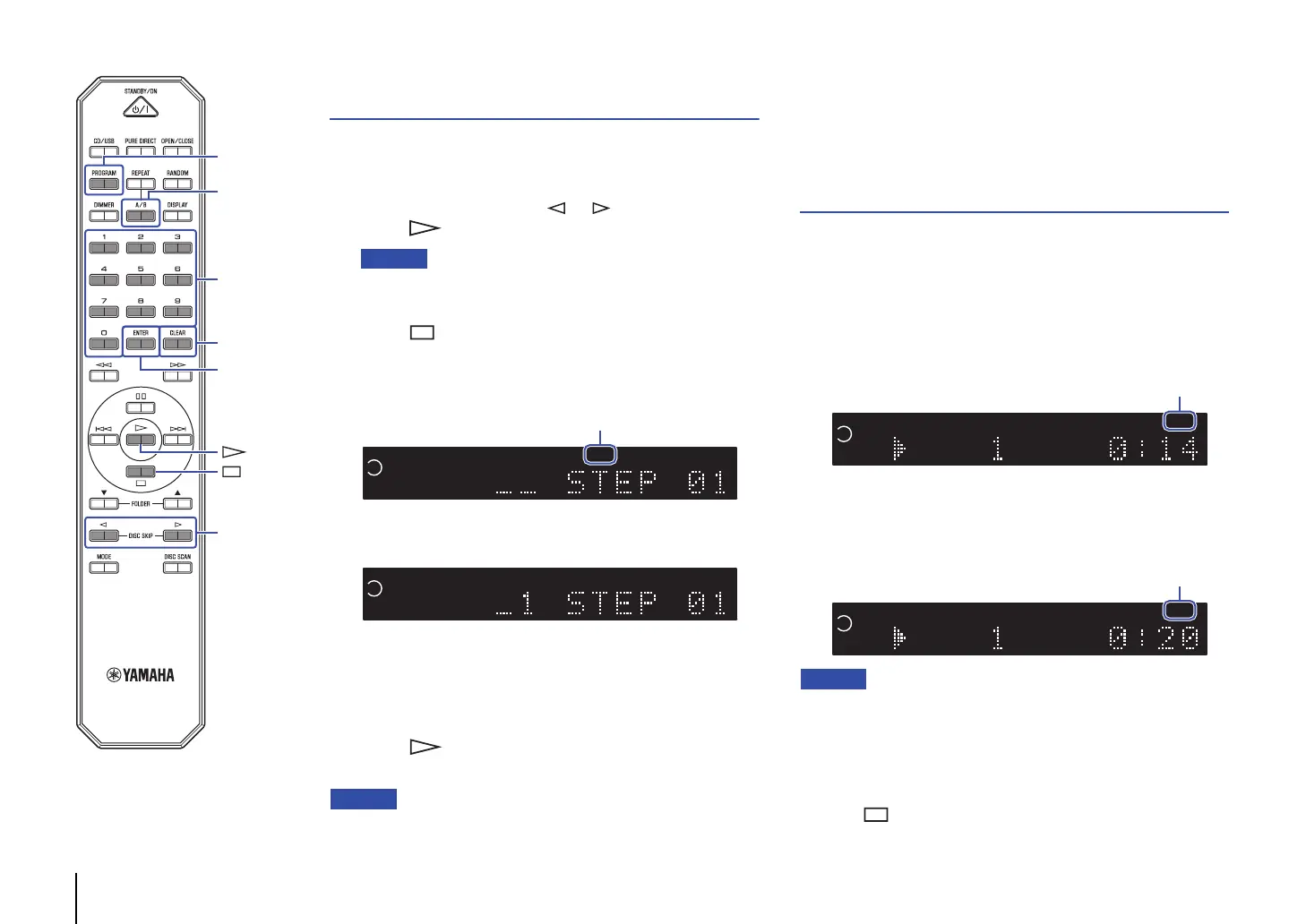
Select the disc slot number for the CD to program by
pressing the DISC SKIP or button, and then
press (Play) to play the disc.
• You can also use DISC 1-5 on the front panel to select the slot
number.
2
Press (Stop) to stop playback.
3
Press PROGRAM.
The PROG (PROGRAM) indicator lights up.
4
Use the numeric keys to enter the track number of a
song.
5
Press ENTER.
Repeat steps 4 and 5 to program each track.
Press CLEAR to cancel each programmed track starting with
the last track you programmed.
6
Press (Play).
The unit starts to play the tracks in the programmed order.
• Program playback does not work with data CDs or USB flash drives.
• You cannot set up program playback across discs.
• You can program up to 24 tracks.
• Do one of the following to clear all programmed tracks:
– Press CLEAR while Program playback is stopped.
– Turn off the power to the unit or set the unit in Standby mode.
– Extend the disc tray.
Playing a specified part repeatedly
(A-B Repeat playback)
You can specify the start and end points of a track during audio CD
playback to play the specified part repeatedly.
1
Play an audio CD.
2
Press A/B at the point you want to start Repeat
playback.
The A-B indicator lights up as follows:
3
Press A/B again at the point you want to end Repeat
playback.
The A-B indicator lights up as follows, and Repeat playback
starts.
• A-B Repeat playback does not work with data CDs or USB flash drives.
• You cannot specify a part across discs for A-B Repeat playback.
• You cannot specify the A-B Repeat playback setting when the PURE
DIRECT function is turned on.
• Do one of the following to cancel the A-B Repeat setting:
– Press A/B again.
– Press (Stop).
TRACK REP A - B
2
1
3
45
PROGRAM
DISC SKIP
ENTER
A
/
B
CLEAR
Numeric keys


 To Next Page