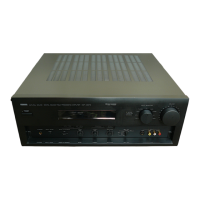
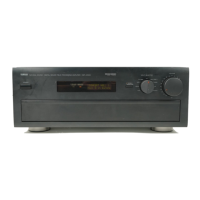
DSP-AX1/RX-V1
DSP-AX1/RX-V1
● Operation procedure of DIAG menu and SUB-MENU
There are No.1 to No.14 MENU items and some SUB-MENU items as well.
DIAG menu selection
DSP-AX1 Main unit: PROGRAM w(forward)/q(reverse) key
RX-V1 Main unit: PRESET TUNING + (forward)/-(reverse) key
SUB-MENU selection
DSP-AX1 Main unit: SET MENU + (forward)/-(reverse) key
RX-V1 Main unit: PROGRAM w(forward)/q(reverse) key
Remote control unit: Only the remote control key in the Menu List can directly call a sub menu.
● Functions during DIAG being set
In addition to the DIAG menu, functions as listed below are available.
• Input selection (including ZONE2), 6CH input
• REC OUT switching
• ZONE2 input, volume
• Front/Center/Rear/Sub-woofer level adjustment
• Muting
• Speaker A/B
• Power on/off operation
• Master volume
It is possible to set to the following volume values using the remote control unit
only during DIAG being set.
• Functions related to the tuner and the set menu are not available.
• It is possible to confirm Menu No.12 IF STATUS while keeping the signal process (operation status)
of each DIAG menu by using the INPUT MODE key of the main unit.
● Initial settings used to start DIAG function
Following initial settings are used when starting the DIAG function.
When the DIAG function is canceled, the settings before starting DIAG will be restored.
• Input, ZONE2 input: LD (6CH INPUT OFF)
• Master volume: -40dB
• ZONE2 volume: -6dB
• Front/Center/Rear/Sub-woofer level: 0dB
• Audio mute: OFF
• Speaker A/B: ON
Volume value (dB)
0
-21
-35
MUTE
Remove control code (key)
7A---E0 (PAGE A)
7A---E1 (PAGE B)
7A---E2 (PAGE C)
7A---E3 (PAGE D)
15


 To Next Page
 Loading...