8 Touring MD4
MD4—Owner’s Manual
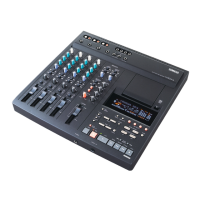
Disc Transport Section
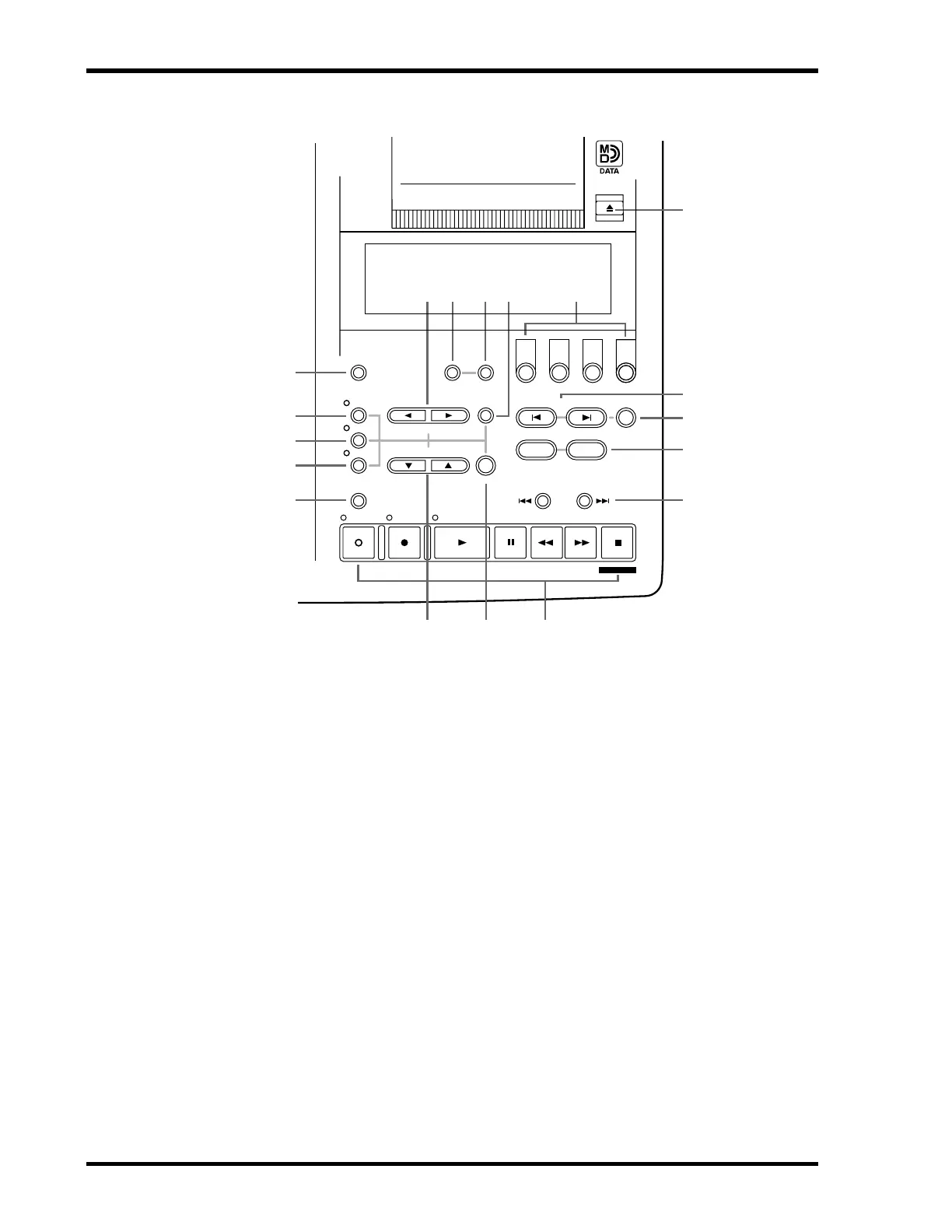
1 AUTO PUNCH I/O button
This button is used to turn on the Auto Punch In/Out function.
2 UTILITY button
This button is used to access the following functions: Rec Mode, Text, PrePost Roll,
OffLinePunch, Track Erase, Song Erase, Song Copy, Song Divide, Song Combine, Cue List, PRG
Play, and MIDI Sync.
3 ADJUST button
This button is used to adjust the position of markers and the LAST REC IN and OUT points.
4 PITCH button
This button is used to set the Pitch mode: FIX (fixed) or VARI (variable).
5 TIME DISPLAY button
This button is used to select the Time Counter mode: ELAPSE, REMAIN, or TOTAL.
6 SELECT buttons
These buttons are used to select items on the display.
7 REPEAT button
This button is used to select the One Song, All Song, A–B, and Auto Punch Rehearse Repeat
modes. It’s also be used to cancel A–B Repeat mode.
8 MEMO A/B buttons
These buttons are used to enter the A and B points for A–B Repeat.
123
4
TIME
DISPLAY
REPEAT MEMO A/B
REC SELECT
MARK SEARCH
LAST REC SEARCH
IN OUT
MARKPITCH
ADJUST
UTILITY
CLEAR
ENTER
AUTO
PUNCH I/O
SELECT
DATA– +
SONG
SEARCH
REC
PLAY
PAUSE
REVIEW
FF CUE
STOP
TOC WRITE
PHONES PUNCH I/O
REHE
5
4
3
2
1
D
H
C
B
A
7
EFG
6 8 9 0
4


 To Next Page