A–B Repeat 41
MD4—Owner’s Manual
A–B Repeat
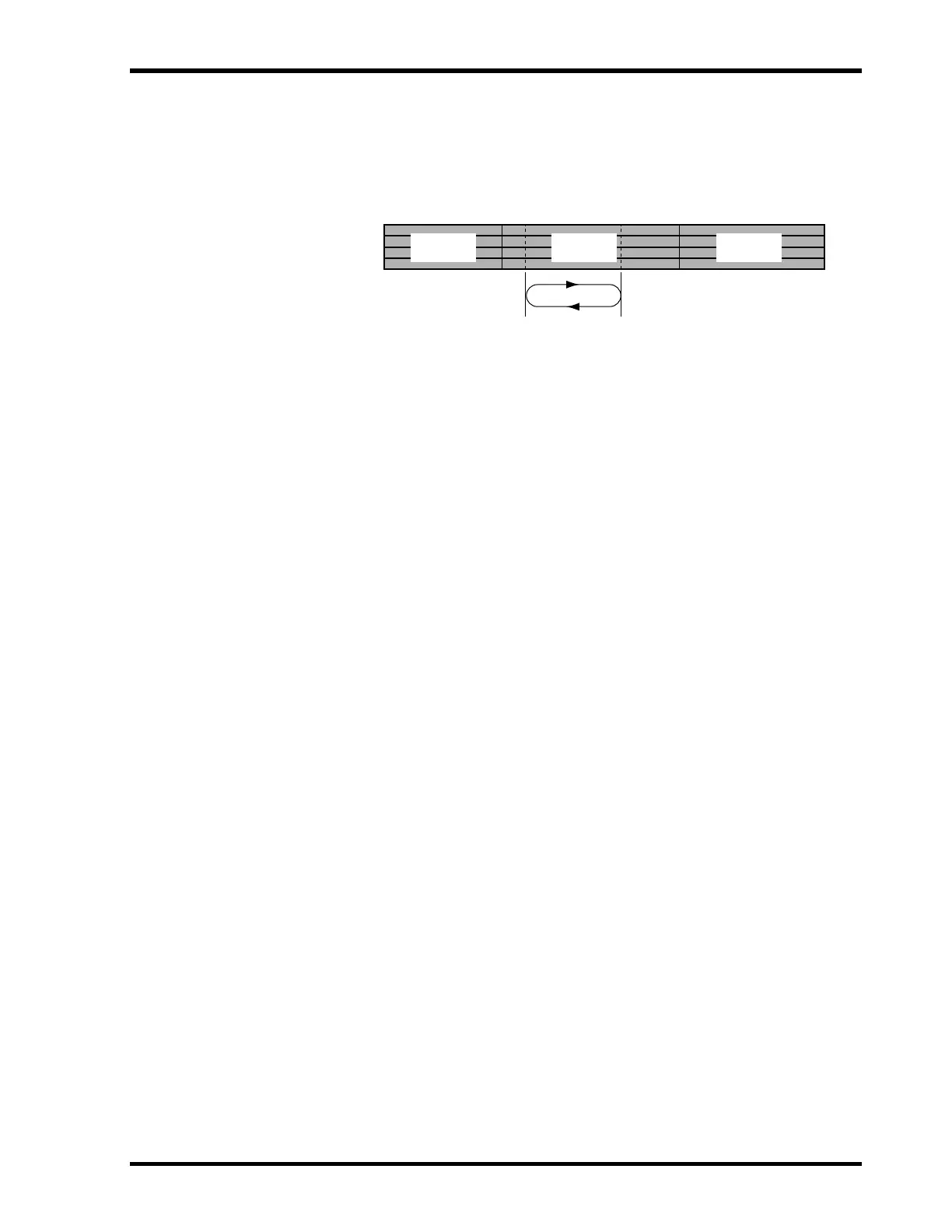
A–B Repeat playback allows you to play a specific section of a song repeatedly. Playback repeats
between the specified A and B points.
1. Press the [PLAY] button to start playback.
2. Press the [MEMO A/B] button when you hear the beginning of the section
that you want to repeat.
REPEAT MEMO A appears on the display. Point A has been entered.
3. Press the [MEMO A/B] button again when you hear the end of the section
that you want to repeat.
MEMO B appears on the display. Point B has been entered.
The section between points A and B is played repeatedly.
4. Press the [REPEAT] button to cancel A–B Repeat.
A–B Repeat playback is cancelled automatically when the [STOP] button is pressed.
The specified A and B points are not remembered when A–B Repeat mode is cancelled. To keep
the A–B points active, use the [PAUSE] button instead of the [STOP] button to temporarily stop
A–B Repeat playback.
The A–B Memo points are not stored when MD4 is turned off.
A–B Repeat
Play Repeatedly
A Point B Point
Song 1 Song 2 Song 3


 To Next Page