46 Editing Songs & Tracks
MD4—Owner’s Manual
Combining Songs
The Song Combine function allows you to combine adjacent songs that were divided using the
Song Divide function. Songs that were recorded separately cannot be combined.
1. Press the [UTILITY] button and use the [√] and [®] SELECT buttons to select
the Song Combine function.
2. Press the [ENTER] button.
The display shows CmbnXXX*+XX*
3. Use the [–] and [+] DATA buttons to select the Songs that you want to com-
bine.
For example: CmbnXXX1+XX2
4. Press the [ENTER] button.
The display shows Cmbn EXE?
5. Press the [ENTER] button to proceed or the [CLEAR] button to cancel.
The songs are combined in to one. Writing UTOC appears on the display as the TOC is
updated.
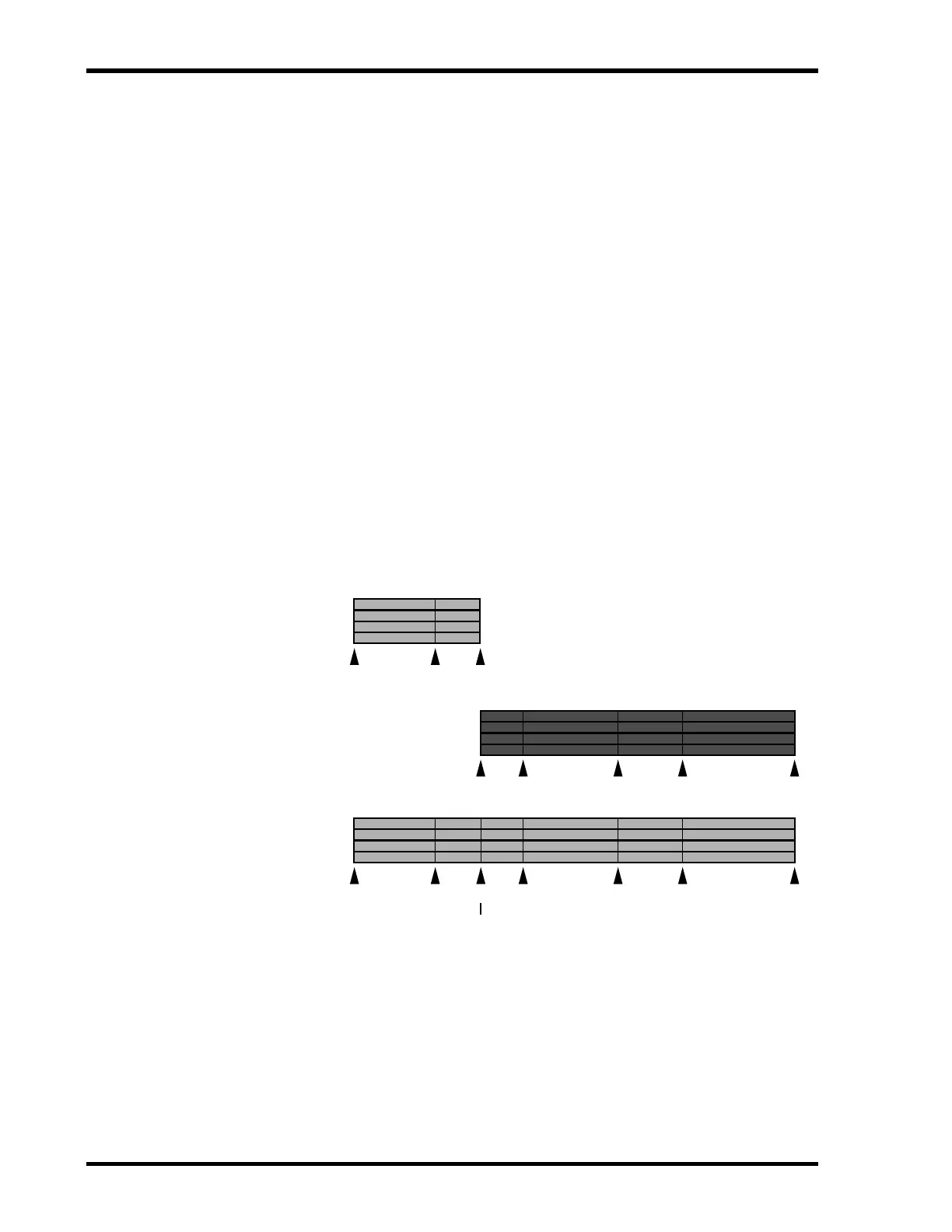
A marker is added at the point where the songs are combined and existing markers from both
songs remain valid.
If the total number of markers including the new marker at the join point exceeds eight, you
will not be able to access markers above Marker number 8. These higher markers are still stored,
however. So if you delete one or more of the first eight markers, they will reappear successively.
When songs are combined, subsequent songs are renumbered. For example, Song 1 and Song 2
are combined into Song 1. The previous Song 3 then becomes Song 2, and so on.
[S] [1] [3] [4] [5] [E][2]
Song 1
after combine
Song 1
before combine
Combine Point
Song 2
before combine
[S] [1] [E]
[S] [1] [2] [3] [E]


 To Next Page