44 Editing Songs & Tracks
MD4—Owner’s Manual
7 Editing Songs & Tracks
This chapter explains the edit functions that can be used with songs and tracks.
Copying a Song
The Song Copy function allows you to duplicate a song, including title, markers, and Tempo
Map. This is useful for making a backup copy before performing a ping-pong or punch in/out
operation. If the ping-pong or punch doesn’t turn out as expected, you can always go back to
the duplicate version and try again.
1. Press the [UTILITY] button and use the [√] and [®] SELECT buttons to select
the Song Copy function.
2. Press the [ENTER] button.
The display shows CopyXXX*¬XX3 (in this example, there are two songs recorded, so the
new duplicate will be Song 3).
3. Use the [–] and [+] DATA buttons to select the Song that you want to copy.
For example: CopyXXX1¬XX3
4. Press the [ENTER] button.
The display shows Copy EXE?
5. Press the [ENTER] button to proceed or the [CLEAR] button to cancel.
The display shows CopyToXXX3
Songs are copied at normal play speed. You can abort the song copy operation at anytime by
pressing the [STOP] button. Data up to the point that you press the [STOP] button will not be
copied.
6. Press the [TOC WRITE] button to update the TOC.
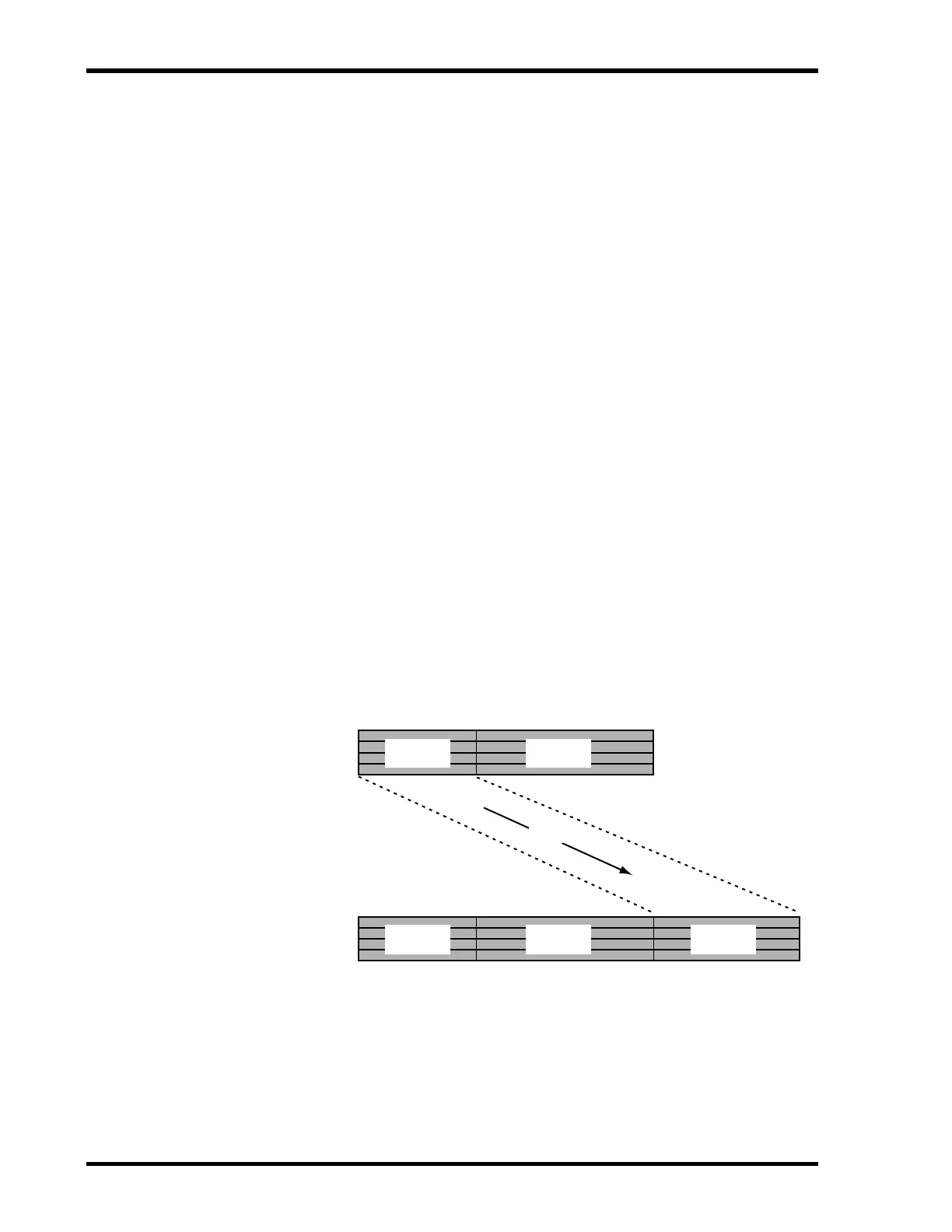
The following illustration shows how the Song Copy function works.
Before
Song Copy
Copy
Song 1 Song 2
After
Song Copy
Song 1 Song 2 Song 3


 To Next Page