EasyManua.ls Logo

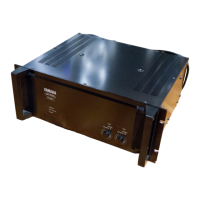
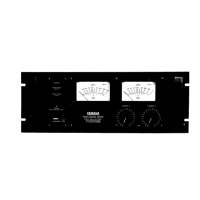
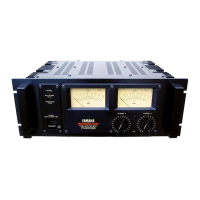
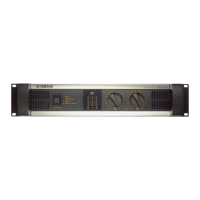
Yamaha PC4002 - Front Panel; Power Switch;Power Indicator (RED); Protection Indicator (RED); Thermal Fan Indicator (RED)

Yamaha PC4002
43 pages
Print Icon
To Next Page IconTo Next Page
To Previous Page IconTo Previous Page
Loading...
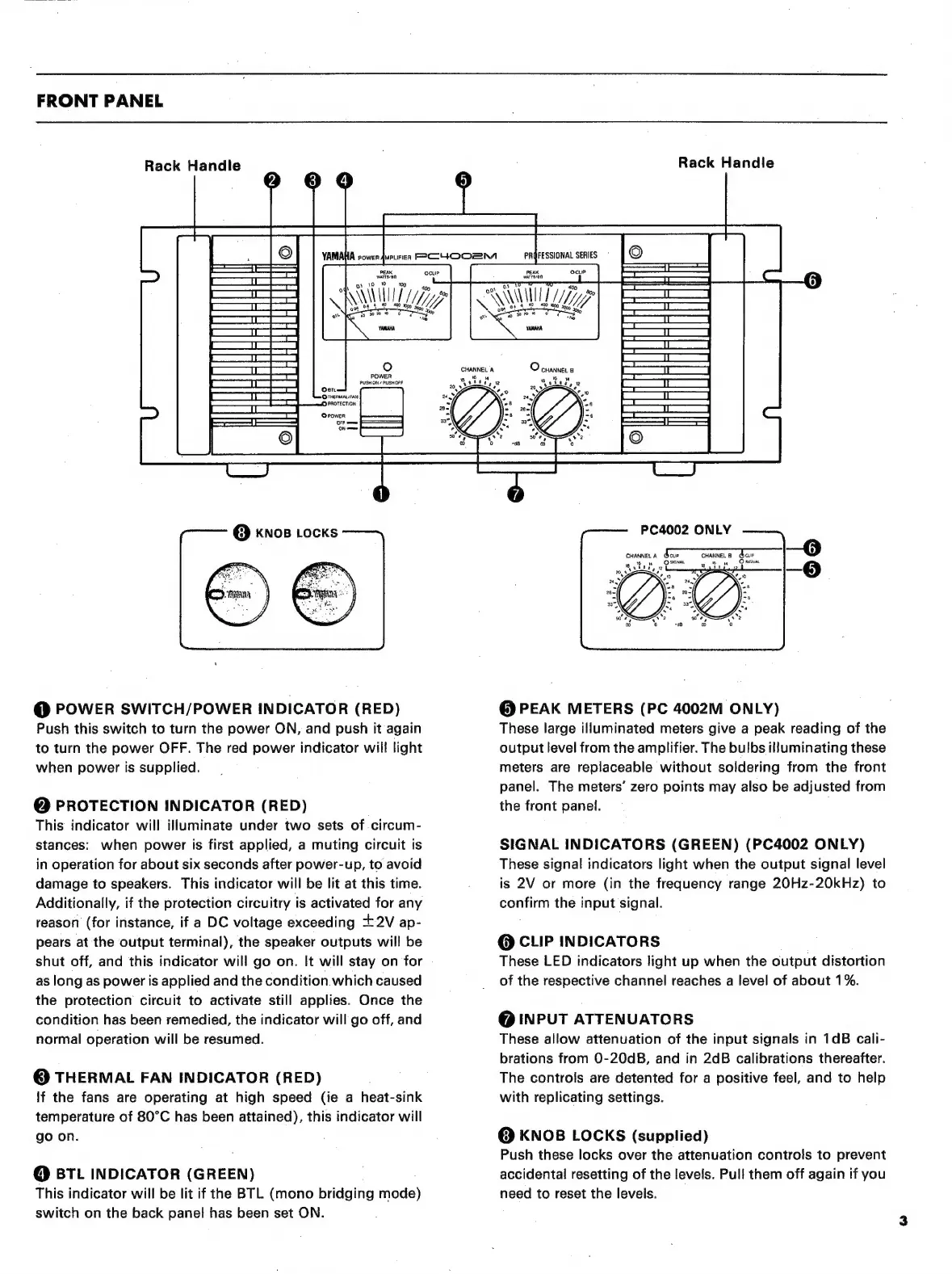
FRONT
PANEL
Rack
Handle
PEAK
майлап
ІШ
@
POWER
SWITCH/POWER
INDICATOR
(RED)
Push
this
switch
to
turn
the
power
ON,
and
push
it
again
to
turn
the
power
OFF.
The
red
power
indicator
will
light
when
power
is
supplied.
@
PROTECTION
INDICATOR
(RED)
This
indicator
will
illuminate
under
two
sets
of
circum-
stances:
when
power
is
first
applied,
a
muting
circuit
is
in
operation
for
about
six
seconds
after
power-up,
to
avoid
damage
to
speakers.
This
indicator
will
be
lit
at
this
time.
Additionally,
if
the
protection
circuitry
is
activated
for
any
reason
(for
instance,
if
a
DC
voltage
exceeding
+2V
ар-
pears
at
the
output
terminal),
the
speaker
outputs
will
be
shut
off,
and
this
indicator
will
go
on.
It
will
stay
on
for
as
long
as
power
is
applied
and
the
condition
which
caused
the
protection
circuit
to
activate
still
applies.
Once
the
condition
has
been
remedied,
the
indicator
will
go
off,
and
normal
operation
will
be
resumed.
6)
THERMAL
FAN
INDICATOR
(RED)
If
the
fans
are
operating
at
high
speed
(ie
a
heat-sink
temperature
of
80°C
has
been
attained),
this
indicator
will
go
on.
О
BTL
INDICATOR
(GREEN)
This
indicator
will
be
lit
if
the
BTL
(mono
bridging
mode)
switch
on
the
back
panel
has
been
set
ON.
EN
Rack
Handle
о
CHANNEL
В
CHANNEL
А
вв
``
Y
atit,
о
20
`
Q
PEAK
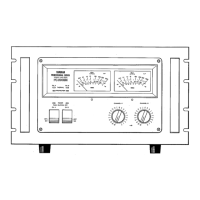
METERS
(PC
4002M
ONLY)
These
large
illuminated
meters
give
a
peak
reading
of
the
output
level
from
the
amplifier.
The
bulbs
illuminating
these
meters
are
replaceable
without
soldering
from
the
front
panel.
The
meters'
zero
points
may
also
be
adjusted
from
the
front
panel.
SIGNAL
INDICATORS
(GREEN)
(PC4002
ONLY)
These
signal
indicators
light
when
the
output
signal
level
is
2V
or
more
(in
the
frequency
range
20Hz-20kHz)
to
confirm
the
input
signal.
Q
CLIP
INDICATORS
These
LED
indicators
light
up
when
the
output
distortion
of
the
respective
channel
reaches
a
level
of
about
196.
@
INPUT
ATTENUATORS
These
allow
attenuation
of
the
input
signals
in
1dB
cali-
brations
from
0-204В,
and
in
2dB
calibrations
thereafter.
The
controls
are
detented
for
a
positive
feel,
and
to
help
with
replicating
settings.
Q
KNOB
LOCKS
(supplied)
Push
these
locks
over
the
attenuation
controls
to
prevent
accidental
resetting
of
the
levels.
Pull
them
off
again
if
you
need
to
reset
the
levels.

Related product manuals