SEND3-4 Channel Pans & Balance 47
ProMix 01 User’s Guide
SEND3-4 Channel Pans & Balance
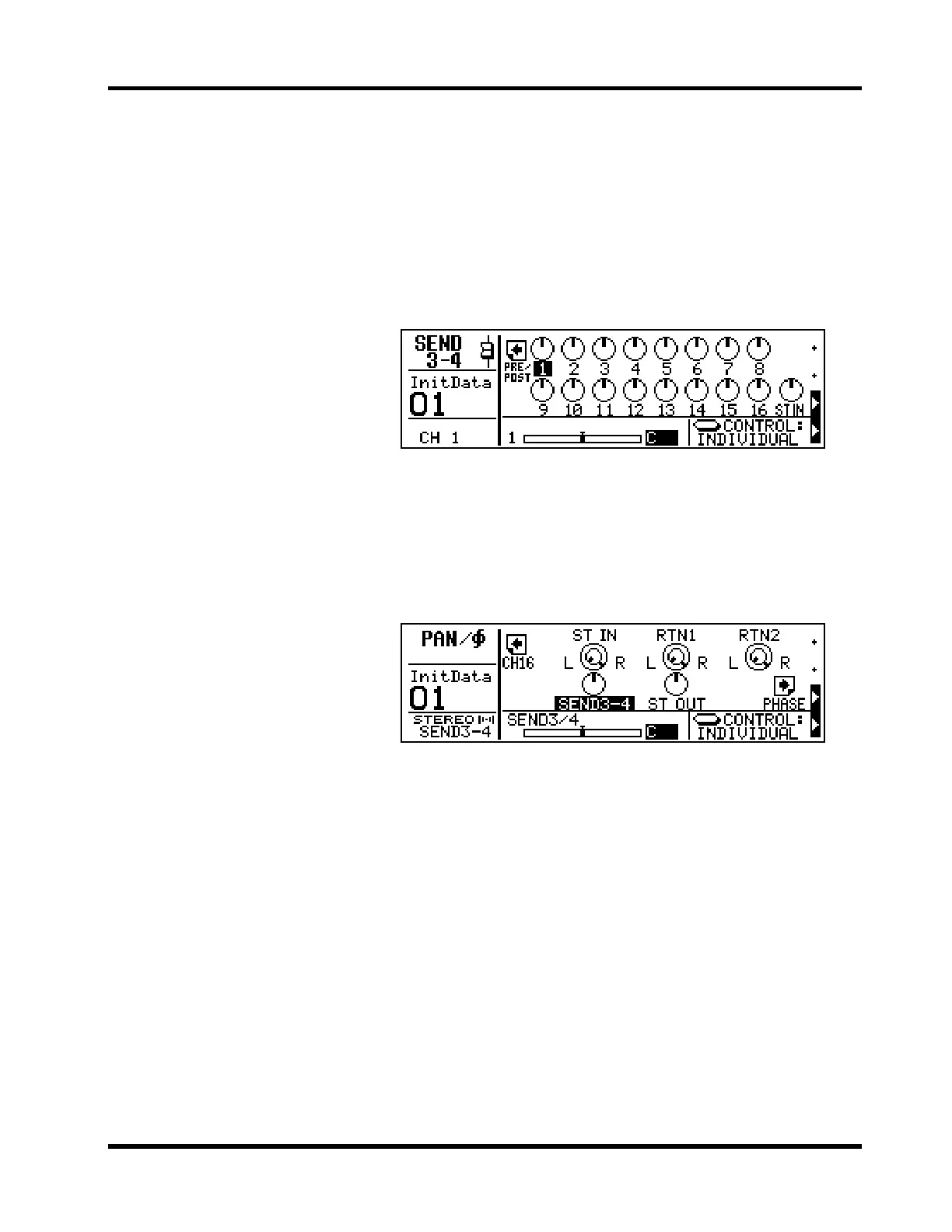
In SEND3-4 Stereo mode, a SEND3-4 pan control is available on each
input channel and a SEND3-4 balance control is available on the ste-
reo input channel (ST IN). These controls appear on the SEND3-4
LCD function, shown below. After pressing either [SEND3] or
[SEND4], press the [
®] cursor button to access the SEND3-4 pan dis-
play. Alternatively, press the [SEND3] or [SEND4] button again. See
“Pan and Balance” on page 26 for operation details.
SEND3-4 Output Balance
In Stereo mode, the stereo SEND3-4 output balance can be set. This
control appears on the PAN LCD function, shown below. This bal-
ance control operates the same as the stereo output balance control.
See “Stereo Output Balance” on page 26 for more details.











 To Next Page